


Coordinating a conference is like juggling while riding a bike — one wobble and something drops. Between managing vendors, syncing staff schedules, and keeping attendees informed, the moving parts multiply fast. A conference app builder like Yapp brings calm to that chaos, putting every detail where it belongs — right in everyone’s pocket.
At Yapp, we’ve seen it firsthand. “When you’ve got hundreds or thousands of people relying on up-to-date information, an app isn’t just nice to have — it’s mission-critical,” says one of our support leads. “That’s why we built a tool anyone can use, no developer needed.”
Uncubed proved it. The digital skills conference series saved over $100,000 annually and coordinated 5,000+ attendees across multiple cities using Yapp. Instead of chasing last-minute email updates, they simply pushed instant notifications to everyone’s phones — no confusion, no missed announcements.
How can one app improve every part of your on-site experience?
Think of your event as a living system: staff, vendors, attendees, and speakers are all connected. A conference app builder keeps that system synchronized:
- Centralize logistics. Instead of scattered spreadsheets, everything — from booth layouts to staff schedules — lives in one dynamic mobile app.
- Instant updates. Change a session room or vendor delivery time? Push notifications alert everyone immediately.
- Empower your team. On-site staff access checklists, assignments, and contact info without flipping through binders.
- Delight attendees. Attendees get live agendas, speaker bios, maps, and updates — all branded to your event.
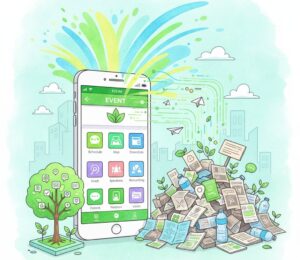
- Cut costs and paper waste. Schools That Can, a nonprofit that used Yapp for its national forum, saved 2,700 sheets of paper while achieving a 96% satisfaction rate for event logistics.
As one Yapp product designer puts it, “Every organizer we talk to wants flexibility. They don’t want to wait weeks for IT to fix a typo. With Yapp, updates take seconds, not days.”
What do successful teams do differently?
The most effective organizers don’t just use tech — they design their coordination process around it. Here’s what they have in common:
- Start with one shared source of truth. Your conference app becomes the hub for every stakeholder. No one has to wonder if they’re looking at the latest version.
- Train teams early. Encourage staff and vendors to download and explore the app before they arrive. The more familiar they are, the smoother setup day goes.
- Use push notifications strategically. Send concise updates at key times — during setup, transitions, and wrap-up.
- Highlight sponsors digitally. Replace printed banners with interactive sponsor pages. Uncubed impressed 30+ sponsors this way while saving on printing costs.
- Collect instant feedback. Post-event surveys built into your mobile app help you capture insights before everyone leaves the venue.
We’ve seen this pattern repeat across organizations — from major telecom trainings at Verizon to nonprofit summits. Once teams make the app their go-to communication tool, coordination issues drop dramatically.
Why build your own app instead of buying one off-the-shelf?


Traditional event tech can be pricey and rigid. Custom apps take weeks to develop, and template-based tools often limit flexibility. With Yapp’s no-code conference app builder, you can:
- Build and publish a fully branded app in under an hour.
- Edit content live from your dashboard — no waiting on developers.
- Manage multiple events from one account (perfect for multi-city series like Uncubed).
- Add interactive features like photo sharing, attendee lists, and polls.
- Access data analytics post-event to measure engagement.
As our engineering team likes to say, “Speed plus simplicity equals control.” Whether you’re running a 150-person nonprofit forum or a 2,000-attendee corporate summit, control is everything.
And it’s not just about control — it’s about connection. When every message, alert, and session update flows through one easy-to-use app, your team feels more confident and your attendees feel more cared for. One of our customer success managers summed it up best: “We’re not just helping you build an app. We’re helping you build trust in your event.”
How do you get started with a conference app builder?
You don’t need to overhaul your tech stack — just take these quick steps:
- Map your needs. List what your team, vendors, and attendees need to know — schedules, contacts, maps, forms, etc.
- Build your app. Use Yapp’s drag-and-drop templates to create sections for each audience group.
- Brand it. Add your logo, colors, and sponsor content to make it look like a custom-built experience.
- Test and share. Invite your internal team to test the app before launch day.
- Go live and communicate. Launch the app, push updates, and enjoy having your event run on autopilot.
We’ve watched hundreds of customers — from educators to Fortune 500s — make the switch. And the results are consistent: fewer headaches, happier teams, smoother events. With every event built, Yapp customers prove that the smartest coordination doesn’t require coding — just the right tool and a few clicks.
Ready to simplify your on-site coordination?
Your next event deserves to run seamlessly — and it can. Build your app today with Yapp’s conference app builder.