Author Archives: Yappie

Tips & Tricks: Give each Yapp a unique style

  • Yapp shows how to give an app a more unique visual style without making setup more complicated.
  • Small design choices can improve branding and help the app feel more polished and memorable.
  • App creators who want a more customized look will benefit most from these tips.

Just because our old theme library is gone doesn’t mean you can’t have a specialized look for your organization, event or business. There are a variety of customizations that anyone can use to add a personal or thematic touch to their Yapp.

tip7-COVER


Our new cover editor lets you add a background image to your cover page. This can be a bit of ambient fun, or it can serve as a thematic tie. Having a Thanksgiving dinner party? Use a photo of a cornucopia as your background. Using Yapp with your running group? Use a photo of you all running your course. Then, choose a color from that photo and let it be your simple style throughout.

If you don’t see that color in our options, try out a custom color. For a fee, we’ll add whatever color you want to your style options, making your Yapp look even more awesome. You can also add a custom cover, which lets you take over that entire cover page space. Add your own colors, designs and fonts, and we’ll upload it for you.

A lot of people have asked about white backgrounds for their covers, like they once had on Primary Colors and Corporate White themes. With our new background image field, you can upload a blank white image as the background, and then include your logo or main image in a circle or square on top.


While our old library is still around (that’s until Nov. 15!), take screenshots of your favorite theme covers. Then, if you want to use them for your cover page in the future, you can always upload them as your background image.

Product Update: Add A Background Image to Your Cover Page

  • Yapp introduces a feature that adds background images to the cover page for stronger visual branding.
  • Better cover customization helps apps feel more polished and event-specific right from the first screen.
  • App creators looking for stronger visual presentation will benefit most from this update.

Since introducing our new styling system, we have been able to add exciting new features to the Yapp editor to make your apps more customizable.

Last week, we announced the ability to choose between a square and circle cover image. This week, we’re introducing background images for your cover page.

Editor 8


What the Tech?! Google Inbox

googleinbox
  • Yapp explains Google Inbox and why it mattered as a product and workflow concept.
  • The post offers a quick look at a notable tech product in a simple, readable way.
  • Readers interested in productivity and consumer tech tools will benefit most from this article.

Google Inbox, n;

A new email app from Google that integrates reminders, alerts, reservations, and other Google-based web functions into your inbox. Inbox is built off of Gmail, the widely-used free web email service from Google. 

Continue reading →

Tips & Tricks: Sell Tickets and Register Attendees

  • Yapp shares tips for handling tickets and registration more smoothly through app-friendly workflows.
  • Better registration setup helps reduce friction and makes event access easier for organizers and attendees.
  • Event planners managing registration and ticket flow will benefit most from these tips.

Getting RSVPs, registering attendees, and selling tickets is a stress factor of any event. While your Yapp makes it simple to keep organized during the event, we can now be even more helpful in the planning stages.

tip5-tickets

If you use Eventbrite, the popular free event registration and ticketing platform, you can now bring that listing info to your app. Add the tickets template page to your app, then log in with your Eventbrite account info. Choose which event you want to import and, voila, all of the information will import in.

You can even replace an ‘Invitation’ or ‘Information’ page with a tickets page — many of the fields are the same, just filled with the information you’ve already added to your Eventbrite listing. Once you pull in the data, you can edit it to show just what you’d like. Maybe you want a little less that what was included on your ticketing page, or maybe a bit more. Click ‘Edit’ in the top right corner of the page on the editor and you can make changes just like you would to any other Yapp page.

If you’re not the owner of an event on Eventbrite, never fear! Once you create an account or log in, you can simple paste in a link to an event listing and it will pull in the same information.

When a user clicks ‘Buy Now!’ s/he will be redirected to either Eventbrite on a mobile browser, or the Eventbrite app, if it’s installed. There, they can go through a secure payment or registration process.

Yapp Updates: Cover image changes & Twitter hashtags

  • Yapp highlights product updates related to cover images and Twitter hashtag support.
  • These updates help users improve app branding and encourage stronger social engagement around events.
  • App creators who want more polished visuals and social visibility will benefit most from this update.
We’ve had a few product updates this week.

First, after a lot of helpful feedback from users on our new styling tool, we’ve added the ability to toggle between cover image styles. Now, you can choose if you want your image to be in a circular frame or a square frame.

When you click edit photo on the cover, you’ll see the option to adjust the frame. Editor 2


Second, you’ll notice now when you’re adding a Twitter page that the option to add hashtags is gone. When you click Wondering where hashtags are? you’ll get a quick explanation of why we’ve had to remove them.

In short, by offering our service free, it allows people to test it out, which we love. However, sometimes, people add in overwhelming hashtags (we’re talking about you, #JustinBieber) which crowd the system and stop hashtags from working for others.

As of November 2014, Hashtags are a part of Yapp Plus. If you’d like to access hashtags in your app, you can subscribe to Yapp Plus.

As always, send us your feedback and we hope you enjoy the new cover editing feature.

Tips & Tricks for Creating a Stellar Event App

tip6-EVENT
  • Yapp shares practical tips and tricks for getting more value from an event app.
  • Better setup and smarter feature use help improve both organizer workflow and attendee experience.
  • Event organizers who want stronger app results without extra complexity will benefit most from these tips.

Yapp is perfect for events of all shapes and sizes. From birthday parties to fall break trips to conferences, you can pick and choose your template pages to fit your needs.

Here’s what you’ll need in your Yapp:

  • Invitation: Here’s where you’ll put all of your basic event information. If your event is one day, invitation is perfect. If it last’s longer, use Information instead. And, if you’re using Eventbrite for ticketing or registration, replace this page with the new Tickets page, which can display all of your event info as well as link to sell tickets. This page is a must-have for most events; it holds all the vital details, including the location’s address which links directly to Google (or Apple) maps.
  • Schedule: If you’re packing in workshops, conference sessions, or activities, this will help you keep track of everything. Linked addresses can go in here as well, so there’s no getting lost from one thing to the next. If you’re running a lot of different sessions or activities, or have a conference with multiple tracks, get excited — we have a multi-track schedule page coming soon as a premium add-on.
  • People: Use this to replace those expensive bio books that end up collecting dust as soon as the day is over, conference organizers. Ask your speakers, organizers, or attendees to put their information into a spreadsheet (formatted like our upload template) and then send it our way — we’ll upload all of those bios into your Yapp quickly and inexpensively. This page is also perfect for showcasing sponsors*; include their logos, company names, bios and websites as resources for attendees. If your event is less formal, this is a great page to store contact information so that the group or specific members can easily be reached.
  • News Feed: We’ve featured our News Feed a few times in Tips & Tricks. With it, you can send push notifications, which makes it great for event updates and announcements. But, the page also works like a group chat, which means if your event is a vacation with friends, you can use it to plan travel arrangements and keep track of who owes who money.
  • Crowd Pics: Sharing photos is fun whether it’s with friends, family or co-workers. Anyone with your Yapp can post photos into this page, making a collaborative commemoration space. It has also been used for scavenger hunts, and all the photos can be downloaded afterward to create albums for event guests.

*For bigger sponsors you want to highlight, try adding their logo to a custom cover page. Email us for info!

Depending on what type of event you’re creating for, our other template pages may also be helpful for organizing. The above are the staples, but there’s always room for creativity. Then, once you’ve published your app, it’s time to share and promote. Check out our post full of sharing tips, and let us know what creative ways you’ve used to promote your event apps!

Introducing the Eventbrite Tickets Template Page

EB
  • Yapp introduces an Eventbrite tickets template page to make ticketing information easier to share inside an app.
  • A more direct ticketing setup helps connect registration flow with the event app experience.
  • Event teams using Eventbrite for registration will benefit most from this feature.

Putting together an event takes a lot of time, organization, and awesome tools.

Now, two of your favorite tools are joining forces to streamline your event management from start to finish. Yapp has partnered with Eventbrite to bring you our newest template page: tickets.

If you already use Eventbrite for ticketing and event management, all you have to do is open up the Yapp for your event, add the Tickets page, then sync your Eventbrite account to import your event.

If you aren’t familiar with Eventbrite, it’s the world largest self-service ticketing company that allows people to easily host, promote and discover events they’ll love.

By bringing our services together, your users will be able to get everything they need to attend and have a great time at your event, all in one place.

Head to Yapp now to check out the new page. If you have feedback, send it our way. And, if you’re excited about the Yapp/Eventbrite friendship, spread the word and help get more organizers on board!

What the Tech?! Two-step Verification

twostepver
  • Yapp explains two-step verification in a simple way as part of its tech explainer series.
  • The post helps readers understand a basic security concept that matters in everyday digital life.
  • Readers who want approachable guidance on online security topics will benefit most from this article.

Two-step Verification, n;

A process that adds an extra layer of security to your private accounts by asking for secondary authentification of your identity. This process is used by most cloud services, including Gmail, Apple, and Dropbox. By enabling two-step verification, it is marginally more difficult for hackers to access your accounts.

Most two-step processes involve you connecting a phone number to your account email. When you log in from a new device, computer, or incognito browser, you’ll be prompted to enter the code that was sent to your phone. Basically, you’re required to know something as the account holder, and possess something that the account owner possesses. The ATM is one of the most common multi-factor machines — it requires you to possess your bank card and know your PIN number. The likelihood that someone who is not you will know both of these things is slim, so you are granted access to your account. On the web, we use passwords to access our accounts. While some people are excellent at creating “unhackable” passwords, most people are still using their cats name backwards with their birth date. Secure your passwords with the extra deadbolt that is multi-factor authentication, using a service like 1Password, LastPass, and/or two-step verification services offered by individual apps.

After scares like Heartbleed, the Apple iCloud photo leak and Dropbox‘s recent account info leak, adding two-step verification to your accounts is especially important. In short, it means that even if your account emails and passwords are accessed illegally, your email, cloud storage, credit cards, and personal information are safe.

Product Update: Control Your News Feed Posts

tip4-AONF
  • Yapp highlights News Feed posts as a way to keep app content fresh and timely.
  • A feed-style update format helps users share ongoing news and keep audiences engaged inside the app.
  • App creators who want more dynamic, repeatable content will benefit most from this feature.

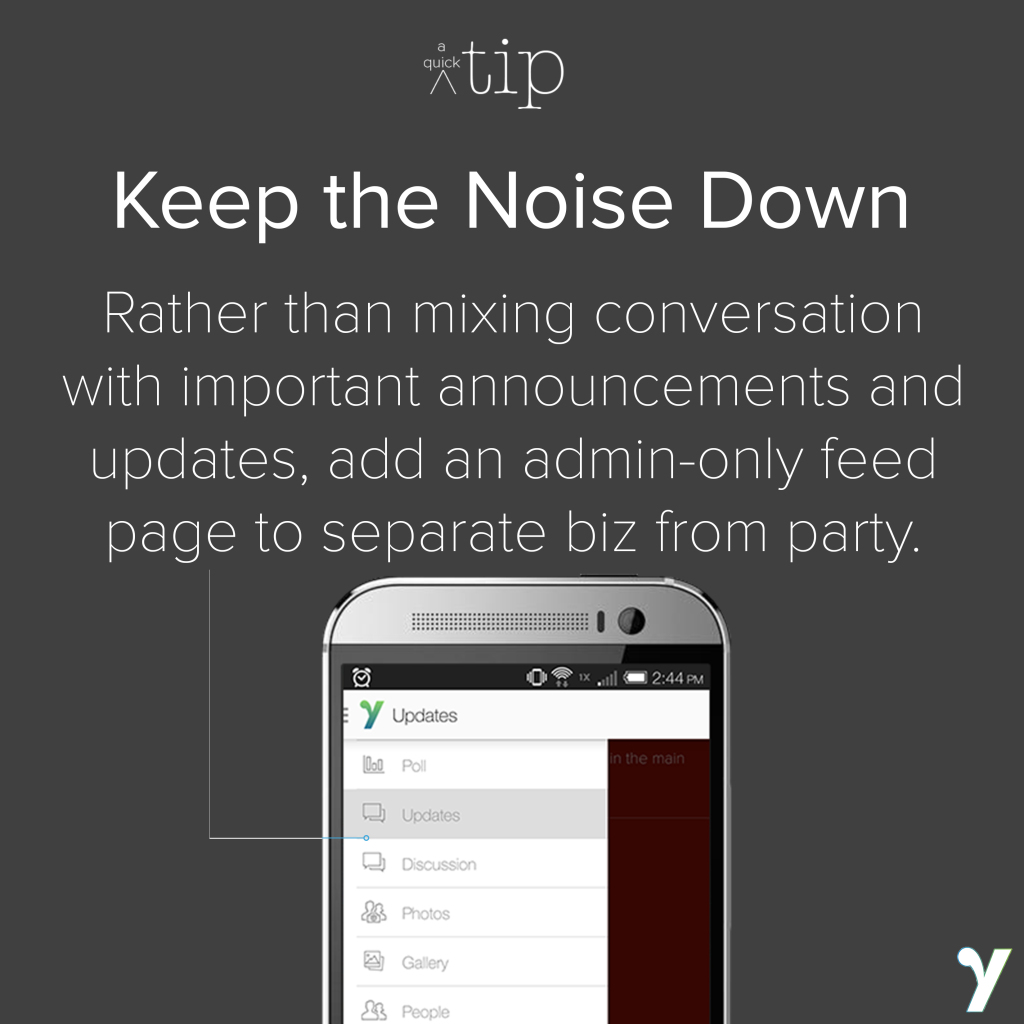
Depending on your event or group, an open News Feed page might not be the easiest thing to control. There are a few different ways to take control of the page, and a few useful ideas for making use of our premium admin-only news feed page.

With our basic news feed page, anyone who has your Yapp on their phone can post in comments, questions, and pictures. The only way right now to control this is to delete notifications after the fact and, sometimes, that’s too late.

We built our admin-only News Feed template page to address these issues. With it, you can toggle who has the ability to post into the news feed, choosing Creator Only (you and anyone else you add to your account via Account Settings) or Everyone. We’ve seen many teachers and other educators use this page in their classroom to great success. It cuts down on the number of notifications users receive, and makes it easier to separate important updates from conversation.

One of the cool ways we suggest you use this new page (which you can purchase to add to your account by emailing us) is in conjunction with your basic news feed. Use the basic feed as a place for discussion, photos, questions, and comments. If you’d like, we can even change your app’s settings so that only posts from the administrator (e.g., those posted in the admin-only news feed) will go out as notifications to your users. Then, add the restricted feed page and use it to post important updates, like schedule changes, homework assignments or 5-minute warnings.

You can purchase the admin-only news feed page for $49, which allows you to use it in an unlimited number of apps created with your account as long as you stick with Yapp.

What the Tech?! NFC

nfc-george-seinfeld copy
  • Yapp explains NFC in a simple, approachable format for readers who may know the term but not the details.
  • The post turns a technical concept into an easy-to-follow explanation for everyday audiences.
  • Readers interested in common mobile technology terms will benefit most from this article.

Near Field Communication (NFC), n;

A short-range wireless field that allows for communication between two objects. NFC is used in mobile devices to allow for over-the-air transfer of information, including mobile payments. The newest iPhones are the first Apple products that incorporate NFC to allow for Apple Pay.

NFC emerged out of radio-frequency identification (RFID), which is a one-way communication from one object to another. It first appeared in 2006 in a Nokia flip phone, and has since grown from “beam” technology (like bump, where contacts could be transferred just by holding two NFC-enabled phones near each other) to Google Wallet and Apple Pay. The phone can communicate through an electric field with other devices, like credit card scanners, to transfer information. NFC is also being used by many city commuters who tap-to-enter their buses and subways; right now, these are mainly physical cards with the technology, but with Apple’s new integration of NFC, phones could soon be the ticket (pun intended) to ride.

While Google Wallet and Apple Pay depend on your phone to store information and communicate with scanners, there are physical cards incorporating this technology. Coin, a small credit-card sized device, promised to store eight cards and work like your plastic credit or debit cards. More recently, Plastc launched on , boasting storage for 20 credit, debit and gift cards, an e-ink touchscreen (that allows you to switch between them), an EMV chip (to replace the swipe-and-sign cards), and the ability to function with your default card should the battery die. With the growing acceptance of NFC, the traditional overstuffed leather wallet could go the way of the flip phone.