Author Archives: Yappie

Product Update: A Change to Theming

  • Yapp shares a theming update that changes how app styling and visual presentation work.
  • Better theming controls help creators build a more polished and on-brand mobile experience.
  • Users focused on app design and customization will benefit most from this update.

As we work to make Yapp better, we’ve decided to make a big change to the way that theming works.

We’re saying goodnight to our current theme library starting November 30th and switching over to a more modern and technically-efficient system, which incorporates our newest Basic theme in light and dark.

stylepicker

The new styling tool will sit at the top of the editor screen. If you want to change your color or style (Light or Dark), you can click to expand and see a variety of colors.

With this new design, our users will have a (literal) rainbow of color options to choose from, plus additional opportunities to customize. If the color you want isn’t an option, we’ll be able to easily work with you to add it. New features — including a more DIY cover page and the template pages you’ve been asking for, among other new things — will be seamless additions.

Some of our users have already been using the styling tool rather than the theme library. For our longtime users, the old themes will remain available until November 30, when we switch things over. If you don’t move your account to the new look before November 30, your theme will change to the Basic style in a color that matches the previous look.

We hope you’ll check out the new style tool and give us your feedback! If you have any questions or concerns, please reach out to us via email.

Tips & Tricks: Easily Store Your PDFs and Documents

  • Yapp shows how to store PDF files in the app so important documents stay easy to access.
  • Centralized file storage helps reduce confusion and gives users one place to find needed resources.
  • Event organizers and internal teams sharing documents will benefit most from this tip.

Have a lot of documents to share with your users? There are a few ways to view them in Yapp before we develop a dedicated page for viewing.

The best way we recommend sharing your documents with your users is through sharing links. Upload the PDFs/documents you want to share to Google Drive or Dropbox. Then, take the sharing links generated by Google or Dropbox and paste them into a Simple Text page (like we show in the image above). Sometimes, those links are really long and ugly, so try using a shortener like bit.ly to get a nice, clean look.

This is our favorite way because it keeps your Yapp uncluttered and lets your users download the documents to their phone or iPad if they choose. If your documents pertain to a certain item on the schedule or people page, you can also paste the link into the description section of the event or person entry.

You can also save your documents as image files and upload them into a gallery page. This shows all the documents in thumbnail and can be enlarged to be read.  However, with this method, each page has to be saved as a separate image and can’t be downloaded, making for a long process for you and hard to read documents for your users.

Have other tips or ideas about sharing PDF and other document files? Let us know!

What the Tech?! Ello

  • Yapp explains Ello and why it was gaining attention as part of its tech commentary series.
  • The post gives readers a quick overview of a trending social platform in a simple format.
  • Readers interested in internet and social platform trends will benefit most from this article.

Ello, n;

A simple new social network touted as the ‘Anti-Facebook’. Currently in invite-only beta, people have been buzzing about the ad-free social network which is making a direct punch at Facebook.

Ello doesn’t sell ads or user data, which is the main business model of Facebook and Google. The only information they collect is entirely opt-out and is used internally to make the network better for its users. Certain features are available for users to purchase, but the network is wholly free to use. The network works like a mix of Tumblr, Twitter and Facebook, with a simple personal feed that allows for large images, gifs, views and comments. There is a selection of public profiles you can check out right now to see how people are using Ello, as the wait to join is probably pretty long (we’ve been waiting at least 5 days).

Once you’re given a code to join Ello, you can create a profile using any name you want (similar to Twitter and against Facebook’s only-real-name policy). Friends can follow you, you can follow friends and others. It was built by artists as a hub for artists, which makes it a great place to share photos and artwork. Soon, there will be an iOS and Android app for users. Right now, it doesn’t appear to have any functions or features that Facebook, Twitter, Google+ and Tumblr don’t have.

When Yapp is able to join, we’ll update this post with more information about interacting with the network!


Tips & Tricks: Notifications Keep Your Users Engaged

  • Yapp shares tips for using notifications to keep users engaged without overwhelming them.
  • Smarter notification strategy helps improve attention, participation, and overall app value.
  • App creators and event teams using push notifications will benefit most from these tips.

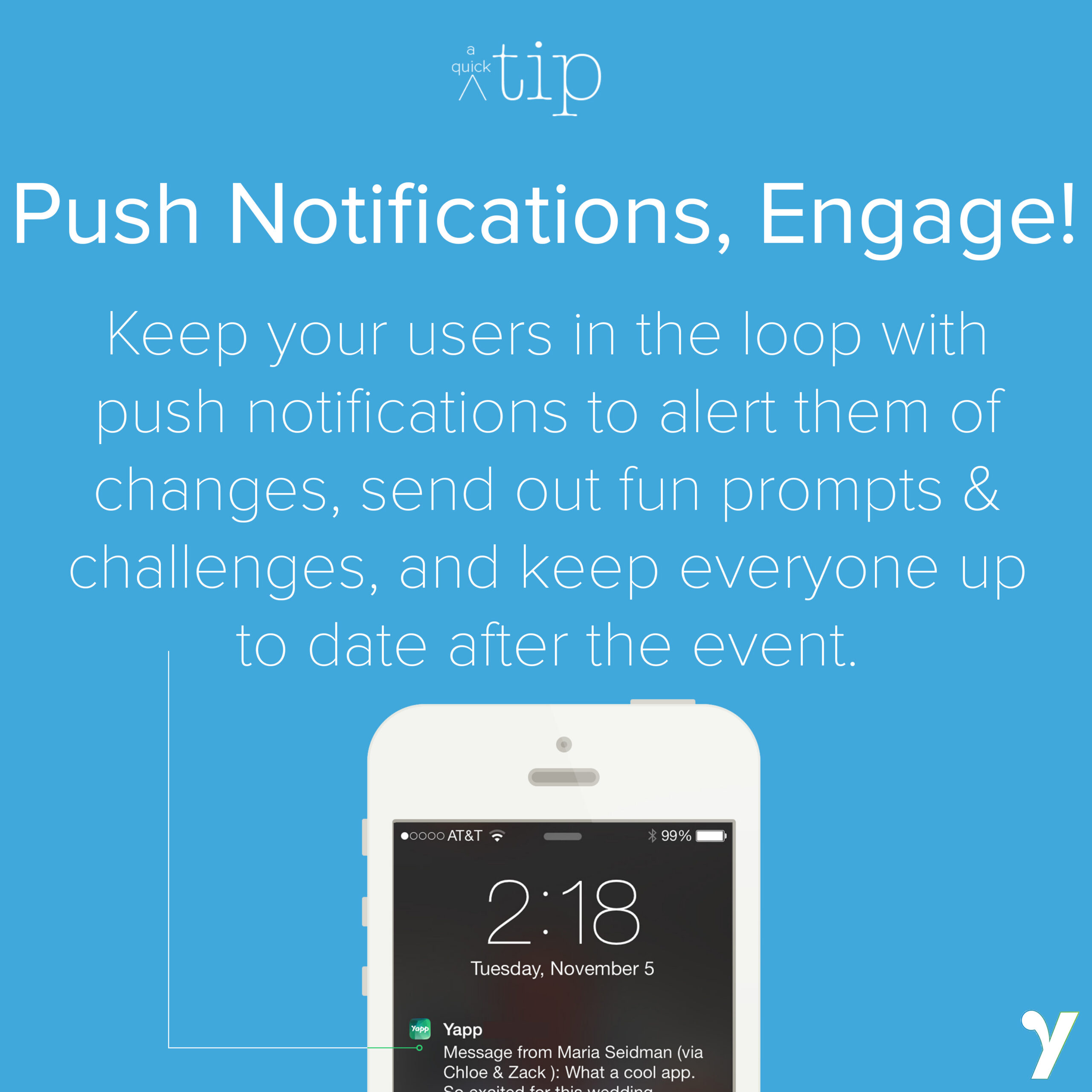
The fun doesn’t stop after you’ve created and shared your Yapp. Now that you have people using it, keep them coming back for more!

Use the News Feed page to send out announcements throughout your use of the app, from “The keynote starts in 5 minutes!” to “There are 3 grab bags left at the door — come and get them!”

People have also made the News Feed into a collaborative game page. Want to have a scavenger hunt? Send out clues via News Feed push notification and have players respond either with a statement or photo in response within the app.

By filling your app with information beyond what they could get in a paper program. Include links, collaborative photo and text pages, use push notifications, and post poll questions, the app becomes a more fun and functional necessity. Plus, if you keep a laptop or tablet handy, you can edit and refresh pages throughout the day. Using this as a way to reveal speakers, information, or schedule events is a great way to make people check page; you can also add links to download the slideshows after presentations are finished!

If you’re looking for a page purley for Announcements, we have a premium admin-only news feed available. Just send us an email if you’re interested!

Meet Yapp: Our New Product Video is Up!

  • Yapp introduces a product video that helps explain what the platform does and why it matters.
  • A clear visual overview makes it easier for new audiences to understand Yapp quickly.
  • Prospective customers and event planners exploring Yapp for the first time will benefit most from this resource.

This summer, we did a lot of updating to Yapp, inside and out. The site and apps have a cleaner look and much improved performance, and we have new features and goodies cranking for you to see in the fall.

So with all of this new stuff, we decided we also needed a new introductory video to make it even easier for you to share what your favorite app maker is all about. Enjoy and share!

A huge thanks to Sean Meehan, who directed and edited; Chris Loughran, who shot; Lindsey Simcik, Donald Chang and Steven Conroy, who acted; Cesar Suarez who composed the original music; JCC Manhattan for the event space; NearlyNewlywed.com for the wedding attire, and the entire team at Yapp.

Tips & Tricks: Sharing Your Yapp

  • Yapp shares tips for making it easier to share an app with the right audience.
  • Better sharing practices help increase visibility, adoption, and event readiness.
  • App creators focused on distribution and user uptake will benefit most from these tips.

You’ve spent a few hours putting together an awesome app, complete with all the info your group could possibly need. Now, it’s time to share it. We’ve pulled together a few proven tips and ideas to help you get the word out.

tip2-customize

Customize your ID. Once you publish your Yapp, you’ll see an option to customize your Yapp ID. This adds a little flair to your Yapp and simplifies sharing with friends, family, colleagues and others. If you don’t see the blue ‘Customize’ button after you publish, you can tap the Gear icon in the upper right corner of your Yapp’s info card on the dashboard and choose “Customize.”

Spread the word. Now that you have your ID, share it! You can do this using one of the 5 options on your dashboard (email, Twitter, Facebook, QR code, and SMS text) or you can send it out through your own email client, phone, or other method.

tip2-share
You should include your sharing link in the body of the email just in case users have trouble with the buttons. This way, they’ll still be able to refer back to retrieve the app, simply by tapping the link in the email.

It’s also helpful to include download instructions. We’ve put together an easy 3-step script that you can copy, paste and distribute:

  • Visit my.yapp.us/[CUSTOMID] on your iPhone or Android
  • You’ll be taken to the app store to download Yapp.
  • Open Yapp and [Your App Name] will sit inside.

Have other great ideas for sharing your Yapp? Let us know in the comments!

3 Highlights from Apple’s Announcement Event

  • Yapp recaps three key highlights from Apple’s announcement event in a quick, readable format.
  • The post gives readers a simple summary of major takeaways from a big tech moment.
  • Readers who want a short tech event recap will benefit most from this article.

In case you missed the Internet exploding earlier (or, if you were watching Apple’s live stream of the event), Apple introduced a slew of new products today at a hyped event in Cupertino, Calif. The team unveiled new phones, the rumored watch, and more. Here are the highlights you need to know for this afternoon’s watercooler talk.
 

What the Tech?! Apple Pay

  • Yapp explains Apple Pay and why it matters as a consumer tech development.
  • The post gives readers a quick overview of a major mobile payments topic in plain language.
  • Readers curious about payment technology and mobile trends will benefit most from this article.

184829966

Apple Pay, n;

A wallet-like feature that stores your credit cards to allow iPhone 6 and Apple Watch users to pay with a tap. Announced Tuesday at Apple’s new product demonstration, Apple Pay is a feature that will be available in the upcoming iPhone 6 and iPhone 6 plus, both running iOS 8. It’s similar to Google Wallet and other digital money storage apps and devices.

Tim Cook, Apple’s CEO, described their creation of Apple Pay as the solution to the problem that is plastic credit cards. iPhone 6 and 6 plus users can store their credit cards on their phone using Passbook. The credit card number(s) and personal information is all encrypted, so Apple doesn’t keep record of it and it isn’t passed along to stores when you make a purchase. When you’re in a store that accepts Apple Pay, you can tap your phone to the NFC readers and pay in an instant. Apple Pay has also integrated with vendors online, so if you’re purchasing from places like Target or Uber with your phone, you can now choose to pay with your phone.

If you lose your iPhone, you can freeze Apple Pay and not worry about getting new credit cards, as none of the information is actually stored on the phone. Basically, it’s a fairly secure digital wallet — not much different than what has hit the market before (like PayPal and Google Wallet), which haven’t been able to popularize digital payments.

Read more about Apple’s product announcements on our blog soon!

What the Tech?! Hyperlapse

  • Yapp explains Hyperlapse in a simple, accessible way as part of its tech explainer series.
  • The post helps readers understand a trending video tool without technical overload.
  • Readers interested in social and mobile content trends will benefit most from this article.

Hyperlapse on Make A Gif

Hyperlapse, n;

A technique used in video post-production to steady camera movement that makes exposure seem sped up. Last week, Instagram announced a new app (currently only for iOS) called Hyperlapse, which steadies and smoothes your videos to appear time-lapsed, without all the effort.

Time lapse photography has been around for ages. Filmmakers and photographers have been using the technique for ages to show the bustle of life, and those things that remain constant throughout (see: Baraka and Koyaanisqatsi). Those creators used Steadicams, tracking rigs, and high-exposure cameras, taking days/months/years and thousands of dollars to achieve the high-speed, smooth quality associated with time-lapse. Now, anyone with an iPhone can make short videos, let the Hyperlapse app go over them with steady magic, and have something comparable to those masterpieces that can instantly be shared with your social media network.

Hyperlapse the app works using the smartphone’s gyroscope — a tool that measures movement and direction, allowing you to simply tilt your phone to adjust orientation or to make a wide turn on a driving game, for example. By harnessing this technology, the app can make videos with tons of movement (in all directions) seem smooth and anchored.
 

What the Tech?! Twitch

  • Yapp explains Twitch and why it mattered as a growing digital platform.
  • The post offers a quick overview of a major online content trend in an approachable format.
  • Readers interested in streaming and internet culture will benefit most from this article.
child-playing-video-games copy

Twitch, n;

A platform that lets people live-stream their favorite video games, as played by other people. Twitch was bought for $1 billion by Amazon this week, to bolster its place in the future of gaming.

Twitch is often used by gamers to study more proficient players who have mastered games. Others use it to observe games before they decide to buy them. It is, in essence, a television channel dedicated to broadcasting video games (in place of, say, baseball games). Those who are being streamed playing their video games are often making money, either by donations from viewers or by subscription. Like YouTube became a launch-pad for finding talented actors, singers, writers, and comedians, Twitch is becoming the place to find top-notch gamers ready to compete in big tournaments.

Twitch.tv also offers events like competitions, charity marathons and industry events for its users. It is a platform built on a community of people who want to learn form each other and improve with the help of others. The site also offers video shows, member chats and podcasts.