Tag Archives: apps

Tech Proposal Ideas To Improve App Engagement

  • Yapp shares proposal ideas that help teams build stronger app engagement from the start.
  • Clear planning around content, user value, and interaction helps apps feel more useful and more active over time.
  • Teams creating apps for events, communities, or internal communication will benefit most from these ideas.

In today’s digital landscape, having a highly engaging mobile app is essential for event and internal comms success. But with many struggling with already constrained event budgets, it can be hard to make the case to invest in an event app provider to decision-makers.

Today, we’re going to share several concrete strategies, you can discuss in your tech proposal or pitch, to enhance user engagement, user experience, and retention for your target audience, and ultimately, a return on your investment.

5 Ways To Make The Case For Improving App Engagement

1. Provide a Personalized Onboarding Process

A smooth onboarding process is crucial for new users to understand your app’s value and features. With Yapp’s customizable templates, you can create an engaging, step-by-step onboarding tutorial that guides first-time users through your app.

Personalize the experience by incorporating in-app messaging and tailoring the content to meet individual user preferences. This will help reduce churn, increase user retention rates, and ensure a positive customer experience.

2. Incorporate Elements of Gamification and Real-Time Interaction

Incorporating gamification elements into your app will not only make it more enjoyable but also drive engagement and user retention.

Yapp’s event management features enable you to create interactive polls, quizzes, and scavenger hunts that keep users engaged in real-time. By adding a competitive edge through leaderboards and rewards, you’ll encourage collaboration and social networking among app users.

3. Integrate Social Media and Marketing Strategy

Take advantage of the power of social media by integrating popular platforms into your app. Yapp allows you to include social sharing buttons and live feeds, making it easy for users to connect, collaborate, and share their experiences.

Incorporate your app’s social media presence into your broader marketing strategy to reach a wider audience and increase engagement rates.

4. Utilize Push Notifications and In-App Messaging

Maximize user engagement and retention by leveraging push notifications and in-app messaging. Yapp’s platform allows you to automate and schedule targeted notifications based on user preferences, location, or time.

Delivering personalized messages, reminders, and call-to-action (CTA) prompts will ensure your app users stay informed and engaged.

5. Routinely Incorporate Updates and New Features

Keep your app fresh and exciting by regularly introducing new features and updates. Monitor user engagement metrics and gather feedback to identify areas for improvement or potential new additions.

Yapp’s mobile app development tools make it easy to implement changes and ensure your app remains a high-quality, valuable resource for your user base. Plus, you don’t need any coding ability to leverage our easy to use editor!

Yapp: Your Go-To Provider for Event App Solutions

By implementing these tech proposal ideas and utilizing Yapp’s event and internal comms app software, you’ll create an engaging, personalized user experience that drives app engagement and retention.

From onboarding to in-app messaging, gamification to social media integration, Yapp provides the tools you need to create a successful mobile marketing strategy and keep your app users coming back for more.

And with Yapp’s event app software, you get an affordable, comprehensive suite of tools and features to help you create engaging, user-friendly event and internal comms apps.

With Yapp, you can design, publish, and manage your app without any coding or technical expertise, making it an ideal solution for startups and established businesses alike. Plus, Yapp’s competitive pricing and 14-day free trial make it an accessible choice for businesses of all sizes.

Ready to experience the difference Yapp can make for your event or internal comms app engagement?

Start Your Free Trial

Maria Seidman featured in Entrepreneur’s Startup Magazine

  • Yapp highlights Maria Seidman’s recognition in Entrepreneur’s Startup magazine.
  • The post reinforces Yapp’s founder story and leadership visibility within the startup world.
  • Readers interested in Yapp’s growth journey and founder recognition will benefit most from this update.

Thanks to your votes, our CEO and co-founder Maria Seidman was named 2014’s Emerging Entrepreneur of the Year by Entrepreneur magazine.

The magazine’s Startup edition featured Maria and Yapp in a great story about creating your own apps. You can read it in the Summer 2015 magazine on newsstands, or via PDF. Once the link to the story is live, we’ll share it as well!

Thanks again to everyone who took time to vote and share your support. We couldn’t have done it without you!

Read the full story here.

Maria Seidman — Entrepreneur Startup Magazine

Tips & Tricks: Use Canva to Quickly Design Custom Covers

Canva - Custom Cover
  • Yapp shows how Canva can help users create custom covers for a more polished app design.
  • Better cover design helps apps feel more branded, attractive, and event-ready without needing advanced design skills.
  • App creators who want stronger visual branding will benefit most from these tips.

Canva is a tool we’ve raved about a few times on our blog. It’s a super-simple design tool for any skill level. You can create from templated sizes, or you can work on your own canvas.

After using Canva for a while, we realized it was perfect for our Plus users creating custom covers.

When you first head to Canva.com and create an account, you’ll see the “Create a Design” section. In the upper right, click the “Use custom dimensions” link to get rolling on your custom cover.

Use Custom Dimensions - Custom Cover

Then, put in our page dimensions, which are 640 x 920 pixels.

Pixels - Custom Cover

Once your canvas is ready, you can use Canva’s design tools to make it look just the way you want. They have thousands of stock photo images that cost only $1, tons of cool text designs (some are free, some have a small cost), shapes, colors, and other editing tools.

Download your finished design as an image, then upload it easily into our editor. Match your inside colors to your custom cover and you’ll have the best looking app around.

Canva is a free tool with on-site purchases and upgrades (for stock photos and design elements). Soon, the site will be launching Canva for work teams — the perfect supplement for our Team Plus plan.

What the Tech?! Apple Music

Headphones - Apple Music
  • Yapp gives a quick look at Apple Music as part of its tech commentary series.
  • The post helps readers understand a current consumer tech topic in a simple, approachable way.
  • Readers who enjoy light tech explainers and trend coverage will benefit most from this piece.

Apple Music, n;

A new streaming music service from Apple, announced yesterday. Apple Music combines iTunes, Beats Radio, and social networking to create a one-stop music haven.

Apple Music’s main branch — streaming — is very similar to Spotify, but likely with a slightly different library (at least when it comes to the biggest and smallest of musical talent). When it’s released at the end of June, you can subscribe for $9.99 a month (which is the same as both Spotify and Google Play Music), and the first three months will be totally free. A kicker for the service is its family plan, which allows 6 users who are already linked in an iCloud family (sorry, college buds trying to save cash) to share access for only $5 more per month.

Besides streaming, Apple Music also has BeatsOne Radio, which will offer free and commercial free radio via real DJs for anyone who downloads, not just paying members, and Connect, a social network for artists. It will be available June 30 for all iOS devices as well as Windows devices. An Android version is in the works for the fall.

The announcement was the last at their Worldwide Developers Conference keynote, where iOS 9, OS X El Capitan, and updates for Apple Watch (does anyone own one of these yet?) were also presented.

There’s a lot to see and a lot to know, so if you’d like the full run-down of features, release dates, etc., read this list from Wired.

What the Tech?! Project Loon

Loons — Google Project Loon
  • Yapp explains Project Loon and the idea of floating internet delivery as part of its tech explainer series.
  • The post turns a complex innovation into a simple overview for general readers.
  • Readers interested in big-picture tech ideas and emerging internet access models will benefit most from this article.

Project Loon, n;

An endeavor from Google to deliver Internet for the world through connected balloons. Project Loon, which began about four years ago and has been tested over New Zealand and California among other spots, wants to place “floating cell towers in the sky,” and provide connectivity to parts of the world that are living without.

The high-altitude balloons are made of polyethylene plastic and float above earth in the stratosphere — far enough to avoid contact with airplanes and birds, but close enough to pick up on cellular spectrums. They travel through wind patterns, directed by algorithms to areas in vital need of connectivity. Signals are passed through the balloons and “beamed” down to dark parts of the earth, like much of Africa. Google announced that its latest round of tests showed a balloon staying afloat, going around the world, and transmitting communications for up to 6 months. They are now working with carriers around the world to enable connectivity everywhere.

While a variety of free-Internet ventures have popped up (Facebook’s Internet.org and companies like FreedomPop), their impact hasn’t yet been shown. Privacy and blocking of content are also concerns, as the politics of different nations allow and disallow different things. Starting with giant tech companies (like Google an Facebook) that aren’t necessarily known for their privacy standards also makes some wary.

There’s no official launch date for the Loon project, but the creating team seems confident in it’s progress.

What the Tech?! Wireless Charging

No Wires - Wireless Charging
  • Yapp explains wireless charging in a quick, accessible format for general readers.
  • The post helps people understand a popular tech concept without requiring technical background knowledge.
  • Readers who enjoy simple consumer tech explainers will benefit most from this piece.

Wireless charging, v;

The powering up of devices like smartphones, tablets, and computers without a wired connection to a source of electricity. Also called “inductive charging,” the process transfers energy between two objects by way of an electromagnetic field.

Samsung’s next phone, the Galaxy S6, is touted to have wireless charging via an external platform or case. It will be the first phone on the market specifically created with this ability. When a user sets their phone onto the charging platform, energy is sent through the EM field and channeled to the device’s battery.

While wireless charging isn’t as fast as the traditional USB, it can help to increase the durability of your phone and is becoming a more reasonable investment for corporations creating new devices.

What the Tech?! Ubuntu

Ubuntu - Newest Phone - The Verge
  • Yapp explains Ubuntu in a simple, approachable way as part of its tech explainer series.
  • The post helps readers better understand a major technology term without diving too deep into jargon.
  • Readers curious about foundational tech concepts will benefit most from this article.

Ubuntu, n;

An open source operating system for computers, tablets and now, phones. Ubuntu — which translates into “human-ness” — offers developers the opportunity to contribute to the code that builds the platform for the purpose of personal learning and also bolstering the company’s software offering. Google’s Android project (which builds their smartphone and tablet softwares) is also open source.

Ubuntu just announced and began releasing it’s first ever mobile phone through a series of pop-up flash sales. The phone is available for under $200 and functions similarly to other smartphones on the market, but with it’s own unique operating system. The biggest difference is that all the content on Ubuntu is HTML5 based rather than app-based. That means that content is all aggregated in one place (like the Web) rather than launching through different channels (like apps). It’s a highly ambitious and proven-to-fail method. You can still use some of your favorite apps (Facebook, Twitter, Amazon, Yelp, etc.) but the experience will be slightly different and heavily web-based.

Should the platform recruit a high number of early adopters, they’ll figure out how and where to sell their device, in case you want to get your hands on it.

What the Tech?! Microsoft HoloLens

Holograms - Hololens
  • Yapp explains Microsoft HoloLens and why mixed reality was becoming an important tech topic.
  • The post gives readers a simple look at a more advanced consumer tech concept.
  • Readers interested in emerging technology trends will benefit most from this explainer.

Microsoft HoloLens, n;

A head-mounted display that uses computer technology to broadcast holographic imagery (i.e., virtual reality) before your eyes. HoloLens is like a cross between the Oculus Rift virtual reality headset and Google Glass.

The goggles are designed to bring computer magic into reality. With them, you can visualize 3D images and use your computer without the computer part. This, yes, involves some looking silly by clicking in mid-air or moving your hands around, Minority Report-style. Overall, though, the goal of the HoloLens is to change the way that people interact with the world around them.

That’s also what separates it from other gaming or VR headsets. Instead of immersing you in a totally different world by closing you in with screens around your eyes, the things you’re viewing, playing or creating settle into your world. HoloLens runs on the new Windows 10 and can recognize objects around the rooms you’re in. You move around the room as usual, and those objects (displayed only to your eyes) stay in their place. If you’re playing a game, it comes to your living room (Jumangi style) rather than taking you to another place.

The headsets are not yet available for purchase.

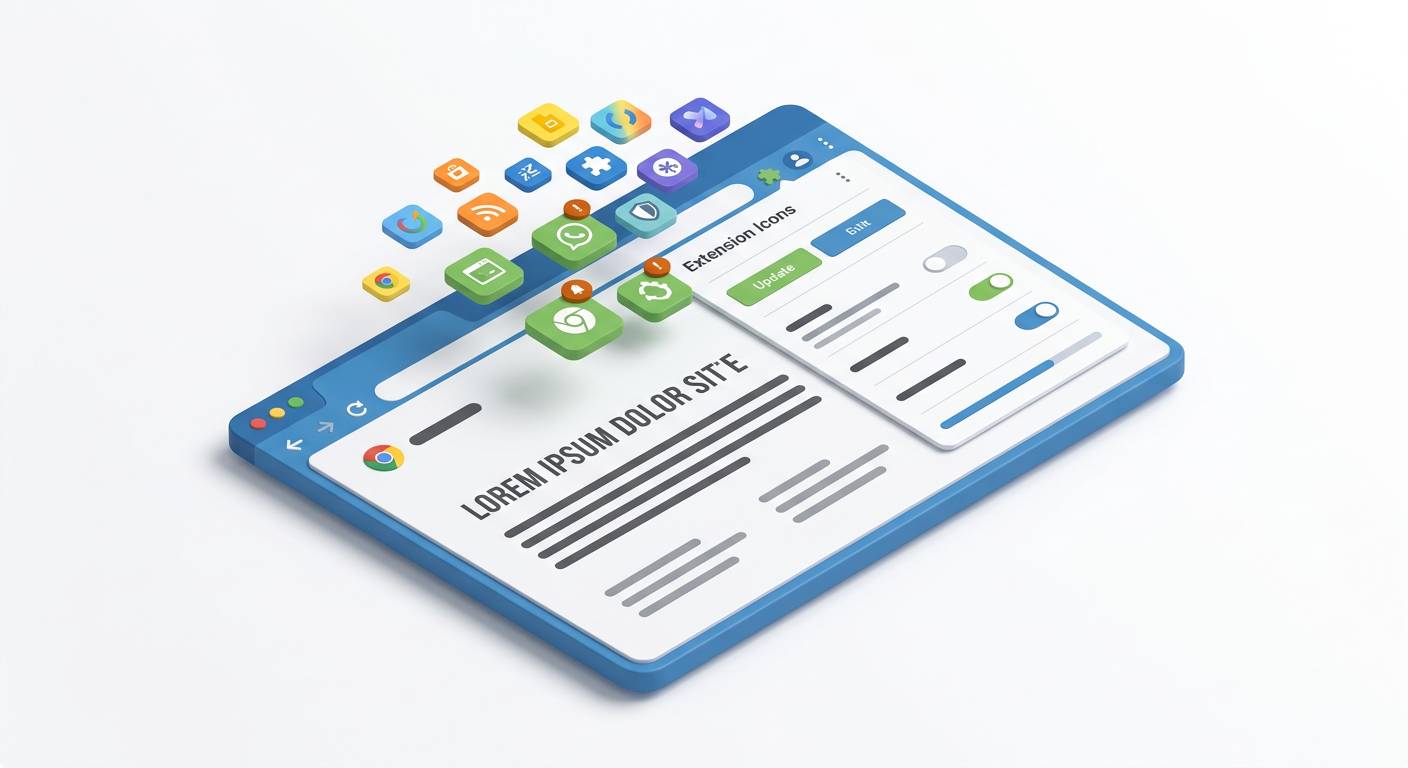
Our Favorite Chrome Extensions to Make Your Life Easier

  • Yapp shares favorite Chrome extensions that can make everyday digital work a little easier.
  • Simple browser tools can save time and improve productivity for common online tasks.
  • Readers looking for quick, practical productivity tips will benefit most from this roundup.

One of the best things about the popular Google Chrome browser is the ability to add helpful and easy extensions to your navigation bar.

Kicked off by Pinterest’s “Pin It” button, nav bar tools have become abundant. Our team has a batch of favorites that we want to share with you to use while you’re putting together your Yapp.


Yappy Thanksgiving - Spotify Thanksgiving

What the Tech?! Spotify Thanksgiving

Yappy Thanksgiving - Spotify Thanksgiving
  • Yapp shares a light, seasonal tech-themed post connected to Spotify and Thanksgiving.
  • The piece adds a fun, timely angle to the blog through casual tech commentary.
  • Readers who enjoy lighter seasonal tech content will benefit most from this article.

This week, we’re bringing you a fairly straightforward — but incredibly fun — tech service that’ll make your Thanksgiving even better.

Spotify Thanksgiving, n;

A web-only offering from music streaming service Spotify that curates a playlist while you cook.

Sweat no more over a cooking playlist or a commercial-riddled radio station. With Spotify Thanksgiving, you can make the perfect jam session by putting in the weight of your turkey, choosing a genre, and then letting the music flow.

For a 10-pound, stuffed turkey, you’ll need 3-3.5 hours of tunes, Spotify calculates. Then you can select from Americana, Family Time, Feeling Thankful, Club Kitchen, Freshly Baked and Golden Oldies stations, depending on your audience. Club Kitchen is best for a pre-Friendsgiving party while Family Time will please kids and grandmas alike.

Enjoy the jams, and have a truly filling Thanksgiving!

P.S. — don’t forget to make a holiday Yapp, decorated with stellar background images we’ve curated!