Tag Archives: Yapp Plus

Tips & Tricks: Use Canva to Quickly Design Custom Covers

Canva - Custom Cover
  • Yapp shows how Canva can help users create custom covers for a more polished app design.
  • Better cover design helps apps feel more branded, attractive, and event-ready without needing advanced design skills.
  • App creators who want stronger visual branding will benefit most from these tips.

Canva is a tool we’ve raved about a few times on our blog. It’s a super-simple design tool for any skill level. You can create from templated sizes, or you can work on your own canvas.

After using Canva for a while, we realized it was perfect for our Plus users creating custom covers.

When you first head to Canva.com and create an account, you’ll see the “Create a Design” section. In the upper right, click the “Use custom dimensions” link to get rolling on your custom cover.

Use Custom Dimensions - Custom Cover

Then, put in our page dimensions, which are 640 x 920 pixels.

Pixels - Custom Cover

Once your canvas is ready, you can use Canva’s design tools to make it look just the way you want. They have thousands of stock photo images that cost only $1, tons of cool text designs (some are free, some have a small cost), shapes, colors, and other editing tools.

Download your finished design as an image, then upload it easily into our editor. Match your inside colors to your custom cover and you’ll have the best looking app around.

Canva is a free tool with on-site purchases and upgrades (for stock photos and design elements). Soon, the site will be launching Canva for work teams — the perfect supplement for our Team Plus plan.

Product Update: Multiple Administrator Editing

  • Yapp introduces support for multiple administrator editing to make app management more collaborative.
  • Shared editing access helps teams build and update apps faster without relying on one person.
  • Organizations with multiple stakeholders managing app content will benefit most from this feature.

Great news for our Team Plus subscribers — multiple administrator editing is here!

Welcome - Team Plus Multiple Admins

Once created, teams can easily access apps from the main administrator, make changes to any existing page, and post into admin-restricted pages (like News Feed and Crowd Pics) when they are logged in on the phone. The owner (the account subscribed to Team Plus) can create teams, assign editors, and add Plus features to apps.

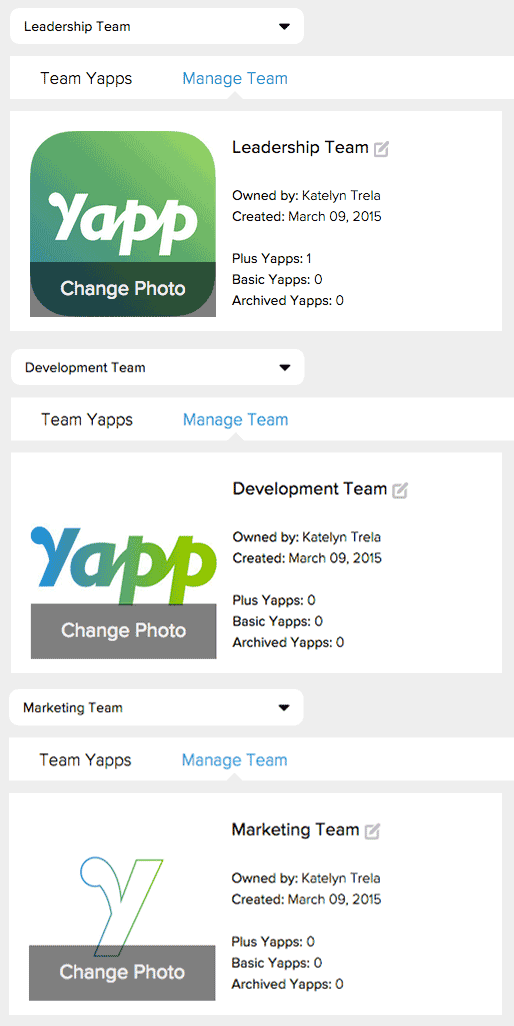
You can create separate teams for departments and events within your organization, or for your clients so that they can share editing access to their apps.

Teams - Multiple Adminis

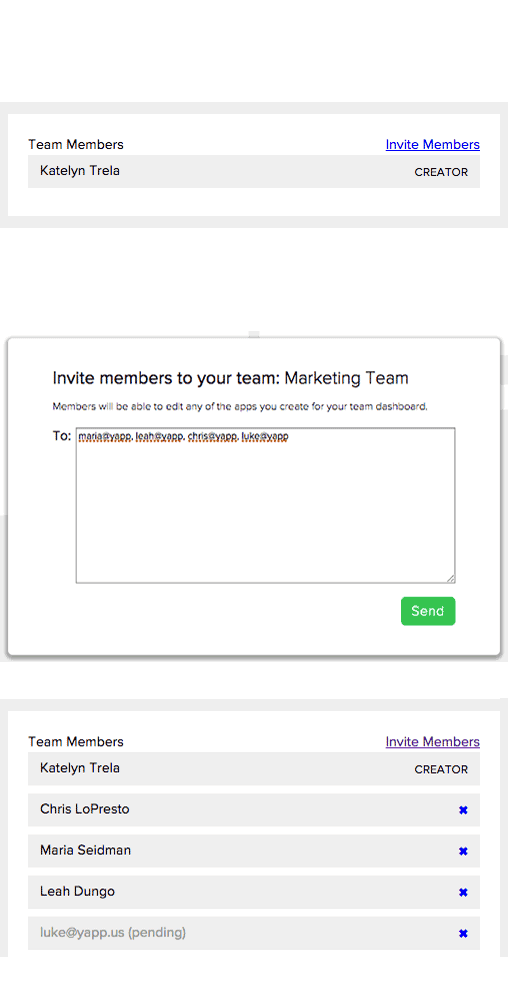
Then, invite users to different teams to give them access to team apps.

Invite - Multiple Admins

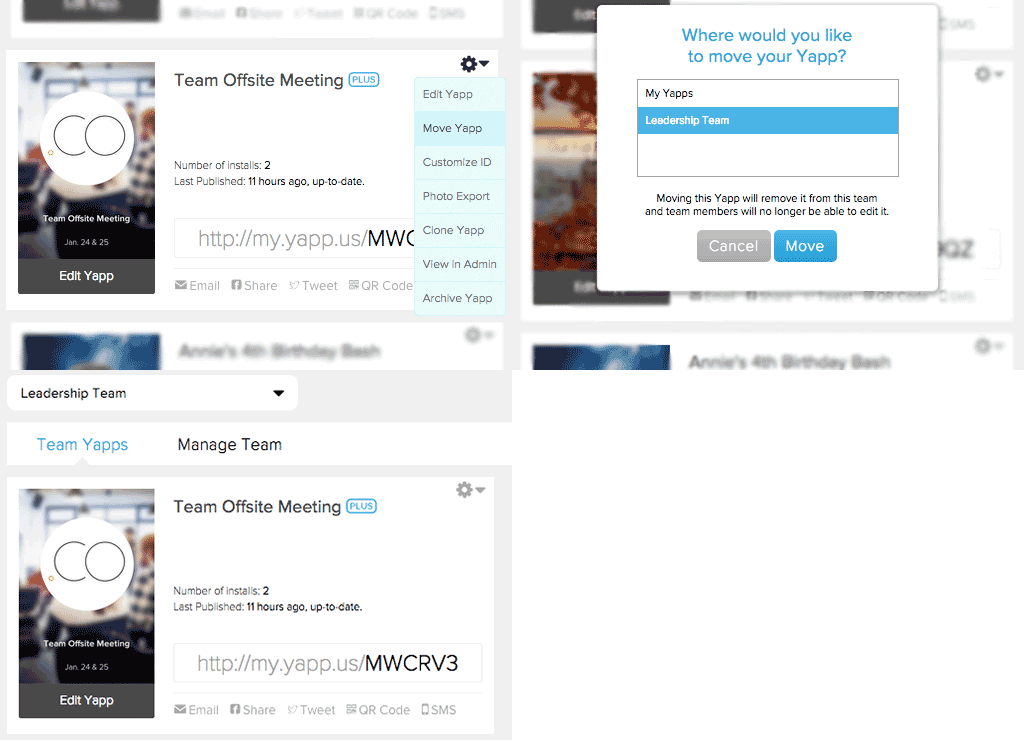
If you have apps in your account already, you can easily move them from your Yapps dashboard into the Team dashboard.

Move Team - Multiple Admins

The feature doesn’t work like Google Docs yet, where multiple people can edit the same thing at one time, so we caution you against editing simultaneously. Read more about using the multiple administrator editing feature on our support page.

To access multiple admin editing, you’ll need to subscribe to our Team Plus plan. Head to Yapp and upgrade to check it out!

Introducing Yapp Plus

  • Yapp introduces Yapp Plus as a plan or feature update designed to expand what users can do with the platform.
  • The announcement helps customers understand added value, upgraded capabilities, and what the new offering includes.
  • Users evaluating Yapp plan options or premium features will benefit most from this update.

Since Yapp’s launch two years ago, we have been proud to give hundreds of thousands of people the chance to create powerful, great looking mobile apps for free. It fits with our mission of putting mobile creation in the hands of the masses so that YOU can connect better and more personally. That mission hasn’t changed — you will still be able to create apps for free with Yapp.

Our other goal is to create a sustainable business so that we can continue to make Yapp even better.  So, we are excited to announce the biggest addition to Yapp ever — Yapp Plus.

Yapp Plus

After building a foundation on our free plan for two years, we are excited to bring you a plan to fit your needs with Yapp Plus and Team Plus.

With Yapp Plus, you’ll get:

  • Advanced customization — including custom theme colors, uploadable custom covers, and free Yapp IDs for all of your Plus apps.
  • Robust plus template pages — like multi-track schedule, PDF and Documents page, admin-only news feed, and more to come.
  • Top-notch support — with VIP access to our support team, free photo exports, setup credits and more.

Check out the plans and upgrade on our site.

Yapp Plus is built for someone who needs a bit more oomph in their app(s).  Whether your annual event has some complexity, you need to customize to fit your brand, or you just want all the bells and whistles, Yapp Plus is the affordable plan for you.

If you’re creating apps frequently, maybe working with a larger company or organization, check out our Team Plus plan. You’ll have the same great features as Yapp Plus, as well as multiple administrators and more Plus apps.

Get more details on subscriptions from our support page, and check out the Plus plans and features on our website!

Our team has worked tirelessly to bring these exciting new features to you at an affordable price that remains a fraction of what other services or custom app development would cost.

We hope you’ll try out and love the additions. As always, your feedback is welcome — send us an email with your thoughts.

Save and share photos from iOS

Product Update: Save & Share Photos on iOS

Save and share photos from iOS
  • Yapp introduces an iOS update that makes it easier to save and share photos from the app.
  • Better photo sharing improves convenience and supports a more social, visual event experience.
  • Users who rely on event photos and iOS app sharing will benefit most from this update.

Our latest iOS update comes with the long-awaited ability to save and share photos from your Yapp.

Continue reading →