Tag Archives: apple

What Do the Latest Updates from Apple Mean for Your Events?

  • Yapp explains how Apple updates can affect event apps and mobile event planning.
  • Understanding platform changes helps organizers make better decisions about app delivery and attendee experience.
  • Event planners concerned about Apple-related app changes will benefit most from this guide.

Savvy event planners have been using technology to their advantage at events for a long time. What do the latest announcements at the September 9th, 2015 #AppleEvent mean for the future of your events? Here’s our run-down of the major announcements along with what the implications of each could be on your upcoming events. 

1. Supercharge the mobile app for your event with 3D Touch

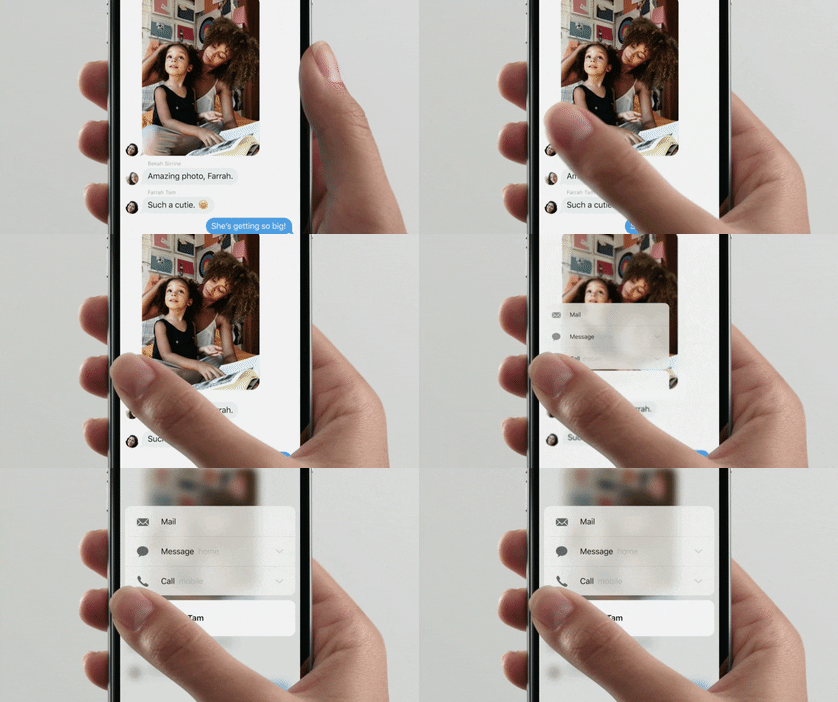
Apple Event 3D Touch Giphy

What’s 3D Touch, you ask? This feature aims to make user experience smoother and faster. As described by Apple in the related Press article: “iPhone 6s and iPhone 6s Plus introduce new ways to navigate and experience iPhone by sensing pressure to enable new gestures — Peek and Pop™ — so you can dip in and out of content without losing your place.”  This will mean a host of possibilities for your in-house developers or mobile app company (spoiler alert: we here at Yapp are working on some ideas!)

Your attendees will save time (and taps) with the following:

  • Preview tabs or pages of the app without clicking into them
  • Get directions to your event location with just one deep press on the address in the event app
  • Upload photos to the feed in the event app with just one click
  • Deep press on another attendees photo for shortcuts to network with them or see their latest tweets about the event
  • View documents without downloading them

2. Upgrade presentations at your events with Apple TV

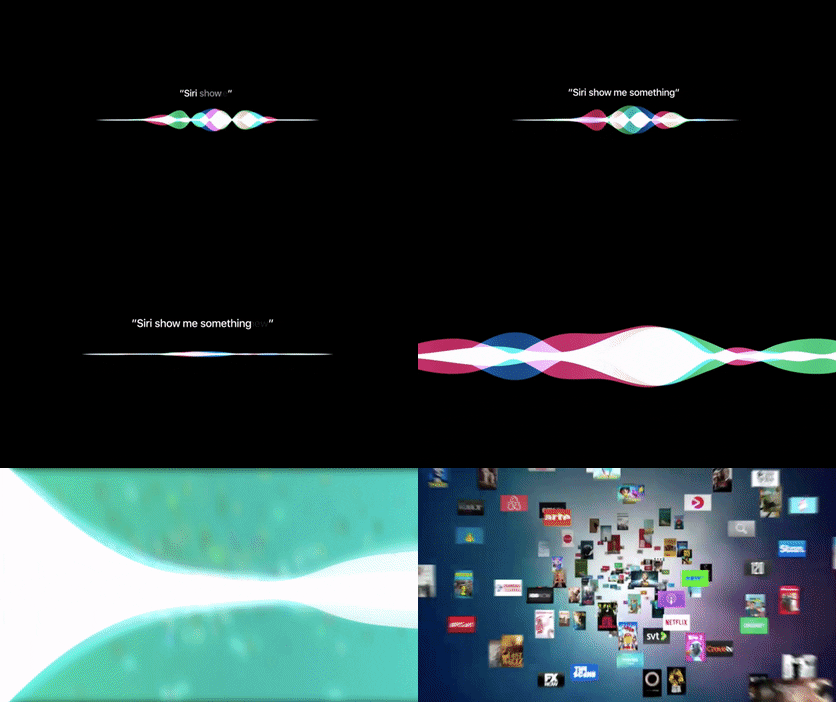
Apple Event 2015 Apple TV Siri Giphy

Apple TV comes with a TV-optimized version of iOS (tvOS), Siri support (digital assistant at your event, anyone?), apps in the new app store and a snazzy new remote. Leverage the best of these enhancements and you’re guaranteed to wow your attendees with an engaging presentation. Make a powerful statement by quickly switching between apps or ask Siri questions to search your apps or the web. Create an animated screensaver showcasing logos, speaker information, sponsors and more. Why limit yourself to just PowerPoints?

3. Gamify your event with photo contests

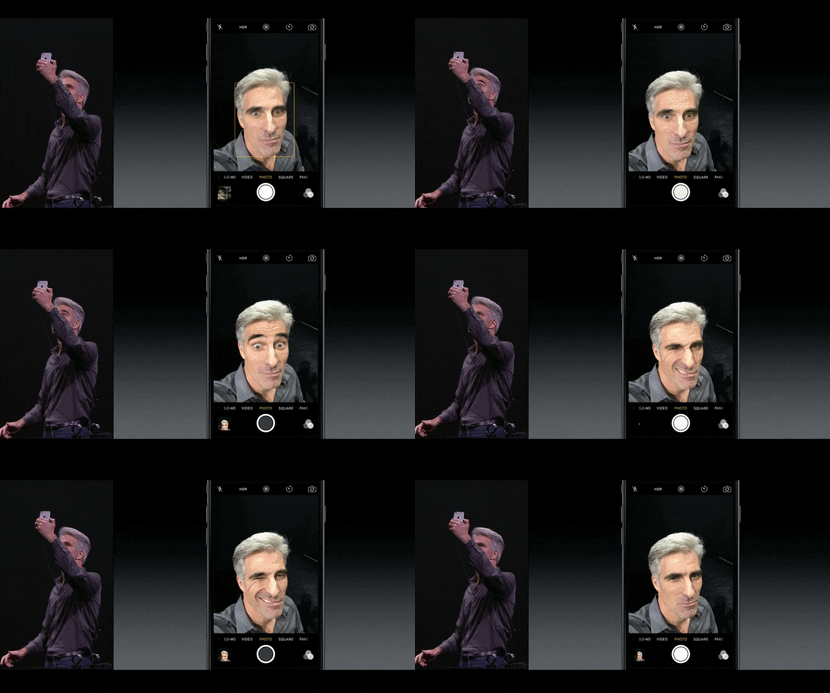
Apple Event 2015 iPhone Selfie Giphy

Create buzz around your event with a photo contest. Make it a selfie contest where attendees can use the new 5MP HD-front-facing camera even if your event has low-lights. Or, ask attendees to tap into their creative side for a live photo contest using the unique new live photos feature for some cool giphy type photos. Then, post to your Yapp news feed.

4. Move aside computers and paper (and Microsoft Surface), enter iPad Pro

Apple Event 2015 Apple Pencil Giphy

The newest iPad, iPad Pro, features a 12.9 inches screen (slightly larger than older versions), a multi-tasking tool, 2732 x 2048 pixels Retina display (better than even that for Macbook Pro), 10 hours of battery life and two stellar accessories: smart keyboard that attaches to the iPad and Apple Pencil with insane precision.

What does all these tablet enhancements mean for your events?

  • Goodbye paper! Check-in using iPads just got faster (and might we say, cooler?)
  • Need attendees to sign during check-in? That just got easier with an Apple Pencil.
  • Your exhibition hall just got more interactive with live demos at booths using iPad Pro
  • Expect more attendees on their iPads instead of computers using the new keyboard
  • More easily and quickly create and edit apps from this powerful new tablet

Other major things we learned at the #AppleEvent?

5.Apple Watch just got more stylish with new gold and rose gold finishes as well as some designer collections such as the one from Hermes. 

6. Apple is putting more emphasis on gaming (the new Apple TV remote has Wiimote-style controls). 

7. Apple CEO, Tim Cook, can dress to impress even in jeans. 

8. There’s a new monthly payment plan for iPhones which includes AppleCare+ and option to get a new iPhone every year. 

9. One Republic can be available for a concert in 10 minutes notice (“We didn’t even know we were playing until ten minutes ago” – Ryan Tedder of One Republic). 

Are you ready to #Apple upgrade your events? What other tools and features do you use to enhance the event experience for your attendees?

All giphys here are from the Apple Events video.

What the Tech?! Apple Music

Headphones - Apple Music
  • Yapp gives a quick look at Apple Music as part of its tech commentary series.
  • The post helps readers understand a current consumer tech topic in a simple, approachable way.
  • Readers who enjoy light tech explainers and trend coverage will benefit most from this piece.

Apple Music, n;

A new streaming music service from Apple, announced yesterday. Apple Music combines iTunes, Beats Radio, and social networking to create a one-stop music haven.

Apple Music’s main branch — streaming — is very similar to Spotify, but likely with a slightly different library (at least when it comes to the biggest and smallest of musical talent). When it’s released at the end of June, you can subscribe for $9.99 a month (which is the same as both Spotify and Google Play Music), and the first three months will be totally free. A kicker for the service is its family plan, which allows 6 users who are already linked in an iCloud family (sorry, college buds trying to save cash) to share access for only $5 more per month.

Besides streaming, Apple Music also has BeatsOne Radio, which will offer free and commercial free radio via real DJs for anyone who downloads, not just paying members, and Connect, a social network for artists. It will be available June 30 for all iOS devices as well as Windows devices. An Android version is in the works for the fall.

The announcement was the last at their Worldwide Developers Conference keynote, where iOS 9, OS X El Capitan, and updates for Apple Watch (does anyone own one of these yet?) were also presented.

There’s a lot to see and a lot to know, so if you’d like the full run-down of features, release dates, etc., read this list from Wired.

What the Tech?! Handoff

Apple Handoff — I'll take the next leg on this one
  • Yapp explains Apple Handoff and why it matters in the broader mobile tech ecosystem.
  • The post gives readers a quick, simple overview of a useful Apple feature.
  • Readers who want approachable consumer tech explainers will benefit most from this article.

Handoff, n;

This feature from Apple syncs your iOS devices and allows you to work seamlessly between them all. If you’re working on something on your computer but have to run, you can easily switch to your phone and pick up where you left off. This works whether you’re writing an email or browsing the news.

Handoff comes in conjunction with other continuity updates, like those that let you answer calls and texts on your Mac. These all require iOS 8 on your phone or tablet and OS X Yosemite on your Mac. With Handoff, when your devices are within Bluetooth range and recognize one another over a WiFi network, you’ll be alerted on the device you’re working on that you can switch over to the connected device nearby. The list of compatible apps is limited — and almost entirely from Apple — including Mail, iCal, Messages, Maps, Safari, and Keynote, among a few others.

The feature works fully with iPhone 5 or later, new iPads (Airs and Minis), and the newest iPod touch when connected to MacBooks, Mac Pros, Mac mini’s and iMacs. Once Handoff is enabled in settings, Bluetooth is on on all devices, and their connected to the same WiFi network, the multitasking can begin.

3 Highlights from Apple’s Announcement Event

  • Yapp recaps three key highlights from Apple’s announcement event in a quick, readable format.
  • The post gives readers a simple summary of major takeaways from a big tech moment.
  • Readers who want a short tech event recap will benefit most from this article.

In case you missed the Internet exploding earlier (or, if you were watching Apple’s live stream of the event), Apple introduced a slew of new products today at a hyped event in Cupertino, Calif. The team unveiled new phones, the rumored watch, and more. Here are the highlights you need to know for this afternoon’s watercooler talk.
 

What the Tech?! Apple Pay

  • Yapp explains Apple Pay and why it matters as a consumer tech development.
  • The post gives readers a quick overview of a major mobile payments topic in plain language.
  • Readers curious about payment technology and mobile trends will benefit most from this article.

184829966

Apple Pay, n;

A wallet-like feature that stores your credit cards to allow iPhone 6 and Apple Watch users to pay with a tap. Announced Tuesday at Apple’s new product demonstration, Apple Pay is a feature that will be available in the upcoming iPhone 6 and iPhone 6 plus, both running iOS 8. It’s similar to Google Wallet and other digital money storage apps and devices.

Tim Cook, Apple’s CEO, described their creation of Apple Pay as the solution to the problem that is plastic credit cards. iPhone 6 and 6 plus users can store their credit cards on their phone using Passbook. The credit card number(s) and personal information is all encrypted, so Apple doesn’t keep record of it and it isn’t passed along to stores when you make a purchase. When you’re in a store that accepts Apple Pay, you can tap your phone to the NFC readers and pay in an instant. Apple Pay has also integrated with vendors online, so if you’re purchasing from places like Target or Uber with your phone, you can now choose to pay with your phone.

If you lose your iPhone, you can freeze Apple Pay and not worry about getting new credit cards, as none of the information is actually stored on the phone. Basically, it’s a fairly secure digital wallet — not much different than what has hit the market before (like PayPal and Google Wallet), which haven’t been able to popularize digital payments.

Read more about Apple’s product announcements on our blog soon!

Product Update: A Fresh Update for Our iOS App

  • Yapp introduces a refreshed iOS app experience designed to improve usability and appearance.
  • A cleaner app experience helps users interact more smoothly and makes the product feel more polished.
  • iOS users and app creators who care about mobile experience quality will benefit most from this update.

ios-release-trio

A Fresh Look for iOS

Earlier this summer, we released a redesigned Android app for Yapp. Now, it’s time for us to introduce the same for iOS.

You’ll notice a few aesthetic tweaks and should feel the performance improvements stemming from long hours of coding by our developers.

If you’re using Yapp on your iPhone or iPad, give the iOS update a try. Yapp creators, don’t forget to spread the word to your users as well so that they can get the best possible experience!

We would love to hear what you think — email us your feedback at support@yapp.us. If you think the updates are stellar, leave us 5 stars on the App Store.

App_Store_Badge_135x40_Master_062012

What the Tech?! iOS 8

Quick Summary

  • Yapp explains iOS 8 and highlights why Apple’s update mattered in the mobile world.
  • The post gives readers a simple overview of a major mobile operating system release.
  • Readers curious about Apple software updates and mobile trends will benefit most from this article.

184427552

iOS 8, n;

Apple’s newest operating system, which features a variety of competitive new features. The upgrade was unveiled after much speculation at Monday’s keynote presentation during the Worldwide Developers Conference, an annual event that Apple sponsors to showcase developer technologies. At last year’s conference, Apple CEO Tim Cook and team unveiled iOS 7, which was an extreme design upheaval. iOS 8 is less about design changes and more about competitive functionality updates.

We wrote about 5 of our favorite features just after the keynote yesterday, but there are a ton of cool things on the way. Along with new apps and app bundles like Home Kit (which gathers all of your smart-controlled gadget apps) and HealthKit (which measures all of your health and fitness stats across apps), iOS 8 is introducing a lot of interconnectivity. Apps will be able to communicate with one another better for seamless movement between them using extensions. So, when you take a picture, you can then open up an editing app in your camera roll and edit the photo there.

Apple is also introducing widgets (easily accessible apps within your notification center) and third-party keyboard integrations, meaning iOS users can now indulge in Swype and other gesture-based keyboards. Many of the iOS 8 updates have opened up the system to more customization and personalization, taking a big jab at the Android systems that are known for that flexibility.

iOS 8 is now working in beta, and will be released to the public in the fall. Are you excited to upgrade?

Read more about the new features in iOS 8 and all that was announced at yesterday’s keynote at The Verge’s live blog.

5 App Updates You’ll Love from iOS 8

Quick Summary

  • Yapp shares five app-related updates tied to iOS 8 that users should know about.
  • The post helps readers understand practical changes that affect how apps work and feel on Apple devices.
  • iPhone users and app-focused readers will benefit most from this roundup.
WWDC-2014-Grid-61-1024x576
If you missed Apple’s World Wide Developer Conference on Monday morning, we can catch you up to date.
 
Here are our favorite app updates from the conference, presented by Apple’s CEO Tim Cook from WWDC.

Continue reading →

11 Best Blogs to Follow About Mobile

Mobile Blogs
  • Yapp rounds up blogs worth following for readers interested in mobile apps and app-related trends.
  • The post helps readers discover useful sources for ideas, updates, and industry perspective.
  • App creators and mobile enthusiasts will benefit most from this reading list.

There are a ton of great blogs to follow for all things mobile. We spend a ton of time reading a ton of different blogs to keep up on the trends and movements in the mobile world. Some, you get tired of. This list is full of blogs we come back to and love to read every day, and are ranked in no particular order. Let us know in the comments if there’s one we’re missing!

Continue reading →

What the Tech?! Jailbreaking

  • Yapp explains jailbreaking in a straightforward way so general readers can understand the concept.
  • The post offers a simple take on a mobile topic that often sounds more technical than it is.
  • Readers interested in smartphone software and device customization will benefit most from this explainer.

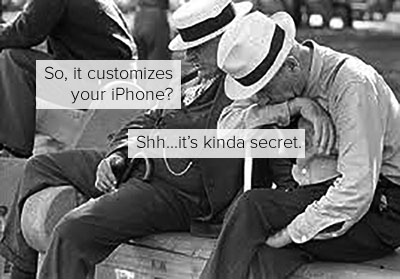
How does your hacker friend get that cool custom look on his iPhone?

Jailbreaking

Jailbreaking; v,
To access the root of the iOS operating system in order to make customizations to a device. (It sounds a lot scarier than it really is.) Remember when we told you about Android Launchers? Those apps help Android users easily give their phone it’s own custom look on top of the system the phone is running. But people running iOS don’t have these apps and options.

Because iOS is a universal Apple operating system that isn’t open to public contributions, launchers and customizations are much harder to make. This closed ecosystem is one reason many users compare it with broader mobile innovations like native apps and their best features.

That’s where jailbreaking comes in. When you access the iOS operating system acting as an administrator, you can download extensions, themes and other apps to add special features like shortcuts or design tweaks to your phone. Jailbroken phones can still use iTunes, the app store, and function generally the same. Aside from customizations, jailbreaking also allows access to apps that weren’t approved for the iTunes the app store.

Many of these are extensions like Android Launchers, allowing you to apply custom pieces on top of your existing OS. The Cydia app store hosts these apps and others that didn’t make it into the iTunes store, much like how discussions around top downloaded apps on iOS and Android highlight what users want from their mobile experience.

(P.S.; Jailbreaking is different from unlocking, which frees your phone to work on any carrier — like Verizon, AT&T, T-Mobile — rather than just the one it was purchased from and is illegal if it isn’t done by the carrier.)