Tag Archives: conference

Multi-Track Schedule: Help Us Build It!

Quick Summary

  • Yapp shows how to build a multi-track schedule so event apps can support more complex agendas.
  • Better schedule organization makes it easier for attendees to find the sessions that matter to them.
  • Conferences and events with multiple tracks will benefit most from this feature.

mts2


We’re running a crowdfunding campaign in hopes of funding four template pages to add to the Yapp platform. All four are pages you’ve asked for that we’re excited to see on Yapp. Each week of the campaign, we’ll be featuring one of the four pages, showing you how it works, what it can do, and why you should help fund it!

Multi-Track Schedule.

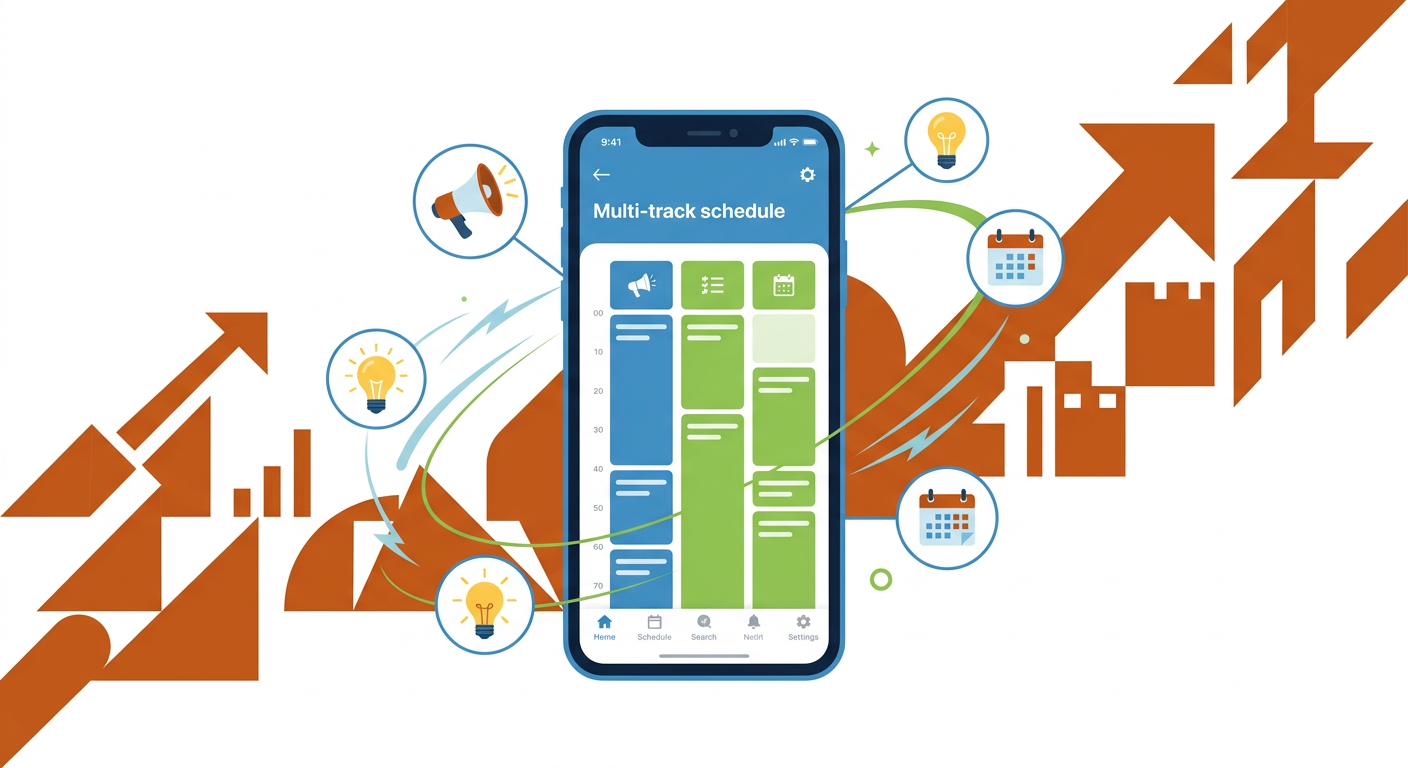
This page is in high demand by conference and event organizers. In its most literal form, multi-track schedule is great for events with multiple tracks — different workshops, sessions, goings-on for different types of attendees.

mts

But, the page can also be used to distinguish between simultaneous events that aren’t necessarily “track” based. For users like Edcamp organizers — some of our most dedicated Yappers — with multiple sessions taking place at once all in different rooms, the tracks could be the room numbers. Any session with a red coloration is in room 101.

Or, let’s say you have a multiple day event with long schedules for each day. Rather than having one super long schedule that users have to scroll through every day, or having 5 different schedule pages, you can assign each day a track color. Users will click the ‘Schedule’ icon, choose the day and see the list of events happening then.

Though multi-track is generally though of to be a tool for conferences and big events, ours will be simple yet powerful enough to work beyond those boundaries. To build multi-track schedule, we’re hoping to raise $4,500. If you’d like to see this page added to our platform, or need it in your Yapp ASAP, please contribute to fund it. If you give $80 or more, you’ll have access to the page in your account once it becomes available. You won’t be charged unless the campaign succeeds.

9 Things to Know after Google I/O’s Keynote

Quick Summary

  • Yapp recaps nine key takeaways from the Google I/O keynote in a concise, readable format.
  • The post helps readers catch up quickly on important announcements from a major tech event.
  • Readers who want an easy summary of Google I/O highlights will benefit most from this piece.

Google I/O

Today, June 25, was the kickoff of Google’s annual developer conference, I/O. The nearly three-hour keynote featured a ton of updates on Google, Android and Chrome. We rounded up the top 10 below. Read about all of the updates over at The Verge. Continue reading →

What the Tech?! Google I/O

Quick Summary

  • Yapp explains Google I/O and why the event matters in the broader technology landscape.
  • The post gives readers a simple overview of a major developer and product announcement event.
  • Readers interested in big tech conferences and product news will benefit most from this article.

Google IO

Google I/O, n;

Google’s annual developer conference focusing on the advances in the company’s softwares and devices. The “I” stands for input and the “O” stands for output. It is a conference similar in spirit to Apple’s Worldwide Developer Conference, both of which involve high-profile keynotes alongside developer hacking sessions.

This year’s I/O conference begins tomorrow, June 25, and the keynote from Google is expected to be full of new gadgets and technology updates. Many are speculating about new wearables (called Android Wear), including smart watches and fitness bands, as well as updates for the now-public Google Glass. There could also be a new operating system for Android, either with small updates or a fairly large visual and functional overhaul to compete with iOS 7 and 8.

Considering all the different soft and hardware Google has in its arsenal (Android, Chrome) and its futuristic experimental projects (Tango, Ara, Loon), the keynote is sure to be jam-packed with exciting updates. You can keep up with I/O through The Verge’s live blog or on Google’s dedicated site starting at 9:00a Pacific.

5 App Updates You’ll Love from iOS 8

Quick Summary

  • Yapp shares five app-related updates tied to iOS 8 that users should know about.
  • The post helps readers understand practical changes that affect how apps work and feel on Apple devices.
  • iPhone users and app-focused readers will benefit most from this roundup.
WWDC-2014-Grid-61-1024x576
If you missed Apple’s World Wide Developer Conference on Monday morning, we can catch you up to date.
 
Here are our favorite app updates from the conference, presented by Apple’s CEO Tim Cook from WWDC.

Continue reading →

Tips and Tricks to Show Off Your Yapp on the Big Screen

  • Yapp shares tips for displaying events and schedules in classroom or school settings.
  • The post shows how apps can help organize and communicate school-related information more clearly.
  • Educators and school event organizers will benefit most from these ideas.

Your app isn’t complete without a news feed — a place for everyone to follow the Twitter action, a spot for conversations to flourish.

What’s even better? Getting to show that feed live on a huge screen in front of everyone to make following the conversation doubly fulfilling — it follows the crowd while the crowd follows it.

How to do this? If you’ve got an iPhone, an iPad or a Mac, you can do this super easily through Airplay Mirroring, which we told you about on Tuesday. If you’ve got HDTVs set up at your event or one in your classroom, you can send info directly from your phone’s control center, as long as the phone and the TV are on the same network.

Continue reading →

Yapper of the Month: Michael Fisher

  • Yapp spotlights Michael Fisher as a featured user in its Yapper of the Month series.
  • The post shows how real people use Yapp in practical and creative ways.
  • Readers looking for customer inspiration and community stories will benefit most from this feature.

YAPPER OF THE MONTH: Michael Fisher, Educator & Author

image

Michael is a Kannapolis, NC, native now working in Buffalo, NY. He first discovered Yapp last May at the edJEWcon educational conference in Jacksonville, Florida. As an educator teaching other educators how to integrate modern learning into the classroom, he was sparked to investigate. His first app ended up taking him about seven minutes to create, and he was hooked.

In his recent book, “Upgrade Your Curriculum,” Michael introduces app-making as a new skill that kids will need. “We’re trying to get teachers to see that the more students do their own work, the more they’re going to own the learning,” he said. For Michael and the education community, apps and technology are launching pads for learning at the highest level: creation.

Technology in the classroom gives students and teachers a way to get global feedback for edits and revisions, Michael said. It opens the world up for students to experience and gives them knowledge that they can and will hold on to. The learning, he said, comes from the research and connection that technology presents. A student can submit a link, justify why it gives the answer to the question, and then receive instant concrete feedback from an instructor that won’t go in one ear and out the other.

Michael’s other favorite apps include TMZ and IMDB for their easy design, Flipboard’s social magazine, and xTraNormal’s mini movie maker.

You can find Michael online at @fisher1000, in print in Cure for the Common Core and Upgrade Your Curriculum, and blogging at www.digigogy.com.

Yapper of the Month gives us the chance highlight one of our awesome Yappers each month. Know someone whose been sharing the Yapp love? Let us know!

Yapp for In-Person Engagement: Pearson’s Global English Meeting

  • Yapp features Pearson’s Global English use case as an example of in-person engagement supported by a custom app.
  • The story shows how a mobile app can improve communication and attendee experience in a professional setting.
  • Teams planning branded in-person programs or conferences will benefit most from this example.

We were so excited to catch up with Emilie Colker, the Director of Marketing at GlobalEnglish, a Pearson company committed to improve the performance of the global workforce through on-demand Business English development and support solutions.

Last month, Pearson held an internal development event for four companies and 60 guests in Brazil. After seeing a Yapp “out in the wild” at a World Economic Forum conference, and not yet realizing that it was a DIY app, her team was determined to create a similar experience for their own event. They asked her,

‘Can we build this?’ After researching the cost and time dedicated towards building an app from scratch, it was clear that the answer was no, an app could not be built with their available resources and time frame. But through speaking to her colleagues at the World Economic Forum conference, she realized that it was indeed possible – through Yapp!

Emilie loved that her Yapp was perfectly customizable and was easy enough to use that she could pass along the project to another colleague. In fact, her team loved Yapp so much that  they opted for a paperless agenda through the app.

However, what we loved most was the creative uses of the app for onsite, in-person engagement among the conference guests! Guests posted presentation comments and questions as well as photos to the news feed, and the groups also used Yapp to present “polls” to the audience and collect responses in real time. Emilie said that it was amazing to see attendees use their phones for engagement rather than a distraction for a change.

GlobalEnglish plans to use Yapp again for an upcoming conference next month in Thailand. Wish that we were going!

Have another creative idea for using apps to enhance in-person engagement? Let us know here!

International Leaders Forum Yapp by the National Democratic Institute

Quick Summary

  • Yapp features the International Leaders Forum as an example of a professional event supported by a mobile app.
  • The story shows how centralized mobile information can improve communication for high-level gatherings.
  • Organizations planning forums, leadership events, or conferences will benefit most from this example.

Francoise Stovall, the Interactive Communications Manager at the National Democratic Institute (NDI) used Yapp for the International Leaders Forum (ILF) that took place in Charlotte, North Carolina last month.

Every four years, NDI hosts diplomats, party leaders and elected officials from around the world— a prestigious group of visitors. This year, the ILF event hosted 300 visitors from 100 countries who were staying in 5 different hotels. The NDI had more than 12 events planned, so as you can image, there were a lot of moving pieces.

Francoise found that Yapp was a huge help in coordinating these moving pieces. “Yapp added a layer of convenience for staff members who needed to communicate information seamlessly to guests,” she said. The app that Francoise created for the forum had the phone numbers of the regional conference coordinators in one place, hotel information, a detailed schedule, addresses of event activities and panelist bios. The forum hosted 8 panels about international and domestic politics with nearly 50 panelists. The Yapp also included media guidelines, cab companies, and information on local restaurants.

The app had the team ready for anything. “We found Yapp to be the perfect solution to building an intuitive in-house app. Yapp helped the Institute look innovative and forward-thinking,” Francoise said.

If you’d like to learn more about NDI you can follow the organization on Twitter or connect on Facebook.