Yapp highlights new people-focused features that make app profiles and attendee connections more useful.
Richer profiles, dynamic people lists, and profile claiming improve networking, personalization, and participant visibility.
Event organizers who want better attendee directories and stronger in-app networking will benefit most.
Great news! You can now create richer profiles with dynamic people lists & profile claiming!
Richer Profiles
You asked for it and we listened. Today, we are pleased to announce even more ways for users to connect with richer profiles. We’ve taken what we built and added more fields providing a richer, more complete profile.
Your users can now add:
Personal information (job title, photo, location and bio)
Contact information (phone, email, WhatsApp)
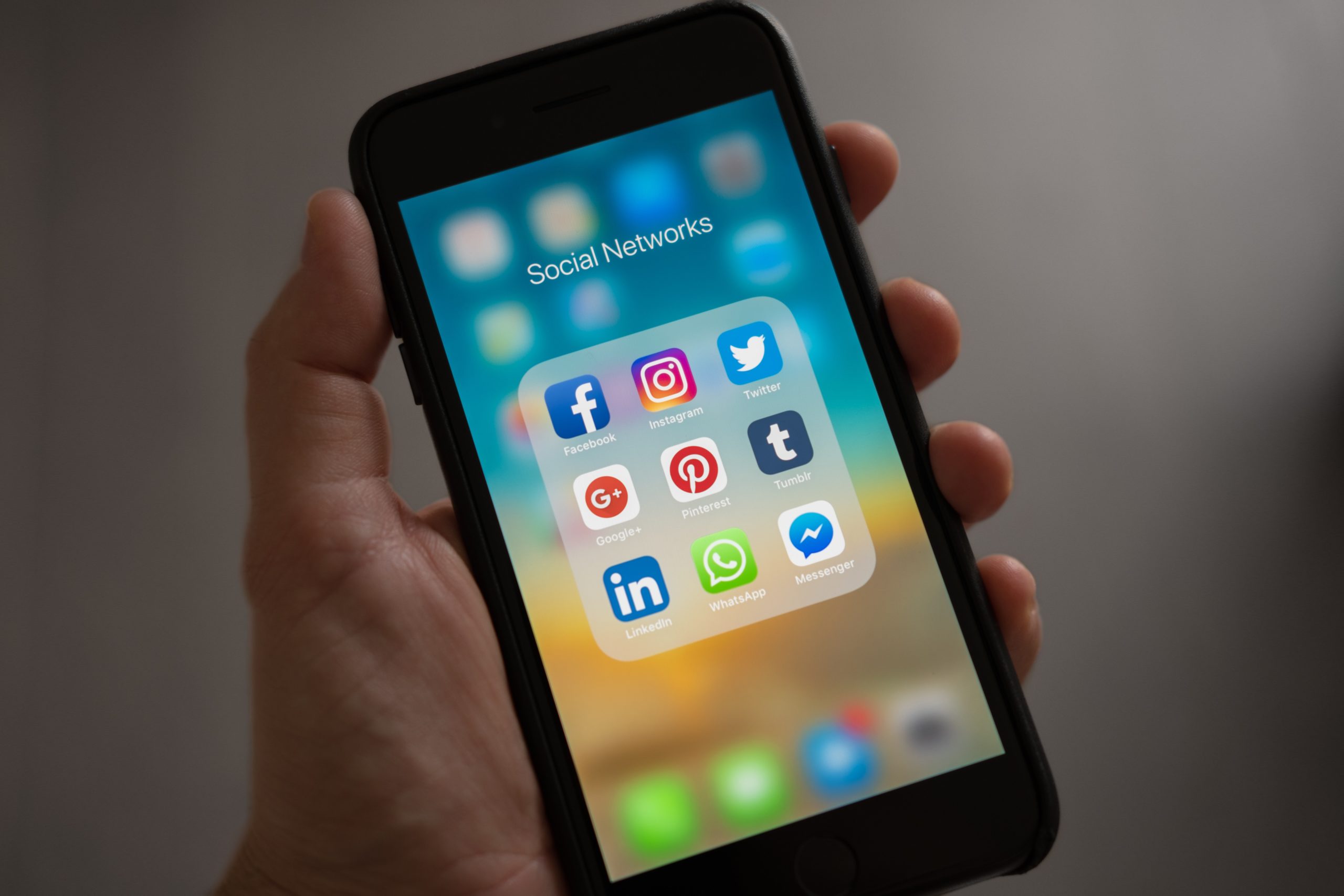
Social Accounts (Twitter, Facebook, Instagram and more!)
With the addition of these new fields, users can connect with each other easier than ever before.
Dynamic People Pages
We have taken our People Page, which up until now needed to be manually maintained and updated by an admin, and made it dynamic. This means that your app users can now be in charge of their profiles including what contact information they want to show.
As an admin, you can go to any People page and enable users to add themselves to it. All a user has to do is tap on the “Add Profile” button from their device to open their Profile Editor, complete the information and tap “Save” to add their profile to the page.
Until users start adding their profiles to the page, it can look somewhat empty. But don’t worry, this is where Profile Claiming comes in.
Profile Claiming
With Profile Claiming, you can take the next step with our dynamic People Page by adding your own standard person records in advance. You can do this individually or by bulk uploading a CSV list to pre-populate the blank page you created. Then select the page setting for “Claim a profile added by an admin”.
A user can now click on that record and rather than add a profile, simply claim their profile. Once a user claims their profile, it will replace any admin added content with user generated content. Now, anywhere that record shows in the app, it will show the users content.
Don’t worry, if you don’t like what a user has added, or they claimed the wrong profile, you can remove the claim over the original record.
We’d love to hear what you think! Give the new features a try and share your feedback here, post a comment below, or let us know your thoughts by sending a note to support@yapp.us. We are always working on new features and would love to hear from you.
Yapp shares three practical social media tips for building stronger relationships with members.
More intentional social content and better interaction habits can deepen connection and improve ongoing engagement.
Associations, nonprofits, and membership-based organizations will benefit most from these ideas.
It’s no secret that companies across the globe have gone all-in on social media. We have seen extensive ad campaigns on social platforms, active and engaged social media departments, and the use of social media influencers. How do membership-oriented organizations use social platforms like Twitter and Facebook to bring in new members, and engage and retain existing members.
While your organization may in fact have a social presence, a Facebook page, maybe even a Twitter account, are you using it to its full potential?
Social media is a great tool to grow visibility and awareness, but let’s look beyond just having a presence on those platforms, and look at 4 specific tips to help grow your membership relationships using social media.
Promote your organization
Your social media accounts should represent your organization as you would like it to be seen. It is a representation of your organization on a large scale so be sure to use the tone, language and voice that you want to portray.
The first step to promoting your organization is to set up your social pages with the branding look and feel of your website and other marketing assets. Include important “About Us” information like mission statement, guiding principles and contact information.
Once your profiles are consistent and provide adequate information, it’s time to start actively promoting your organization. Generate interest with new members by sharing the details of past and future events. Share photos from fun events, summaries of past events, and promotions for future events.
Make your posts interesting, informative, fun and try to show prospective members the value your organization can bring.
Engage your membership
The basis for growing membership relationships is consistently engaging with your members. There are several ways in which you can engage with your members, which ones you use will largely depend on the size and goals of your organization.
For smaller organizations where each member is familiar to you, engagement can be as simple as tagging them in photos of past events, thanking them for attending and inviting to future events. For larger organizations where you may not know each and every member, it can be difficult to engage on such a personal level. Use your social pages to follow members and share and comment on their content.
By recognizing, validating and sharing or retweeting their content, the member feels noticed and recognized. It also demonstrates an active and engaged community for potential members who see your social activity.
Share good content
The true key to social media is content — both creating original content and sharing quality content from others. Everyone probably knows the jokes about cat videos other silly memes, but there is so much more that can be done with content.
To use social media to grow membership relationships, create and share content that leads people to interact with it. Examples of such content are industry-related news and observations, quotes or information that ends with a question like “What do you think?” or just a simple word like “Thoughts?” By asking a question at the end of your post, you’re encouraging people to respond. Another option is to share surveys. This will serve to both engage your members into responding and provide you with potential valuable information about your members while showing your interest in their input.
Original content is also key to a good social media strategy. Creating video content, blogs and articles to share gives your members something to share with their followers and builds your reputation as the experts. A video doesn’t need to be highly-produced, expensive, professional content, it just needs to be informative and interesting. A simple selfie-style video blog is a great, quick, inexpensive way to create original content.
Anyone can create content. It takes effort and planning to create great, engaging content.
Read more to learn more about how Yapp can help your association to keep your membership engaged and grow membership relationships.
Yapp explains five proven ways to help attendees actually download and use an event app.
Better onboarding, clearer value, and stronger pre-event communication help drive app adoption and engagement.
Event organizers who want higher app usage and less attendee confusion should use these tactics.
Few things are as frustrating as launching an exciting new tool only to see it fall flat on its face because nobody uses it. Just building an app doesn’t mean that people are going to jump right in and engage. In fact, creating your app is the easy part, ensuring event app adoption by attendees can be the real challenge.
Fortunately there are steps that you can take to increase your event app adoption and encourage usage both before and during your event.
Here are five tips to increase your event app adoption to help you, your speakers, your sponsors and your attendees get the most out of your event.
Promote the daylights out of it
Congratulations, you’ve taken the first step and built your mobile event app. Now it’s time to get the word out – next step, promotion. To help drive your event app adoption, promote your app early and often.
How early? For the best bang for your buck, try having your event app built by the time you begin to promote your event. Include it in your website, on the registration page, in marketing materials and emails. Even if your event is still evolving, you can start promoting your app. You can also promote the app for each point of contact. New speaker or sponsor to announce? Provide a link to the app in the email.
Your post-registration confirmation email and thank you page are exceptionally good places to encourage attendees to install your app. They are in the right mind-set to take care of logistics.
Don’t forget your social channels, too. In a world of social media, reminding people about the event app every few days through your Twitter, LinkedIn, Instagram or Facebook accounts is a good idea.
In a nutshell, think about every potential communication channel you have open with your attendees, and use each one to promote app adoption early and frequently.
Engage sponsors and speakers
Now you’ve built your app and promoted it like crazy. You’re off to a good start! Next, enlist your speakers and sponsors to help get the word out. The reality is, attendees are coming to your event in large part for the speakers – and your speakers reach is often huge. Speakers and sponsors both want to get as much exposure from your event as possible, so encourage them to promote the event and the event app. Try providing each speaker and sponsor with a landing page or links to their profiles that they can share with their followers.
By providing sponsors and speakers with concrete examples and assets to share, you can make it easier for them to share your event and app with their followers and helps you to leverage their social reach to promote your event.
Educate your attendees
Depending on your industry, the tech savviness and knowledge level of attendees can vary greatly. In many cases they will need some help and gentle encouragement.
A few ideas to help educate your attendees:
Send an email providing steps on how to find, download and use the app.
Create a blog post with tips and tricks on how to get the most out of your app.
Provide a webinar or video to walk attendees through the app.
Remember, people are busy and all learn in different ways, so providing content in different formats and channels will help educate your attendees so they’ll adopt and engage with your app.
Don’t stop talking about it
Event day is finally here! Time to sit back and watch everyone using your mobile event app, right? Not so fast. If you’ve promoted your app early and often, engaged your speakers and sponsors, and helped to educate attendees, you’re doing great. But now is not the time to rest on your laurels, you won’t have reached everyone just yet.
Keep the pressure on during the event and don’t stop talking about the app. Mention it at the registration desk, during your event opening, in the keynote introduction, during speaker and panel introductions and before breaks.
Chances are you’ve developed an event hashtag as well, so don’t forget to leverage your social channels to increase event app adoption during your event.
Every event staffer or volunteer should receive instructions to mention the app in each conversation with attendees and be trained on how to help someone install the app. This means everyone from the welcome committee to the registration desk staff to panel moderators to the information desk should make sure the people they are talking to have the app and know how to use it.
Provide onsite support
Don’t assume that everyone walking through the door on opening day has downloaded and used the app. Depending on how your pre-event promotion went, many may not have yet. With that in mind, the next thing to focus on is to promote your app to everyone walking through the door.
A hands-on approach helps here. People completing registration should be greeted by an app support team who can help stragglers to download and start using the app.
Set-up a table at registration and a booth in the exhibit hall if you have one, each with support staff to continue to provide app support, walk-throughs and provide tips on how to get the most out of your event app. Watch this desk closely during registration and send reinforcements if you need to — you don’t want to end up with people not stopping for help because the line is too long. Make it as inviting and easy as possible for people to engage with your team and your app.
Increasing mobile app adoption isn’t easy, but if you follow some of these simple tips you’re sure to see more people at your next event engrossed with your app.
To learn more about how to increase your event app adoption with Yapp, book a demo or schedule a time to chat with us.
Yapp shows how to use an event app more effectively so it supports the full attendee experience.
Stronger communication, smarter setup, and better use of app features help teams get more value from the platform.
Event planners who already use an event app and want better results should start here.
Getting the most of your mobile event app sounds simple: Build an app and promote the daylights out of it. In reality, there is more to it than that, starting with your choice of app.
Pick the right event app
The best mobile app is the one that best serves you and your attendees. Take a deep look at what you need and prioritize a list of must-haves. Most apps offer basic features like maps, schedules, and bios. The best apps go further. Apps such as Yapp are customizable, offer multi-track scheduling, allow networking, social connections, and engagement. A customizable app lets you leverage your brand, and those of your sponsors, all while providing the exact information and layout that you want. A key feature of Yapp is push notifications to all registered attendees for those inevitable instances when there are last-minute changes to the schedule or the venue.
Build to full potential
Even the best feature set is irrelevant if you don’t actually implement it. So make sure that the app is user-friendly for you, the planner, to set up, and for the attendees to use.
Start with industry reviews, from event planner organizations and associations, but don’t overlook user reviews that you can find using any basic search by the name of the app.
If the app has a free trial period, take advantage of it and see for yourself how easy it is to set up the app.
You may discover in the process that features you hadn’t prioritized suddenly seem essential, like integrating images, videos and social feeds. Taking full advantage of images and videos brings your mobile event app to life increasing attendee interest and engagement. It also provides a channel for sponsors and speakers to provide more details about themselves and what they have to offer. The more exposure you provide to sponsors, the more valuable that sponsorship becomes.
At Yapp we are pretty confident you’ll find our full set of features easy to implement and use. Sign up for your free trial of Yapp and see what an event app should be.
Promote your app
Your event is not like the Field of Dreams – if you build it, they won’t automatically come. But heavy promotion, both before and during your event, will be worth the effort in attendee adoption and usage, particularly the first time.
Set up your app long before the event. As soon as you begin registering attendees, your app should be downloadable by them. You want to make sure that any time the app is mentioned in any pre-event communication that registered attendees can test it out. The more people that know about and are familiar with the app ahead of time, the more engagement you will see and the more you and your attendees will get out of the app.
A roaming team of “App Specialists” should ask attendees if they are using the app and help stragglers to download on the spot. Every person that your people come into contact with should be trained to use the app and to bring it up in conversation, from the welcome committee, to the registration table, to the kick off speeches. Finally, encourage keynotes and speakers to talk about the app and encourage connections within.
By ensuring you’ve chosen then the best app for your event, built it out to its full potential and promoted it extensively, you can ensure that both you and your attendees get the most out of your mobile event app. Learn more about how Yapp can help you with your next event.
Yapp explains how to move toward a paperless event without sacrificing attendee experience.
Print assessment, the right mobile event app, attendee change management, and onsite support help reduce waste and save money.
Event teams looking to cut printing costs and run greener events will benefit most from this approach.
With so many people trying to do their part to slow climate change, a paperless event just makes sense.
Many attendees now expect eco-conscious planning. By running a paperless event you not only give attendees what they want, you reduce your event’s environmental impact and—by avoiding printing costs—save money. It’s a win-win-win.
Here are four steps to help you reduce paper, reduce waste, and save money with a paperless event.
No. 1: Do a print assessment
The first step in planning for a paperless event is to understand just how much you print. Start by building a list of everything that you print for an event and the costs associated with them. Think of all the catalogs, maps, registration sheets, brochures and so on.
How much does it cost to print these materials?
Below is an example of costs associated with printing materials for an event.
Estimated Costs for Printed Materials
Catalog
40 pages
1000 copies
$5,000
Brochures
Tri-fold, 8.5”x11”
1000 copies
$210
Maps
Tri-fold, 9”x16”
1000 copies
$500
*prices reflect volume discounts from Vistaprint.com
Now take a deeper look at each piece and ask yourself — do we need this? Is it helpful? Does it provide value to attendees? Make a note of which pieces are must-haves, nice-to-haves and unnecessary. Consider removing unnecessary pieces from your event materials.
For all of the remaining materials that you have marked as must-have and nice-to-have, consider whether you need to print them or could they become paperless?
If you feel some pieces must be printed, your strategy for them should be consolidation. Can you combine menus for the entire event on one page rather than a page for each day? If you have two or more maps, combine directions to local hotels, attractions and the airport on one.
2. Select the mobile event app
Selecting the right mobile event app is a huge factor in a paperless event’s success.
A great event app comes down to two things: features and ease of use. A fully featured app that requires a software developer to create can be prohibitively expensive and take more time than you have to produce. One that needs a sophisticated tech consumer to use will not get enough buy-in from attendees. Similarly, an event app that is easy to create and use but has limited features is going to disappoint or frustrate attendees.
In determining which mobile event app is right for you, you first need to understand your needs and your attendees’ needs. Many apps contain the basics like maps, schedules, bios.
But if you have multiple tracks for your event, not all apps can accommodate that. And some apps cannot be updated in real time, so if there is a change to an event time or location, you will not be able to communicate them easily and widely. The most comprehensive and sophisticated apps are customizable, provide for multi-track scheduling, offer push notifications and opportunities for networking and social connections, and engagement.
All the features in the world mean nothing, however, if the app isn’t easy for you and attendees to use.
Yapp allows event planners to customize and instantly publish an app in minutes with no design or coding skills or experience. And users report that it is engaging and simple to adapt and use.
3. Get Attendees on Board
All attendees will have certain expectations of the event planners. They include receiving a schedule of events, speaker bios, a map, travel information to and from locations, and fun or useful swag.
For people who expect all of this to come in printed materials packed into a conference tote bag, change management is going to be an important part of a paperless event.
Start by understanding the benefits the attendees will appreciate. Is your audience enthused by green initiatives? Are they cutting-edge information consumers that would seek updates in real-time? Are they social butterflies that put a large value on networking and connecting? Focus on how an event app will help them leverage what they want most from the event itself.
Next, understand the fears attendees may have about the change. Are they not tech-savvy? Do they worry they will not be able to get wifi? Do they fear their smartphones are not up-to-date? Are they afraid they will not be able to find help onsite? Help alleviate fears by giving early access to get comfortable with the app, providing help text and videos, and onsite help.
One of the most important steps to change management is preparing people early. Plan to announce well in advance that the event will be paperless and why. Describe the benefits and address the concerns.
Before you announce, however, make sure the event app is ready for use, even if it doesn’t have the full complement of information, such as every speaker bio or photo. The moment you announce will be your peak opportunity to introduce the app to the attendees, so make sure it is available. This will give people the opportunity to download the app at their leisure, test it out and play with it before your event. The more familiar attendees are with the app before the event, the stronger the adoption rate will be.
4. Train and Designate Onsite Help
To help make sure that the attendee experience is a good one, be sure that there is plenty of support from your app experts on event day. It is inevitable that there are going to be attendees that aren’t as comfortable with the technology as others and will need some help. For these people, a little help goes a long way in raising their confidence and adoption.
Start by training all of your event staff on the app. Their familiarity with the app will put attendees at ease. You may consider multiple designated attendants at peak registration times to ensure the easiest rollout and then locate a central spot where attendees can go at any time during the event if they need tech support.
The designated support people should have downloaded the app themselves and be familiar with it, and they should know how it works on both iPhone and Android.
Having onsite support will go a very long way to transition attendees from hesitant to confident and ensure a better overall event experience.
Whether your goal is to reduce your event’s environmental impact, save money on printing costs or both, Yapp can help. See how Yapp can save you thousands on printing costs and bring your event into the 21st century.
Yapp shows how sustainable event planning can reduce waste while making event operations leaner.
Digital tools, fewer printed materials, and more efficient planning choices help events become both greener and more practical.
Organizers who want environmentally conscious events without extra complexity should use this strategy.
As an event planner, your job is no longer just to make sure your event or conference goes off without a hitch. More and more, companies and guests expect you to implement sustainable strategies and reduce your event’s environmental impacts.
Why sustainable event planning matters
Conferences notoriously create significant environmental impact, even before and after the event itself. Consider the carbon footprint of all the guests’ travel and the waste produced during every meal and presentation.
An average event attendee generates 4.2 pounds of waste per day, according to MeetGreen. This means that a 3-day event with 1,000 attendees will generate 12,600 pounds of waste, 61% of which is landfill.
In this day and age of environmental awareness, more and more guests are reducing their environmental impact at home and expect efforts be made to do the same at the events they attend.
There is still great value and interest in gathering people in one place to exchange ideas and learn together, but you can take a more responsible approach in each part of the process to minimize the carbon load. With advance planning sustainable event planning can go from a goal to a reality.
Start Early
Making the switch to green event planning will mean more upfront research and preparation than before. So don’t wait.
The first step is the analysis: Take a deep dive into your event to better understand the environmental impacts and decide what you can change. There will be a number of opportunities for change including partnering with sustainable providers for catering, venue and waste management.
Keep in mind, it is likely going to take longer–and require more time to find–partners to help you meet your green event goals.
Your three big goals are to reduce waste, increase recycling, and reduce carbon footprints.
Location, Location, Location…and Transportation
While we cannot remove the necessity for travel to attend conferences and certain events, there are strategies to reduce CO2 emissions.
Start with the event location. While sunny Florida or an exotic location could be a draw for attendees, consider how far many of them would need to travel. According to myclimate.org, a flight from Chicago to Orlando will produce 0.68 metric tons of CO2 (about the same as 28 propane gas cylinders for barbecues), and a flight from Seattle about 1.5 metric tons (about 3.5 barrels of oil consumed).
By selecting more central locations for your events, or events that are in closer proximity to more of your attendees, you can help to reduce the overall carbon footprint of your event.
Also look at where the guests will stay once they’ve arrived for the conference. The optimal choice is to pick a venue within–or within comfortable walking distance–to the hotels where the bulk of attendees stay.
This is easier said than done for reasons that include too many people, hotels that aren’t large enough, and varying price points and budgets that mean that attendees will likely be staying in a number of different hotels. Don’t give up. Arrange group shuttles from the most popular hotels outside of walking distance to reduce the number of single passenger trips to and from the event.
Food and Beverage
The key to optimizing what you serve at your event is to consider the whole process for food and drink from production, location and shipping to preparation, serving and waste.
Where possible look for local caterers that source local food. By selecting food this way, you both help farms and businesses in the local economy and greatly reduce the overall carbon footprint of your event.
Food and its packaging create a massive amount of waste. But you can strategize to reduce waste. First and foremost, don’t order too much food. Having accurate numbers for attendees will help to determine how much food is going to be needed. If there still happens to be large amounts of food remaining, consider donating to local food banks, shelters or other nonprofits. You also would be helping the community. At the very least select a caterer with an active composting program.
Invest in Greener Containers
Styrofoam. Just don’t. The quickest, cheapest and easiest food containers and utensils are made from styrofoam and plastic, respectively. The problem is styrofoam and plastic take more than 500 years to biodegrade, if they ever do.
Adopt a reduce and recycle strategy. If it is not possible to take advantage of reusable dishes and utensils, look for biodegradable or wood alternatives. Fortunately there are many options to choose from.
Also be sure the venue has plenty of recycling containers available throughout. Wherever there is a trash can, ensure a recycling option is also present.
How Green Is Your Swag?
At this point, attendees expect welcome bags and swag, and many will throw much of it away when they get to their hotel. Consider putting vendor guidelines in place to steer the types of items being given at your event. Most promotional companies offer green alternatives.
Look at the items your event is providing also. Is there a better, greener alternative to the standard badge holder and lanyard? Perhaps offer an incentive for attendees to bring and reuse old ones? Take a look at everything you hand out and brainstorm or research an alternative.
Go Paperless
Making your event paperless is not only great for the environment, but it will also save your company money. Consider how much employee time, yours or your staff’s, is spent printing all those venue maps, schedules, and speaker bios?
Start by taking a look at all of the items that get printed for an event. There are sustainable alternatives for almost all of them.
Most venues are now equipped with screens that can be used for announcements, maps, sponsorship and more. Check with your venue to see what is available and put a plan in place to leverage the technology in place.
The biggest part of a paperless event is leading by example. Bring your event into the 21st century with your own mobile event app. By consolidating your event maps, speaker bios, agendas and more into a mobile event app, you can reduce paper use and bring a tech-forward spin to your event.
With Yapp, creating your own customized mobile event app has never been easier. Provide everything your attendees will need right at their fingertips. To learn more about how to transition your event from print to mobile, download our free ebook.
The Bottom Line
Some aspects of going green have a very clear return on investment. For example, saving on paper printing costs, the costs of late corrections to printed materials, and the time and labor costs of distributing printed materials are pretty easy to calculate.
In other aspects, the bottom line of running a sustainable event is a little less clear, but no less important. Running a green event makes your attendees feel like they are part of a community of people that are forward-thinking, caring, and sophisticated. The bottom line of that may not be something we can calculate for you, but it’s hard to think of a more positive impact.
Yapp helps planners think through how to choose the registration platform that best fits their event needs.
Comparing features, process fit, and attendee experience makes it easier to pick a platform that supports smoother registration.
Event organizers evaluating registration options will benefit most from this guide.
Registration platforms are becoming the norm for larger events. Especially when you want to do away with using Excel and sheets of check-marked paper to manually register every new person who walks into the venue. Registration platforms can also be very useful if you host an online event and want to make sure people purchase their tickets before they get access to the material.
With over 60 registration software providers out there, it can be daunting to pick the right one. That’s why we created a matrix that quickly compares the leading options (scroll to the bottom of this post to view the competitive table).
1. The importance of a Free Trial
At Yapp, the leading provider of mobile apps for your conference or event, we strongly believe in the importance of a free trial. A company that offers you a free trial is a company that believes in their product, is not trying to hide anything, and wants you to experience their product and make sure there is a fit. This is why the first column in the comparison table below outlines the event registration providers that offer you the opportunity to take their product for a spin before purchasing. A free trial will do more than a list of features to let you know whether you will enjoy working with this particular software for years to come. So before you commit to a solution, take advantage of the trial by putting the software through its paces. Use it, try it and test it. Be aware that some products that claim to be “free” to use actually charge a fee or percentage per registrant and don’t truly provide an option for a true no-cost trial.
2. Branded Pages, Customizable Forms
The good news here is that if you really want your registration pages, badges, and forms to reflect your brand you are in luck. 90% of the registration platform providers we reviewed offer the ability to customize.
3. The Bells and Whistles
A few event registration software providers such as Regpack and Regfox are really ahead of the field when it comes to features such as conditional logic, waitlists for sold out events and multiple currencies for international visitors and events. While these features can be nice to have for some, think carefully about what you actually need when you make your decision. One of the stories we hear most often during our Yapp Demos is “We’re looking to get away from [insert very expensive software here] because we are paying for elaborate features we’re not using!” Determine your event’s needs and pick your software based on those needs to make sure you don’t end up overpaying for unnecessary features.
4. Customer Service and Support
You will not find a column for customer service anywhere in the table below. That being said, it is one of the most important things that should factor in your decision of which registration platform provider to go with.
The worst case scenario is something going wrong on the day of your event and being unable to reach anyone at the company. There are a few things that you can do to gauge whether the company will step up in this department.
How was their pre-sales process? If you have a hard time connecting with them pre-sale, it doesn’t bode well for customer service after you’ve paid them.
Ask for some help during your trial. How responsive was the support team?
Do they offer phone support?
Are they quick to answer email? Or better yet, do they have live chat?
5. Budget
While a few registration platform providers such as Regpack, Eventbrite and Configio actually have a transparent pricing page, a lot of the providers do not post pricing on their website and will want you to contact them instead. Pricing schemes in the industry vary wildly so choose carefully and make sure to ask about hidden or extra costs.
It’s also important to understand how each registration platform charges you. At first glance, one provider may seem less expensive than the other, but make sure you understand how they are charging. Some providers will charge per ticket plus a percentage. Other providers will charge per ticket only. If the charges are per ticket plus a percentage, make sure that you understand how that will impact your costs.
Link
Quick Summary
Yapp introduces banner advertising as a paid feature for mobile event experiences.
In-app banner placements create new sponsor visibility and revenue opportunities inside the event app.
Event organizers looking to add sponsor value or monetize app space will benefit most from this feature.
You could now display banner ads showcasing your sponsors
If you are an association and want an extra way to display sponsors banner ads throughout the mobile app you created with Yapp you can now do so. You can now attach as many banner ads as you want to as many primary pages as you want inside of your app. The primary pages are pages like your schedule list but not an individual schedule page. As this feature requires custom work there is a small fee if you want it to be enabled on your plan.
If you are interested in testing out banner ads in your app or finding out more please contact us at support@yapp.us.
Link
Quick Summary
Yapp highlights an updated Crowd Pics experience designed to make event photo sharing feel fresher and easier to use.
Better presentation and sharing support more visual engagement inside the event app.
Organizers who want attendees posting and viewing event photos more actively will benefit most from this update.
New! An exciting new look for the Crowd Pics page 🎉
The crowd pics page still lets you and your audience share photos in the app. We’ve redesigned the page to look even better – so even the most amateur photographer of your group will look like a pro. Simply add a crowd pics page to your app and see it in action
The initial feedback we have been getting has been overwhelmingly positive and we’re curious to hear what you think. Try It Now and Let us know by sending a message to support@yapp.us or posting a comment here. We’re constantly working on new features. Subscribe to our newsletter for updates.
Link
Quick Summary
Yapp introduces social feed moderation to help organizers control what appears in the app’s social content areas.
Moderation tools help protect community quality and reduce the risk of inappropriate or off-brand content.
Event teams using in-app social feeds and wanting more control will benefit most from this feature.
New! You can now moderate posts before they appear on the social feed🎉
Yapp’s Social Feed template page is one of the most loved features of Yapp. It allows users to interact with each other and post pictures, comment on these pictures or ask each other questions. This has long been one of the most popular feature of our award winning mobile app for conferences, internal events, association meetings, training events, internal communications and more.
As a reminder the social feed allows you and your users to
Communicate with each other on the social wall
Post pictures
Ask questions
Propose a meeting place
Build camaraderie
and more…
Some customers wanted more control over the posts in their feed. So we’ve launched the ability to moderate a user’s post before it’s shared in the app. Read about the new feature and how it works on our Help Site. We hope you APPROVE! Send feedback or questions to support@yapp.us or in the comments below this post.