Category Archives: Events and Conferences

Mobile event app marketing tools

9 Must-Have Marketing Tools: Get the Word Out About Your Mobile Event App

Mobile event app marketing tools
  • Yapp highlights marketing tools that help organizers spread the word about their mobile event app.
  • Better promotion across email, social, and event channels helps increase awareness and app adoption.
  • Event planners who want stronger pre-event app marketing will benefit most from these tools.

You’ve been there – you vetted dozens of mobile event app providers, looked through hundreds of feature choices, got approval from your boss and finally have the perfect mobile app for your event. Fantastic!

But wait – your job isn’t done yet. You still need to get the word out about your event app. The key to a good marketing strategy is to ensure it’s a multi-channel effort. This means reaching out to your attendees everywhere they are to remind them to download the event app. Start as soon as the app is (almost) ready, then continue marketing leading up to the event and even the day of the event.

This can be a daunting task on top of the ever growing list of appointments and tasks for the event, especially as it gets closer to the event date. That’s where this toolbox will come in handy. These tools are innovative, cutting-edge and most importantly will help you save time while still getting the word out about your app – here’s to looking like a marketing superhero!

Here is your event app marketing toolbox: Make marketing your event app as easy, efficient and successful as possible

Enhanced app screenshots: #1 MockUPhone and #2 Davinci Apps 

MockUPhone frames your mobile app screenshots in real device arts. These mock ups provide better visual context for the event app in all promotional materials. 

Best feature? It only takes seconds and it’s free. Simply visit the site, choose a device, pick a screenshot and stunning images showing off your event app will be ready to go.

Yapp event app video embed in an iPhone 6 Plus
DaVinci Apps is intended to be used for images for the app stores. We recommend it to create images of your event app with a nice background and tagline.

Best feature? Their images are great quality and you can create an entire package highlighting variety of features in less than 5 minutes.

Yapp screenshot network with attendees

Image design and editing: #3 Aviary and #4 Pixlr  

Aviary is a photo editing tool that gives you dozens of ways to enhance, accessorize and apply unique effects to your images. In our experience, it is the easiest tool to edit your event app screenshots.

Best feature? Aviary has mobile apps so you can edit your event app screenshots right from your mobile device if you’d like.

Pixlr is a free online image editor that enables you to fix, adjust, and filter images in a browser. Pixlr has plenty of features that you’d expect from Photoshop or Sketch available directly in your browser. Use it to create high-quality images showcasing your event app. We also recommend using Pixlr to resize your logo and other photos for a perfect fit within your app.

Best feature? The collages. This feature allows you to quickly create one image featuring multiple images you had created on MockUPhone showing off multiple features at a time.

Aviary or Pixlr alone are fantastic but combine them with DaVinci Apps or MockUPhone for the best images of your event app.

    • Use Aviary or Pixlr first to edit your screenshots then drop the enhanced screenshots into DaVinci Apps or MockUPhone.
  • Drop the plain screenshots into DaVinci Apps or MockUPhone and then upload these images to Aviary or Pixlr to add text or make other changes.

Here is a Pixlr collage featuring two screenshots created on MockUPhone: People profiles and menu for the event app

collage2

We uploaded a phone mock-up with an event app image and focused on the Sponsors title at the top of the app.

02d729fa-5a39-4569-b3df-d38f5f00a68f

/code>

Here is a fun meme we created in Aviary using the image we had generated from MockUPhone originally.

86b86b1d-971c-4ca2-ab6d-3a0dd2c17c3a

Automatic ad creation: #5 Placeit or #6 Dunnnk

Placeit allows you to insert your app screenshot into iPhone, Android devices, and tablet mockups templates for free. It’s much faster than using a PSD mockup and there are plenty of different scenes and devices to choose from.

Best feature? We love the ability to edit the images immediately in the photo editing browser app by Placeit. 

We created this quick image that would be great for an email header promoting your app.

0c54209f0127456492fe01575742b7f6

Dunnnk generates beautiful product mockups. You choose a scene, upload your app screenshot and get a mockup of your app in that scene in seconds.

Best feature? Instant free download of high-resolution designs ready to use in all of your marketing efforts. 

We created this image of a man holding a phone and looking at Yapp people listing in less than 30 seconds.

Yapp event app featuring people at an event

Create a video of your app: #7 Reflector 2

Everything you do on your iOS device can be mirrored or recorded to be shared with the world. Show off your app: You’ll be able to show off how easy it is to download, use and get hooked to your mobile event app. This is a great opportunity to highlight features that your attendees will love.

Best feature? You can live stream your actions on your device to YouTube. At the event, you can use this feature to mirror your device to demo the app on the big screen at the opening session! That’ll get even the nay-sayers to download your app.

Here’s a quick video we created highlighting Yapp’s session feedback feature:

Session Feedback from Yapp on Vimeo.

Schedule social media posts: #8 Buffer

Schedule, publish, and analyze posts to multiple social media channels in one place, simultaneously. You’ll save time: You can mass schedule posts from today to the day of the event on all your social media channels.

Best feature? Ability to re-share top posts. Monitor your top posts for each channel and repost them leading up to the event. You know it works best, you’ll save time writing a new post and you’ll get the word out!

Here’s a gif that shows you how easy it is to do this in Buffer platform.  

Source: https://blog.bufferapp.com/the-8-most-useful-features-for-a-powerful-social-media-presence

In-App image design: #9 Canva                           

Canva is a drag-and-drop design tool that can be used to create flyers, postcards, business cards, and other marketing materials. We recommend it to create not only marketing materials but also images you can use in your app. Read how to use Canva to create beautiful app covers or splash screens. Your app cover is the face of your app so it’s important that it looks inviting and meets your brand guidelines.

Best feature? Free stock photos and predesigned templates. Save time, money and resources while still marketing your app with beautiful, professional collateral.

Event app covers we designed on Canva: 

    Association Demo App

Other honorable mentions:

Easy Printing: Moo                  

If you must print, Moo is a great option. Use it to produce professionally printed business cards, postcards, flyers, and more.       

Infographic templates: Easel.ly

Use Easel.ly to create infographics to market your app such as “5 ways to make the most of your event registration” (hint: downloading the event app should be one of them) or “5 features you’ll love in this year’s event app”.

Social media images: DesignFeed

Designfeed is a new platform (still in beta as of May 12, 2016). You can create gorgeously-rendered social media images or ads, sized to fit all relevant platforms, and scalable to reach any sized audience. Simply type in the text you want in your ad and they’ll auto-suggest images that match it.


These are some of our top picks for tools that help supercharge marketing efforts. We’ve seen them improve efficiency and effectiveness of event app marketing campaigns for our clients. What’s your favorite marketing tool?

10 benefits of mobile apps for events

Infographic: 10 Benefits of Mobile Apps for Events

10 benefits of mobile apps for events
  • Yapp shares ten clear benefits of using mobile apps for events in an easy-to-scan format.
  • Better communication, attendee engagement, convenience, and reduced printing help make events more efficient and modern.
  • Event organizers evaluating whether an app is worth it will benefit most from this overview.

Mobile apps have been a part of the event technology world for years. Today, events of all sizes in every industry leverage mobile event apps for a variety of reasons. Lately, with the increasing use of smartphones the benefits of mobile apps are even more amplified. However, many organizations are not adapting mobile apps. Organizations are still wasting hours of employee time and thousands of dollars on paper programs at their events. Event organizers are stressed out, the organization loses money and attendees have outdated information.

Many organizers who have not adapted mobile apps for events yet worry about a low download rate, technically-challenged attendees or unclear ROI. All these are worries of the past. Mobile event app features start with a fully-featured event guide and include interactive features to increase community engagement in the app as well as real-time analytics to measure your apps ROI.

90% of #millennials and even 64% of the oldest cohort own a smartphone! Take your #event #mobile now. Tweet this stat 

No matter the age and technical know-how of your attendees, they are on their smartphones. According to ComScore, smartphone penetration is at 87% on average. Shouldn’t your event be there too? This infographic shares 10 other eye-opening and powerful statistics about event planning, attendees and mobile event apps. Find out why attendees of all ages want event apps and why choosing an event app is great for you as an event organizers. 

10 benefits of mobile apps for events - header

View the full infographic

 Tweet this stat

10 benefits of mobile event apps - benefit 2

 Tweet this stat

10 benefits of mobile apps for events - benefit 3

 Tweet this stat

10 benefits of mobile apps for events - benefit 4

 Tweet this stat

10 benefits of mobile apps for events - benefit 5

 Tweet this stat

10 benefits of mobile apps for events - benefit 6

 Tweet this stat

10 benefits of mobile apps for events - benefit 7 Tweet this stat

10 benefits of mobile apps for events - benefit 8

 Tweet this stat

10 benefits of mobile apps for events - benefit 9

 Tweet this stat

10 benefits of mobile apps for events - benefit 10

 Tweet this stat

Download the full infographic

Displaying this infographic on your site? Please use the source: http://blog.yapp.us/infographic-10-benefits-of-a-mobile-apps-for-events

Sources by benefit 

  1. 87% of mobile time is spent in apps. Mobile users spend over 3 hours a day in mobile apps.
  2. In 2016, 86% of the planners will use event apps.
  3. Event apps can cost less than $500
  4. 75% of sponsors are always looking for new partners.
  5. Access to schedules is extremely important to 88% of attendees.
  6. 82% marketers can’t quantify data from attendee interactions at events.
  7. 75% of attendees say networking is important to them.
  8. Push notifications are 1 of the top 5 app features for planners.
  9. An event coordinator is the 8th most stressful job.
  10. 90% of the U.S. population 18-34 own a smartphone.

Eager to take your next event mobile? You should be! Learn how you can get the easiest and most cost-effective mobile event apps with Yapp.


Showcase speakers, attendees & other key people in your mobile app

  • Yapp shows how mobile event apps can spotlight speakers and attendees more effectively.
  • Better profile visibility helps support networking, recognition, and a more engaging event experience.
  • Conferences and networking-focused events will benefit most from this approach.

Enhanced People Pages to Showcase the VIPs

Our People page template used heavily for highlighting speakers, attendees, staff and other key individuals just got better! Yapp users can now include links for Twitter, Facebook and LinkedIn for each individual person’s profile. Additionally, the app users at events, team meetings and more can now search for people in the list via the new search box at the top of the listing.

Leverage this feature to:

  • Include links directly to people’s social profiles
  • Facilitate networking among app users
  • Allow app users to search for each other by first name, last name or title
  • Make it easier than ever for app users to connect with each other

Are you a Yapp customer? For questions about or feedback on the People page email us at support@yapp.us.

Not a Yapp customer? This is one of the very many features Yapp customers enjoy and we’re constantly updating our platform and feature list!

26 Event Apps Mobile Tech Maria Seidman

Tom Crowl of The Savvy Event Planner Explores Event Apps by Yapp

26 Event Apps Mobile Tech Maria Seidman
  • Yapp features Tom Crowl’s perspective on how event apps support stronger event planning and engagement.
  • Real-world commentary helps show how event professionals think about app value in practice.
  • Event planners looking for expert perspective on event apps will benefit most from this piece.

Melanie Woodward introduces Yapp to Tom

melanie woodward

Tom Crowl of The Savvy Event Planner recently interviewed our CEO, Maria Seidman. Tom first heard about Yapp from Melanie Woodward of Event Planning Blueprint. Tom was interviewing Melanie  about Event Planning Tips. Melanie was sharing four tips she learned from the event planners of the Awesomeness Fest in Costa Rica. One of the tips was to use Yapp for the event app! Melanie explains, “The next thing that they did really well was the event app. They created their own event app on Yapp. Y-A-P-P. And so, anyone listening can go to Yapp and create their own event app as well. But what that did was it makes it really easy to update the schedule. And also there’s a news feed on there, there were maps and PDFs on there so if some of the breakout sessions were maybe moved, or they wanted to highlight them, that was all in the app. So, that was number two, is the event app.”

Curious about the Yapp event app for the Awesomeness Fest? Check it out here.

Tom takes Yapp’s event app builder for a ride

Watch Tom’s review of the Yapp platform as he explores it for the first time. He emphasizes how easy it is to create event apps by Yapp as well as make changes. The best part? The changes appear on his phone instantly!

Tom speaks with our CEO, Maria Seidman, on event apps and mobile technology

26 Event Apps Mobile Tech Maria Seidman

Tom interviewed Maria about her background in mobile app technology, founding Yapp and the event app industry as it stands today. Tom highlights what listeners can learn from the Podcast:

“What can happen when obsession and passion meet opportunity

  • The types of events that benefit from an event app
  • Important features for event apps
  • How an event app can help attendees
  • What attendees really need in an event app
  • How an event app can help event planners
  • What planners should consider when designing an event app
  • What happens when there is no Wifi or cell phone signal
  • Why some event apps can be so expensive and time consuming
  • Do you need an event app, website or both?
  • And much, much more…”

Listen to the Podcast on event apps. Or, read the full transcript of the Podcast.

Bonus: Listen to the podcast for a limited-time discount to Yapp’s award-winning app creation platform!

Create an event app in minutes with Yapp


Mobile App Analytics for Events, Meetings, Groups and More

  • Yapp explains how event app analytics help organizers measure adoption and attendee engagement more clearly.
  • Better visibility into app activity supports smarter planning, stronger reporting, and improved future events.
  • Event teams that want clearer performance insights will benefit most from this feature.

The power of data for all your digital and mobile efforts including your mobile event app is undeniable. With Yapp, from the moment you create an app you can access the analytics dashboard for your mobile app with real-time insights. Monitor all of your mobile app analytics for events such as app installs, app adoption and app usage over time as well as dive into content specific metrics.

Leverage your mobile event app analytics to:

  1. Make changes to the app in real-time or send push notifications to your users
  2. Increase app marketing leading up to the event if installs are low
  3. Monitor how your attendees are engaging with the app such as most popular pages
  4. Show off these mobile event app statistics to your boss and colleagues
  5. Provide data to your sponsors to increase their ROI and your sponsor revenue

Below review a snapshot of the mobile app analytics available with Yapp for every mobile app created on our mobile app platform.

Analytics_Blog

The best part about Yapp’s mobile app analytics? This is just a start to the analytics we plan to offer! Stay tuned for additions and improvements to our Analytics dashboard.

Try Yapp‘s award-winning, self-service platform for free. Then subscribe to a paid plan to start sharing it with your users and monitor your app analytics. Plans start at just $399.

Create an event app in minutes with Yapp

What Do the Latest Updates from Apple Mean for Your Events?

  • Yapp explains how Apple updates can affect event apps and mobile event planning.
  • Understanding platform changes helps organizers make better decisions about app delivery and attendee experience.
  • Event planners concerned about Apple-related app changes will benefit most from this guide.

Savvy event planners have been using technology to their advantage at events for a long time. What do the latest announcements at the September 9th, 2015 #AppleEvent mean for the future of your events? Here’s our run-down of the major announcements along with what the implications of each could be on your upcoming events. 

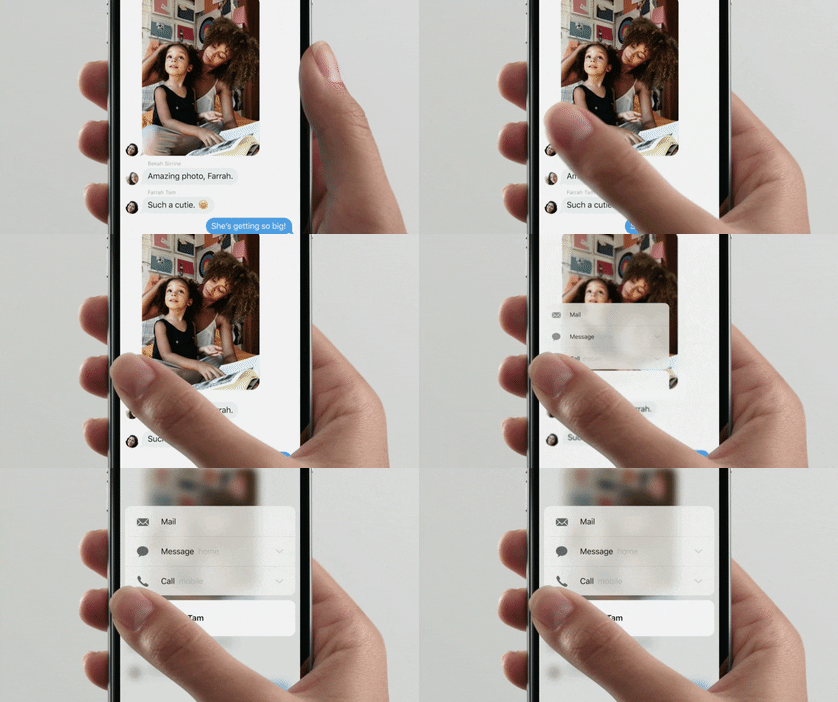
1. Supercharge the mobile app for your event with 3D Touch

Apple Event 3D Touch Giphy

What’s 3D Touch, you ask? This feature aims to make user experience smoother and faster. As described by Apple in the related Press article: “iPhone 6s and iPhone 6s Plus introduce new ways to navigate and experience iPhone by sensing pressure to enable new gestures — Peek and Pop™ — so you can dip in and out of content without losing your place.”  This will mean a host of possibilities for your in-house developers or mobile app company (spoiler alert: we here at Yapp are working on some ideas!)

Your attendees will save time (and taps) with the following:

  • Preview tabs or pages of the app without clicking into them
  • Get directions to your event location with just one deep press on the address in the event app
  • Upload photos to the feed in the event app with just one click
  • Deep press on another attendees photo for shortcuts to network with them or see their latest tweets about the event
  • View documents without downloading them

2. Upgrade presentations at your events with Apple TV

Apple Event 2015 Apple TV Siri Giphy

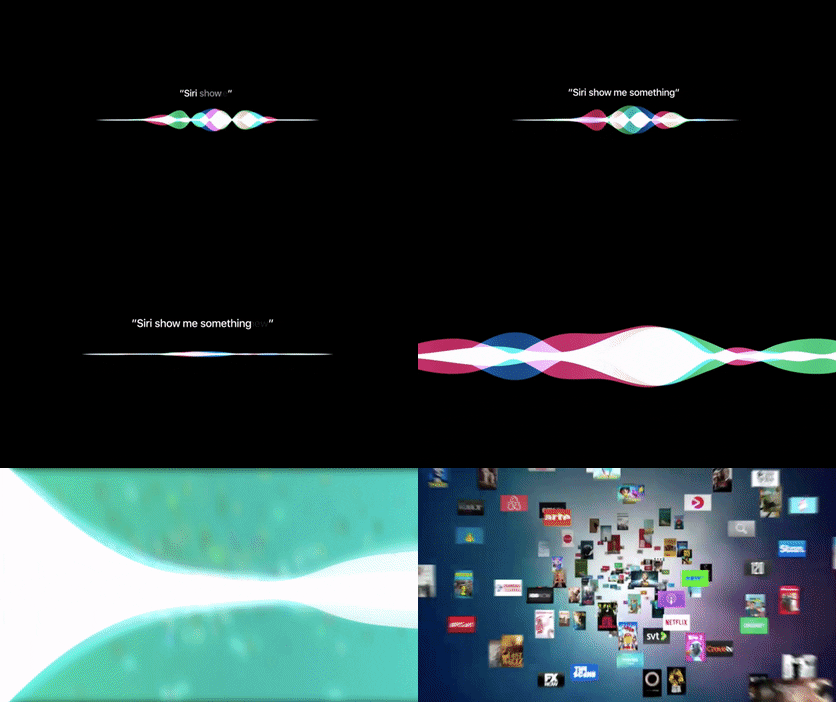
Apple TV comes with a TV-optimized version of iOS (tvOS), Siri support (digital assistant at your event, anyone?), apps in the new app store and a snazzy new remote. Leverage the best of these enhancements and you’re guaranteed to wow your attendees with an engaging presentation. Make a powerful statement by quickly switching between apps or ask Siri questions to search your apps or the web. Create an animated screensaver showcasing logos, speaker information, sponsors and more. Why limit yourself to just PowerPoints?

3. Gamify your event with photo contests

Apple Event 2015 iPhone Selfie Giphy

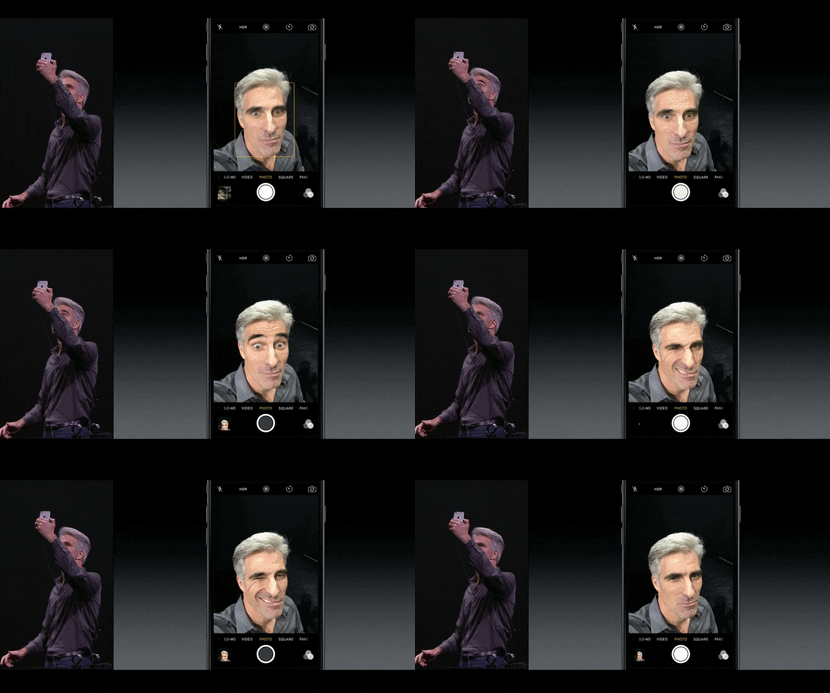
Create buzz around your event with a photo contest. Make it a selfie contest where attendees can use the new 5MP HD-front-facing camera even if your event has low-lights. Or, ask attendees to tap into their creative side for a live photo contest using the unique new live photos feature for some cool giphy type photos. Then, post to your Yapp news feed.

4. Move aside computers and paper (and Microsoft Surface), enter iPad Pro

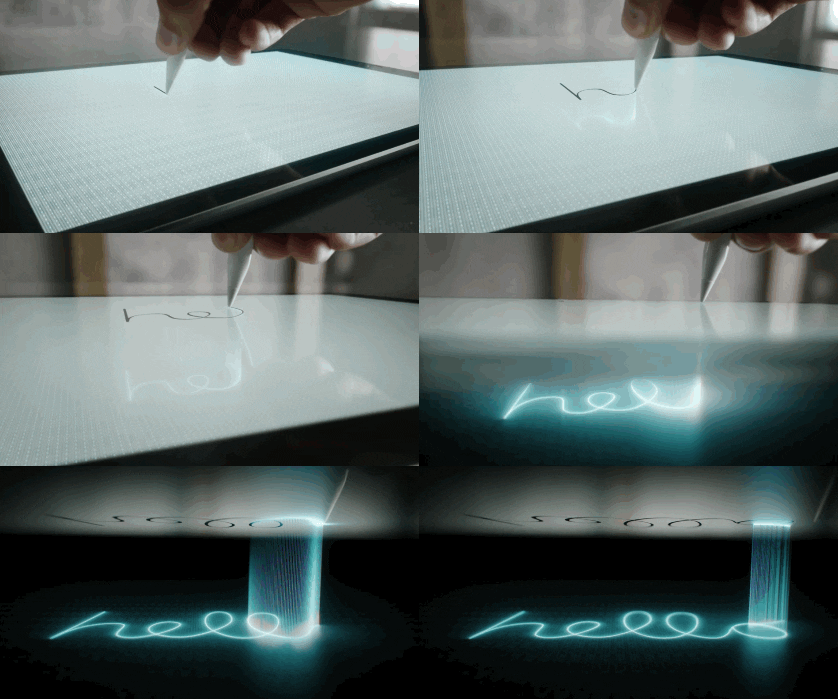
Apple Event 2015 Apple Pencil Giphy

The newest iPad, iPad Pro, features a 12.9 inches screen (slightly larger than older versions), a multi-tasking tool, 2732 x 2048 pixels Retina display (better than even that for Macbook Pro), 10 hours of battery life and two stellar accessories: smart keyboard that attaches to the iPad and Apple Pencil with insane precision.

What does all these tablet enhancements mean for your events?

  • Goodbye paper! Check-in using iPads just got faster (and might we say, cooler?)
  • Need attendees to sign during check-in? That just got easier with an Apple Pencil.
  • Your exhibition hall just got more interactive with live demos at booths using iPad Pro
  • Expect more attendees on their iPads instead of computers using the new keyboard
  • More easily and quickly create and edit apps from this powerful new tablet

Other major things we learned at the #AppleEvent?

5.Apple Watch just got more stylish with new gold and rose gold finishes as well as some designer collections such as the one from Hermes. 

6. Apple is putting more emphasis on gaming (the new Apple TV remote has Wiimote-style controls). 

7. Apple CEO, Tim Cook, can dress to impress even in jeans. 

8. There’s a new monthly payment plan for iPhones which includes AppleCare+ and option to get a new iPhone every year. 

9. One Republic can be available for a concert in 10 minutes notice (“We didn’t even know we were playing until ten minutes ago” – Ryan Tedder of One Republic). 

Are you ready to #Apple upgrade your events? What other tools and features do you use to enhance the event experience for your attendees?

All giphys here are from the Apple Events video.