Yapp explains why Social Feed is a must-have feature for event apps that want stronger attendee engagement.
Real-time posts, comments, and shared content help create a more interactive and community-driven event experience.
Event organizers who want more participation and attendee conversation should use this feature.
A conference app has become the norm at conferences and meetings of all sizes. They’re used to share pertinent event information such as maps, schedule, documents and more. Another big advantage of event apps is their social features such as Yapp’s Social Feed that serves as an in-app group chat where attendees can post photos and comments as well as react to previous posts with a “like” or comments. However, an interactive feature like this brings some concerns for stakeholders about privacy and professionalism.
Here’s Why Social Feed is A Must-Have (And How to Sell It To Stakeholders):
75% of attendees say networking is important to them. Allowing attendees to communicate with each other via the event app is a seamless way to facilitate networking.
People expect to be able to interact and engage digitally when they are at events. Social Feed allows you to have a private social networking experience inside the app. If this option is missing, users will turn to Facebook or other networks where they may get distracted and will no longer be engaging with your event.
You can control your event app right from you mobile device. This includes the ability to delete any comments which should address any concerns about inappropriate posts.
Through Yapp’s privacy options, you can revoke access to specific users if you’d like.
Set the tone: Dedicate a page to share the rules of conduct for the app and let them know that they will be booted off if they misbehave.
Social Feed is the best way for users to feel connected to the event app and continue to bring them back to the app. This will help make the app the go-to resource for details about the event. If you have sponsors, they’ll be happy with the engagement metrics. You’ll be able to make all key announcements right in the app making logistics much smoother. The overall ROI for your app will be better!
Since you and your management team can monitor the conversation, you’ll also gain invaluable feedback from candid posts by attendees.
The ability to add photos will increase interaction as attendees share photos they take or come back to the app to keep up with photos being posted by others.
Two-way communication between you/management to attendees as well as among attendees is incredibly important in creating an experience that they will not forget! This will improve the overall event experience for the attendees. As long as you set the tone, and leverage admin features that are at your disposal, Social Feed is undoubtedly going to supercharge the event experience for everyone!
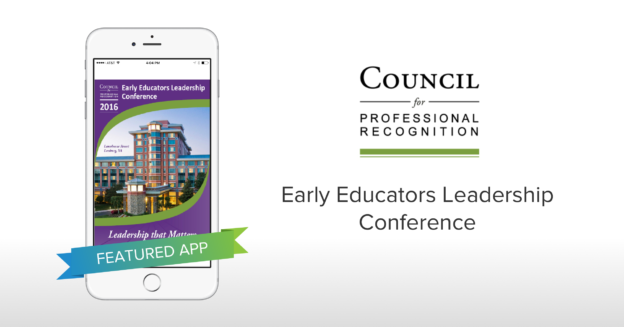
Yapp features the Early Educators Leadership Conference app as an example of how mobile apps support conference communication.
Centralized schedules, resources, and updates help attendees stay informed and engaged throughout the event.
Education and leadership conference teams will benefit most from this example.
“Yapp is the best solution if you are looking to make the switch from print programs to mobile event apps. We were able to save on printing cost for our program guide. Our attendees are able to view the conference details on-the-go and even interact with each other.”
– Jun Daproza, Team Leader Tech Support Specialist
About Early Educators Leadership Conference
The Early Educators Leadership Conference is designed to help early childhood education professionals increase their leadership skills through powerful professional development that includes information, tools, and practical knowledge that they can use in their daily practice as leaders. It is a premium all-inclusive resort experience that includes all meals, snacks, gifts, special events, golf driving range, fitness center, discounted spa services, conference workshops, informative presenters and networking opportunities.
The Council has done a fantastic job of really taking advantage of several page types, some in multiple ways. Knowing the importance of the agenda for attendees, they have three different schedule pages, including one breaking out the various tracks. They had a 70% adoption rate for the app with each of those individuals using the app 17+ times on average. Being a savvy planner, they featured the 2017 event details on the final page of the app and incentivized early registrations with a special discount.
Why The Council for Professional Recognition Love Yapp
“Our company has used Yapp for our annual conference the past two years and we are very pleased with it. I would highly recommend this app to any event planner. Our attendees are very surprised at how easy it is to download and navigate the app. They particularly like the fact that they can create and view personalized schedules on their mobile device as well as the ability to leave feedback at the end of each session.” – Jun Daproza, Team Leader Tech Support Specialist
About The Council for Professional Recognition
The Council for Professional Recognition is a non-profit leader in the early care and education arena with more than 40 years as an established credentialing organization, awarding its Child Development Associate® (CDA) National Credential to more than 400,000 early childhood educators. The CDA® uses a specific set of time-tested, research-based tools that adhere to a set of standards to determine early childhood teacher competency.
Yapp explains how to position an event app as a valuable sponsorship opportunity instead of just an attendee tool.
Better visibility, branded placements, and measurable engagement help sponsors see clearer ROI.
Event teams pitching sponsorship packages will benefit most from this guide.
After attendees, sponsors and partners are the next key stakeholders for any event. With their cash or in-kind donations and other support they make the events a reality. But what’s in it for the sponsors? What are they looking for?
Sponsors rated “creative awareness/visibility”, “increase brand loyalty” and “change/reinforce image” as the most important objectives when evaluating choices. Presence in the event app can help them immensely with these priorities. In fact, 46% of sponsorship decision-makers said that presence in mobile/digital/social is a very valuable benefit. It’s ranked second with on-site signage. The only benefit that surpasses it is the perennial category exclusivity. If your sponsors are still on the fence about event apps, we can help.
Here Are 7 Things You Can Tell Your Sponsors to Sell Them on a Convention App:
“Attendees can engage with your brand in just one click!”
One key benefit of a convention app is that you can include clickable links for sponsor information such as website, phone number, landing page and social media pages. While printed agendas can have this information, in mobile event apps these are live links. Imagine the vast difference between expecting an attendee to type in the entire URL that is featured in a printed event agenda versus just clicking on a link! Sponsors can also include telephone numbers and social media links that are also clickable!
“You can reach attendees (and prospective attendees) beyond event day(s).”
Feature your sponsor on the event app cover. You’ll use the app cover in all of your event app marketing leading up to the event so the sponsors will get brand exposure even before the event app is downloaded. As you encourage app downloads and engagement, inform attendees that the exhibitor profiles and exhibition hall map can be found in the event app. This will give partners added exposure via screenshots. Plus, attendees will be able to view detailed listings ahead of time to plan out which booths to visit at the event. After the event, you can include screenshots of the event app in emails and blog posts about featuring an event recap. Additionally, you can keep the engagement and conversations going so sponsors will continue to get brand exposure as well.
“You can send timely push notifications directly to attendees’ phones.”
Push notifications show up on the attendees mobile devices even if they aren’t currently looking at the event. They’re great not just for bringing users back to the event app but can be a very valuable placement for partners. Offer your premium sponsors push notifications about their brand driving the attendee to their listing or even a link to their website to learn more. Exhibitors can add-on push notifications to their package that can be sent out during expo hall hours. If a partner has sponsored a session or workshop, the reminder push notification for it can include the sponsor’s name. Again, the key benefit here is reaching attendees outside of the event app on the mobile devices.
“You can easily look at individual attendee information and better qualify leads”.
“Capture database/lead generation” is a growing objective and joined the top 10 list for sponsor objectives for 2016. In event apps you can feature detailed attendee listings including the attendees company name and contact information such as email, phone and even social media profiles. You can also add custom information such as “their key reason for attending the event”. Sponsors and exhibitors can review these listings ahead of time and even connect with attendees with just one click from the event app. This type of access is impossible via paper agendas. To avoid overwhelming attendees, set some guidelines around when and how often partners can solicit attendees. For example, once before the event via one channel only.
“You can also interact with attendees right in the event app”.
With features like Yapp’s Social Feed, partners can post helpful resources, fun facts or photos in the event app and join the conversation with attendees where they are. Additionally, they can “like” and comment on posts from attendees you are trying to reach. This type of interaction will help sponsors’ representative and their brand get noticed. Imagine the power of being able to respond to a question from an attendee that’s directly related to your product!
“You can gain valuable information and feedback about your target audience”.
There are many ways to collect feedback from event apps. Here are 5 ways to collect feedback in an event app. Sponsors can collect direct feedback by submitting a sponsored poll question. Additionally, for some qualitative feedback, they can monitor the conversations going on in the Social Feed among attendees. Partners can leverage this type of information about attendees to prepare for the event as well as apply the learnings to their marketing and product plan in the future.
“You can have detailed insight about the true ROI for your sponsorship”.
Sponsors rarely get detailed data and metrics around event sponsorships. Assistance measuring ROI is a valuable service add for majority of sponsors and 65% are not satisfied with what’s provided to them. Get ahead of the curve with event apps and wow your sponsors. Event App Analytics allow you to monitor everything from app installs to popular content by date in real-time. Sponsors will have actual metrics to better understand their true ROI.
One of the most common concerns for event planners switching from paper is how will they feature their sponsors and partners in the event app. There are plenty of innovative ways to do so. Here are 8 ways you can feature sponsors in a Yapp event app.
Have other tips or ideas on how to sell sponsors on an event app? Share them in comments below.
Yapp explains how event app analytics help organizers understand what attendees actually do inside the app.
Usage data and engagement insights make it easier to improve communication, content, and future event planning.
Event organizers who want better reporting and smarter decisions will benefit most from this feature.
Batman has the bat-mobile, Captain America has his shield, Iron man has his suit, Spider-Man has the web shooters…and you, Event Superhero, have Event App Analytics.
If you are looking to understand, improve and supercharge your events, event app analytics can be the best superpower at your disposal. How many attendees installed the app? Did they use it during the event? What pages did they find most useful? Which days had the most event app usage? All of these questions can help you drill down to better understanding not only your event app but also your attendees and hence help you take your events to the next level. Go ahead, throw on your cape,
Event App Gadgets (Metrics) That Matter
Just like Batman’s amazing state-of-the-art gadgets, there are certain event app metrics that are going to be the most useful to you. Let’s start by looking at which event app metrics you should be monitoring. It’s important to measure the performance of your event app from app level metrics such as installs to content specific metrics such as the most popular session. Below is a breakdown of all key metrics you should be measuring to better understand the true ROI of your event app as well as plenty of other benefits.
Put on your cape, Superhero, and start out with the basic event app metrics that matter.
Event app installs: This the basic metric you should be looking at for your event app. How many installs does your event app have? You’ll want to monitor this day over day from the time you start promoting your app. Compare this against the number of registrations/attendees.
Device breakdown: iOS or Android? Which device are your attendees on more? Monitoring this metric will get you that answer.
Event app views: This metric will show you the total number of times your event app was viewed by all the users. You’ll want to monitor this every day and encourage usage through push notifications, emails and other communication if event app views are trending down.
No need for Flash’s speed! Slow it down, Superhero, and monitor the performance of your event app over time.
Most popular day: This will tell you specifically which date had the most event app views. Monitor this and try to beat your best day by encouraging engagement within the event app such as posting photos or commenting on peers posts.
Additionally, look at charts for engagement (installs, views and participation on specific pages) for timeframes that make most sense based on your event date as well as event app promotion plan.
Forget about Professor X’s mind-reading powers, instead tap into content-specific event app metrics.
Most popular page: This will tell you which page has the most views from all of your users indicating which content your attendees are most interested in.
Viewed page: Besides looking at which page is most popular, you also want to monitor the popularity of other pages. Perhaps your sponsors page isn’t getting the views it should? A push notification directing attendees to the page can help spike up the views.
Poll results: For every poll you create, you will want to view the results.
7 Ways to Supercharge Your Event with Your Superpower, Event App Analytics
1. Understand and improve your events
Monitoring your event app analytics will tell you what content your attendees enjoyed. The right poll questions can help you get valuable feedback from attendees about the event. Uses this data to improve the logistics for your event right away if you can or apply the learnings to the next event you plan. An event app is the single best source of data for your event.
2. Inform your event app marketing efforts
The success of an event app lies with a high install rate. If your installs are lagging compared to your event registration, it is time to supercharge your marketing efforts. This Event App Marketing eBook can help you with tips, strategies, templates and pre-written blurbs to exponentially increase your event app install rate.
3. Increase event app engagement
Monitoring your app views over time will show you the trends in engagement. Drill down to content-specific data to see what is working well. If your install rate is high but the app views are far behind, you’ll want to send event app tips and tricks to attendees. Give them a reason to engage with the app on a daily basis: respond to a poll, ‘like’ a comment you made about how event prep is going, post questions, create their customized schedule and much much more.
4. Impress sponsors
Sponsors, exhibitors and other partners have many choices when it comes to investing their dollars and resources into events (or other channels). This means, just highlighting sponsors in the event app won’t be sufficient. Instead you’ll want to prove to them that they are getting a good return on their investment is crucial. Show them event app install rate, app views and especially the popularity of the page they are featured on.
5. Get more sponsors for next year
By proving to sponsors that they did indeed get a good deal of impressions for their brand, you’ll be able to much more easily convince them to come back for next year’s event. In fact, sharing some high level stats with potential sponsors can help acquire new sponsorships as well. The same applies for exhibitors and any other partner organizations.
6. Get a better handle on your event app ROI
Your attendees are at the center of your events. Monitoring even just the high-level install rate and app views will immediately tell you if your attendees used the app or not. If they’re using the app, you no longer need to print paper agendas (if you still are) which will result in immense cost savings.
7. Wow your boss, board or colleagues
With all of this data, easily available for you to share with your colleagues, you’re guaranteed to wow them. Be sure to get visuals such as a breakdown of app views by date or a pie chart of the poll results. This will make a fantastic addition to your event summary deck. No one has to know how easy it was to get this data together!
What to Ask Your Very Own Mr. Fox (Hint: Event App Provider) About Event App Analytics:
Which event app metrics do you provide? Better yet, make a list of the metrics that are important to you (the above list is our recommendation) and ask your event app provider if these specific metrics on your list will be available for your event app.
Can I see sample event app metrics? This type of data, while powerful, can take hours or days to calculate. It’s important that your event app provider has an Analytics platform that is easy-to-use. Ask them to show you the Analytics for a past app. See sample Event App Analytics from Yapp here. Better yet, get a free trial of the event app platform so you can try it out first-hand.
Is the data available real-time? Event app data is doubly powerful when it is available in real-time so you can monitor trends and take action right away.
Can I download the data? The ability to easily download and also manipulate the data as needed is crucial if you plan to save this data for future reference or share it with other stakeholders. If you can try out the App Analytics, give this a try as well.
Did we miss any specific event app metrics or the benefits of monitoring your event app performance? Share in the comments below!
Yapp shows how mobile apps can improve communication and engagement at association events.
Schedules, updates, networking tools, and centralized content help members stay informed and connected.
Associations running conferences, meetings, or member events will benefit most from this approach.
Why Your Association Needs an Event App
First, let’s talk about why your association meetings need a mobile event app. Why should you invest in one?
Time and resources are always strapped at associations. This means, that the team in charge of meetings is having to scrape corners for event details and roll up their sleeves to get things done. John of NCPeds told us that him and his colleagues were spending 120 hours in manual labor to create printed agendas. Switching to mobile apps for meetings allowed them to get all of this information into the app in a matter of minutes!
Printing paper agendas can cost thousands of dollars. Plus, there is the cost of binders, deliveries, tote bags and everything else that printing bio books brings with it. A mobile app for your association meetings can actually save you all of this money and help you increase sponsorship revenue resulting in a dramatically better ROI than paper.
Switching to mobile definitely will save you organizational time and money. However, more importantly it helps meet many goals most membership organizations have at events as well as year-round. Below we’ve highlighted 6 ways to leverage a mobile event app for your association.
Share event information with members
The most basic and practical reason to use a mobile app for your association meetings is the logistical benefits that come with being able to get members the information they need about the event at their fingertips! You can upload documents, create a schedule and add in all other event information all in one place. Plus, with the right app you’ll even be able to update this information instantly if changes come in and notify your attendees with a push notification.
Help members stay connected with each other
Networking has to be one of the top reasons for most members to join an association – they want to meet, connect and get to know other members in their industry. A mobile event app, will make this a breeze. Attendees can browse through a list of bios for all attendees. They can even connect with other members directly from the app by accessing links to their email, phone or social media profiles. They can chat, post comments or upload photos to the event app leading up to, before and even after the event.
Increase sponsorship revenue
Your sponsors and other partners help make your events a reality. It’s important to give them the coverage they deserve throughout the event. With a mobile app for your association meeting you can feature sponsors in the app in a variety of ways even before the event. A 500-word description is much more powerful when it’s accompanied with a direct link to the sponsors site. All this means, a better ROI for your sponsors which means an increase in sponsorship revenue for your association!
Collect feedback and get data from members
You collect feedback from members as you strive to improve not just your events but their entire membership experience. This means more feedback and data the better – this is where event apps come in. Leverage features such as polls, real-time analytics and session feedback to find out what your members opinions are about your meetings and association. Read about 5 ways you can collect feedback in an event app.
Engage members of all ages
56% of associations admit they have trouble engaging young professionals, and 55% of associations have trouble customizing their communications for different member sub-groups. With mobile penetration at 90% for millennials, it’s more important than ever to use a mobile event app at your association meetings so you can engage and retain your younger members. They’re on their mobile devices anyway, so if you want to connect with them at your events, a mobile app is the way to go.
Generate excitement about your mission and goals
One of the benefits of bringing together members at meetings is to get them excited about being part of the association and help them connect with the mission and goals of the association. An event app can be great resource for this. Putting your association’s mission and goals in the event app is a great way to remind everyone why they joined the association in the first place. Something simple as a welcome page highlighting photos of members and a letter from the Executive Director or other leadership will set the tone for the app.
Some Inspiring Associations Meeting Apps
Do you still need convincing that Yapp can help you design apps to take your next association event to the next level? If you answered “Yes,” then you need to read why these associations made the switch to mobile event apps with Yapp:
This AMC uses Yapp for their clients. They switched from a native app which resulted in incredible cost savings and members liked the Yapp apps better!
How to Get a Meeting App for Your Association
Are you worried that a mobile app is going to be a massive investment of time, money and resources? Not true! You do not have to be an IT wizard or a skilled designer to create a mobile event app. There are self-service app creation platforms out there that can help. Yapp is one such example. Yapp empowers association professionals to create meeting apps in the easiest, fastest and most cost-effective way. Get your 14-day free trial of Yapp today.
Did we miss any other key benefits of an association meeting app? Tell us below!
Yapp shares five ways to collect useful event feedback through a mobile event app.
In-app surveys, polls, and session feedback tools help organizers gather insights while the event experience is still fresh.
Event teams that want more actionable attendee feedback will benefit most from these tactics.
Always be listening to attendee feedback so you can make instant changes where possible and create the best event experience.
Mobile event apps have a variety of ways for the event organizers and planners to collect feedback from attendees on-the-go. This can range from instant feedback at the event to session-specific feedback after they’ve attended the event. Below is a breakdown of the type of pages you can use for collecting event feedback and the variety of ways we’ve seen them used.
#1 Polls for a Wide Range of Event Feedback
Polls on Yapp allow you to ask one multiple choice question per poll page. Here’s how it works:
Add a poll page to your mobile app in the Yapp Editor.
Type or paste in the question you’d like to ask your mobile users.
Type or paste in as many answer choices as you’d like for the question.
Publish this and other changes to the app and your poll will be available in the app instantly.
Send a push notification to motivate mobile users to participate in the poll.
Once they submit a response, they’ll see a percentage tally on the results page.
Remember: You can add and remove as many polls as you’d like. If you’re ready to delete a poll but want to save the responses, just head over to your dashboard and export the responses or you can see a pie chart of the responses in your app analytics.
Pro tip: Depending on your app’s privacy settings, you’ll also be able to export responses to the poll with names and email addresses for all respondents.
We’re inspired by the variety of ways the Poll page is used in Yapp event apps. This includes:
Insight for event preparation
If you’re have your event app ready and in the hands of your prospective/registered attendees, you can leverage polls to collect ideas and input from them. Some fun ideas: Have them vote on the tagline for the event. Or, choose the flavor of the pie at the keynote session. If you’re trying to get rid of paper at events, have submit a request for print agendas with a poll!
Incentivize an app download leading up to the event
Here is a tip directly from our Event App Marketing Guide: Post competitive and fun polls into the mobile event app. As responses come in, take a screenshot and use that to draw installs. Who doesn’t want to get in on some competitive voting action?
Get votes from attendees
Do you have an award night, a competition or perhaps there is a vote for finalizing an agenda item? A poll in the app is the best place to collect these votes. Plus, these types of polls are perfect for incentivizing downloads!
Want quick feedback from attendees during the event, maybe even during a specific session? Add in a Poll page with the question and have the moderator or speaker announce it during their session. Again, a great way to increase event app downloads!
Collect feedback about the event for next year
As your event is wrapping up, add in a new Poll page with a question about the event, publish the app and notify the attendees. Get feedback about the event before attendees even leave the event so you can be sure to get the highest response rate, feedback while it’s fresh on their minds and start working on ways to improve the next event right away!
Increase sponsorship revenue
Yes, that’s right. You can leverage the Poll page to ask a question that’s been submitted by your Sponsor. They’ll get coverage in the app, interaction with the attendees and valuable data.
#2 Session Feedback for Each Event Item
For feedback on a specific agenda item, leverage Yapp’s Session Feedback feature. Here is how it works:
Turn on this feature via the Yapp Editor.
Let mobile users know via a push notification that they can now leave feedback for each item on the schedule page (don’t forget to remind them the day of the event).
Users can leave feedback with a five-star rating option as well as a comments option for open-ended feedback. Forget about creating and circulating lengthy, confusing surveys (or event worse, distributing, collecting and tabulating paper feedback forms)!
When you’re ready, export the data from Analytics.
#3 Lengthy Surveys via a Simple Text or Image & Text Page
If you have a more complicated survey or feedback form that needs to be filled out, you can use our Simple Text or Image & Text page templates. Add in the page, rename it “Survey” or something similar, and add in the information including the link out to the questionnaire. Though, our advice would be to leverage the other in-app features to collect feedback throughout the event to avoid overwhelming attendees with lengthy forms and surveys.
#4 Event Feedback Forum with a News Feed Page
If you’re looking for open-ended feedback, you can post questions in the News Feed. This can be in the News Feed amongst other chatter going on or you can dedicate a News Feed page titled “Feedback” specifically for people to share their thoughts with you. This is a fantastic way to encourage candid posts from attendees throughout the event for anything from logistical items such as “The temperature in the room needs to be adjusted” to session-specific feedback such as “The keynote was fantastic but wish we had more time to network after”.
#5 Event App App Feedback with Analytics
You’ve worked hard to get the best event app and leveraged it in many exciting ways to engage your attendees. Now you want to know if it was all worth it? For feedback on your event app performance, look at the mobile app analytics. Monitor how your attendees are engaging with the app such as most popular pages. With Yapp, from the moment you create an app you can access the analytics dashboard for your mobile app with real-time insights. Monitor all of your mobile app analytics for events such as app installs, app adoption and app usage over time as well as dive into content specific metrics.
Are there other ways that you have used a Yapp event app to collect feedback from your attendees?
Yapp explains how to make the business case for using an event app at your next event.
Clear benefits like better communication, attendee engagement, and reduced printing costs help decision-makers see the value faster.
Event planners who need internal buy-in for an app purchase will benefit most from this guide.
You researched the right features and app providers and you’re ready to take your next event mobile with Yapp. But now are you worried about how to convince your boss and other colleagues? We have you covered!
We’ve created a fully customizable presentation resource to help you make the case for anevent app and clearly show how it supports attendee experience, event goals, and ROI.
You can also use our Event App Marketing Guide for additional templates and talking points to support your proposal.
This How to Sell Your Boss on an Event App by Yapp PPT has 3 main components:
Statistics
Attendee benefits
Alignment with business goals
Show them the facts: Start off with some statistics that show the benefits of an event app. Show that attendees are on mobile and your event needs to be there too!
Highlight the benefits for attendees: Attendees are the center of your event so it’s important that a mobile app is going to help Mobile event apps help inform and engage attendees so their event experience is enhanced.
Make a connection with their goals: Put yourself in your boss or colleague’s shoes – what does he/she care most about? What is his/her business priorities and goals? Depending on what their role and department is, here are what some priorities could be:
CEO – Show off the numbers. What will the ROI be from the event app and how will it help improve the overall event performance?
Marketing or Communications Head – Keeping up with trends and communicating efficiently are important to marketers. A mobile event app is perfect for both!
Board of Directors – Your board’s focus is on engaging members of your nonprofit community to ensure growing membership base. A mobile event app will help members feel more connected to the mission, get more out of the event and hence motivate them to continue to stay part of the community.
CTO – With so many priorities and business requirements, the CTO will be happy to hear that 0 tech resources are needed to get a mobile event app with Yapp. Plus, don’t forge to highlight the 3 privacy settings that allow for top notch security.
Need help customizing these assets? Email us at support@yapp.us and we’ll be happy to help!
Yapp provides event app marketing templates and pre-written content to make promotion easier for organizers.
Ready-made messaging helps teams save time while improving app adoption and attendee awareness.
Event planners who want faster, easier app marketing will benefit most from these templates.
You did your research – Google, talked to colleagues, had sales calls, did a few trials – and finally settled on the mobile event app for your next event. You’re excited about the time, money, resources and stress this mobile event app will save you compared to massive email chains, paper agendas and running to the printer. But wait…first you need to have a strong marketing plan for your event app to make sure your attendees (and prospective attendees) know about the event app. Don’t have time for that on top of all of the massive to-do list for your event? No problem – we’ve done the work for you! Simply download the package below, make minor edits to reflect your event app information and market away!
What’s in This Editable Event App Marketing Package
1. Website marketing blurbs
Your registration page or website is the main go-to place for your event information. Market your app on the main page as well as the registration thank you page.
Tip: Switch up the content at least every other week to avoid fatigue of the same message or ad.
2. Social media posts (images included)
This package includes editable social media post images that can be used for both Twitter and Facebook posts. Plus, there is a spreadsheet with pre-written social media posts for both channels starting from before you launch the event app till day of the event. You can also use these posts for other social media channels such as LinkedIn or Pinterest.
3. Email marketing content
Download pre-written emails with the subject line and copy for a variety of messages including an event app launch email, an automated message for event registrants and an email promoting specific features.
Tip: Include plenty of options to click through to the app – with 1-2 buttons as well as hyperlinks throughout the email.
Bonus: Have a newsletter for your organization, event marketing emails or other communication going out? You can rework the social media posts or website content week after week for constant reminders.
4. Event app flyers
At the event, you’ll want posters and handouts distributed all around the venue. This doesn’t have to be take a ton of time or resources. Simply download these templates and edit them to showcase your event app and app benefits! Alternatively, use these flyers as handouts or other visual placements.
Don’t be afraid to repurpose the content (text as well as visuals) across multiple channels. Example: The banner ad you create for your website can be perfect as a header image in the email.
Start marketing early (as soon as registration starts) and continue to remind attendees as you get closer to the event (even day of the event). Again, don’t be afraid to tweak and repurpose content over time. Here is a 3-month event app marketing cheat sheet.
Yapp outlines a three-month event app marketing plan that helps organizers build awareness before launch.
A clear promotional timeline makes it easier to drive downloads and increase app adoption before the event begins.
Event teams that want a more organized app rollout strategy will benefit most from this plan.
Mobile apps for events have become the norm at nearly any event you may attend. Mobile penetration is close to 90% so we know event attendees are on their mobile devices. However, lack of a proper or no event app marketing strategy at all can severely hurt event app adoption rates. The best way to ensure your event app has a high install rate is to have a well thought-out and multi-channel event app marketing plan. Don’t have time to create the event app marketing strategy? No problem! That’s why we’ve created this event app marketing plan for you. Kick off your mobile app marketing when you start registrations for your event so the event app becomes synonymous with your event from the get-go.
In order to get the highest install rate, you should start marketing your mobile event app 60-90 days before your event. If you start registration for your event sooner than that, then the event app marketing should start with it. Starting early will give you time to try out different marketing angles, hit all the major channels, and schedule in several reminders.
90 – 60 days to the event
This is the time to start to get your event app ready for the big reveal! The key to your mobile app marketing strategy here should be to prominently feature the event app on your event webpage, registration thank you emails and everywhere else that you are marketing or talking about your event.
Tip: This does not mean that your app needs to be fully completed. You just need the basics in the app and your easy-share URL created so you can start marketing your app right away.
59 – 45 days to the event
During this period, your event app marketing strategy should focus on getting your event staff or volunteers on board about the app. The key to a high adoption rate for your app is making sure all stakeholders are also contributing to the mobile app marketing. Encourage all event staff to download the app and consider recruiting an enthusiastic volunteer or well known industry personality to serve as an ambassador for the app on event day.
Tip: As registrations are starting to come in, schedule an event app marketing triggered email to go out a few minutes after someone registers for the event.
44 – 30 days to the event
At this stage, your event app marketing should shift to bringing on speakers, sponsors and other external stakeholders as event app enthusiasts. Tell sponsors of the various ways you’ll highlight key partners in your event app. Encourage your speakers and attendees to finalize their decks and other information for submission in the app.
Tip: When sending out the newsletter to your list to download the event app, exclude users who have already downloaded it.
29 – 15 days to the event
As you’re approaching just weeks before the event, double-down on your mobile app marketing efforts on all fronts. Your app content from speakers, sponsors and other logistical information should be added to the app by now.
Tip: Leverage the action going on in the app as part of the event app marketing strategy. You can use several easy marketing tools to create images with screenshots of your event app.
14 – 8 days to the event
Your event app marketing plan should now focus on creating excitement around the mobile app. Internally, this can be done by hosting a pre-event training session with staff. Include a demo of the app and highlight 2 features they should mention to attendees. With attendees, encourage action in the app with push notifications as well as emails for users who haven’t yet downloaded the app.
7 – 1 days to the event
It’s almost time for the event! Make all final changes as needed and use push notifications to alert attendees of any key logistical announcements or to prepare for the event. Send out 2 emails this week and publish daily social media posts. The event app should stand out as the clear go-to for all things surrounding the event for attendees, sponsors and speakers.
Tip: In the email, highlight new items added to the app, and suggest actions they can take in the app now such as creating a personalized event schedule.
At the Event
Day 0
If it’s the day of your event and you still don’t have an adoption rate you are happy with, there is still time! You should plan several app marketing strategies and tactics at the event. Monitor your analytics and install rate leading up to the event and prepare to use any of these tactics as needed the day of the event. In fact, implementing them will only help you – it’ll result in higher engagement with your app and attendees are more likely to download your next app right away!
Tip: Morning of the event, make sure all staff members have the event app on their phones and know the canned message they can share with attendees to download the app.
Post Event
The marketer’s job isn’t done after the event is over. There is plenty you can do in the app to keep the momentum going and continue to engage your attendees.
Yapp explains how choosing the wrong event app can create friction for both organizers and attendees.
Poor usability, weak support, and the wrong feature set can hurt adoption and damage the event experience.
Event teams comparing app options will benefit most from this cautionary guide.
When working on an event, planners have an immense amount of work on their plate for every single event – finding a venue with reliable Wi-Fi, figuring out the right content for the event, reaching out to speakers, finding sponsors, and much, much more. No wonder, event planning is the 8th most stressful job. Event apps can be a huge help by saving time and money, improving event logistics and enhancing the event experience. However, the wrong event app can sabotage an event.
1) The Event App Complicates – Rather Than Helps With – The Event Logistics.
Event apps can help make a crucial part of event management easier: Communicating with attendees. Additionally, by engaging attendees, event apps help supercharge their event experience. However, the wrong event app can heavily complicate event management for organizers.
How event apps can complicate event logistics
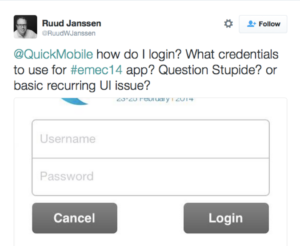
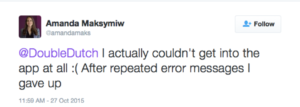
Every event organizer aims to have as many attendees as possible download their event app. A high adoption rate for the app improves the ROI for the planner, the organization and event sponsors. Why is it that event apps can be so complicated to download and even more complicated to use then? There is a whole slew of unnecessarily time-consuming and confusing things that go into downloading some event apps: app pass codes, temporary user passwords, lengthy instructions, app store search for the exact app name, customer service helplines, and much more. The more complicated the process, the less likely the attendees are to download the app.
Instead, choose an event app that is incredibly easy to download. Some event apps such as Yapp offer an easy-share-URL so downloading your app is as simple as clicking on a URL.
Event apps make planners life a lot easier by making it simple and efficient for attendees to have all of the information they need at their fingertips right on their phone. However, some event apps may require Wi-Fi connectivity to work. This can be disastrous with the lack of proper or affordable connection at most venues. There will be a day when this isn’t an issue but for now, Wi-Fi is a major concern for all planners and a common part of every event meme. Requiring Wi-Fi adds extra complexity to picking a venue for the event and takes away the core advantage of an event app – communicating with attendees!
Instead, choose an event app that does not require Wi-Fi connection in order to work. Most of the major information about the event should be easily accessible at all times, without requiring any connection.
2) The Event App Supplants – Rather Than Enhances – The Event Experience.
The core purpose of an event app is to help enhance the event experience for attendees, sponsors, exhibitors and even the organizers. This includes providing the best place for event details and happenings for attendees in a mobile-first world. Your event app should also engage attendees in innovative ways while still keeping the focus on the core goals of your event like learning and networking. Choices you make about your event app can result in a negative ROI, confuse attendees, disappoint sponsors and worst of all, have people’s noses in their phones rather than eyes up at the great content you programmed.
How event apps can supplant the event experience:
If your event app requires a large learning curve, attendees will be too busy trying to figure out how the app works instead of networking over breakfast. Additionally, it will likely result in confused or frustrated attendees.
Instead, go with an event app that is easy-to-use and puts little to no onus on the attendees to figure out how to use it by being intuitive. An event app that needs an on-site technical help team, is by default too complex.
If you add certain trendy and complex features to your app, it can cause technical difficulties such as the app features not working, freezing, shutting down or taking up too much space on the devices.
Instead, choose an event app with features that are engaging, interactive but simple. Ask your event app vendor about how often they deal with technical difficulties with their apps especially the day of the event.
Certain features of the event app such as gamification can become the focus of the event taking away from its main purpose and content. Why are your attendees missing from your opening keynote? Check the other end of the conference venue where they are desperately trying to rack up points in your in-app game so as to win an Apple TV.
Instead, you can drive up app adoption rate or engagement by choosing features that fit in well with the core purpose of the event – the content, networking and engagement. You can encourage users to upload photos from the social evening, share official videos of the keynote, and have attendees check out whose coming before the event starts to name a few strategies.
3) The Event App Wastes – Rather Than Saves – Time, Money and Resources.
The best part about event apps is that they help reduce the amount of time, money and resources spent on your event. The key savings come from quicker turnaround for apps versus printed agendas, skipping or reducing print costs as well as design and engineering resources. However, there are certain event apps can waste valuable time, money, and resources when your hope was to save those very things.
How event apps can waste time, money and resources:
Long Sales Cycle: Planners start working on their event far in advance – they need to book the venue in a timely fashion, nail down the schedule and start registration. Some event app vendors can have long sales and production cycles. Even as you research event apps, you’ll find that many vendors don’t list price on their website and require sales calls to get basic details about their offerings. To sign on, you’ll need to read and sign a lengthy contract, some for multiple years.
Instead, opt for an event app that has transparent pricing and a simple checkout process. This means you’ll know exactly what you are paying for up front and you’ll have your app without any lengthy contracts or sales calls.
Cost: Budget is arguably the biggest logistical issue that planners face. To add to this, some event apps can cost tens of thousands of dollars. Event organizers, often cut out other items from the event budget to dedicate the money for event apps. Some have to find sponsors specifically for the event app, which adds yet another task to the list.
Instead, choose an event app that is cost-effective. Fully-featured event apps can cost under $500 – they’ll help meet key event app goals without cutting into your event budget. This way, your attendees can have information at their fingertips and still have oh-so-important unlimited coffee all day long!
Standalone App: Your boss says they need to have their icon in the app store. Don’t be shy to ask why you need a standalone app. Apple and Google each have over 1.5 million apps on their stores. Will yours really be found? If you’re having a large event such as South by Southwest where the event app is also part of your branding strategy, a native app will help meet that goal. In any other situations, it will be hard to justify a standalone app as it results in massive waste and complications for the organization and event. This includes:
Eating up a large chunk of the event budget as custom stand-alone apps can cost tens of thousands of dollars. Plus, if you want to keep the app up for year round engagement, expect to get charged even more for maintenance fees.
It can take months to get the app ready and submitted to the app store. Then, if major changes are needed, you’ll need to wait days or weeks for the vendor to make updates and then additional time (usually a minimum of 7 business days) to get the updated version in the app store.
Depending on the vendor you go with, they may not have kept up with all the permutations of Android or the latest version of iOS for your app. A stand-alone event app comes with massive risks of compatibility.
“We actually created a native app for one of our clients last year. The attendees of the same event one year later loved the Yapp app even more, and it cost a fraction of [the] cost for app development last year.” – Vincent Moulden, Digital Media Manager at Thompson Management Associates and Yapp Customer
Instead, consider going with a container app that comes with instant publish. Event app providers like Yapp, offer event apps that are published within the vendor (in this case Yapp’s) native iOS and Android apps (aka they are contained within the vendor’s app). All of features such as privacy settings, branding, ease of downloading and much more can be achieved in event apps regardless of whether they are native or container apps. In fact, security can be even tighter in container apps because they are not easily searchable in iOS and Android apps.
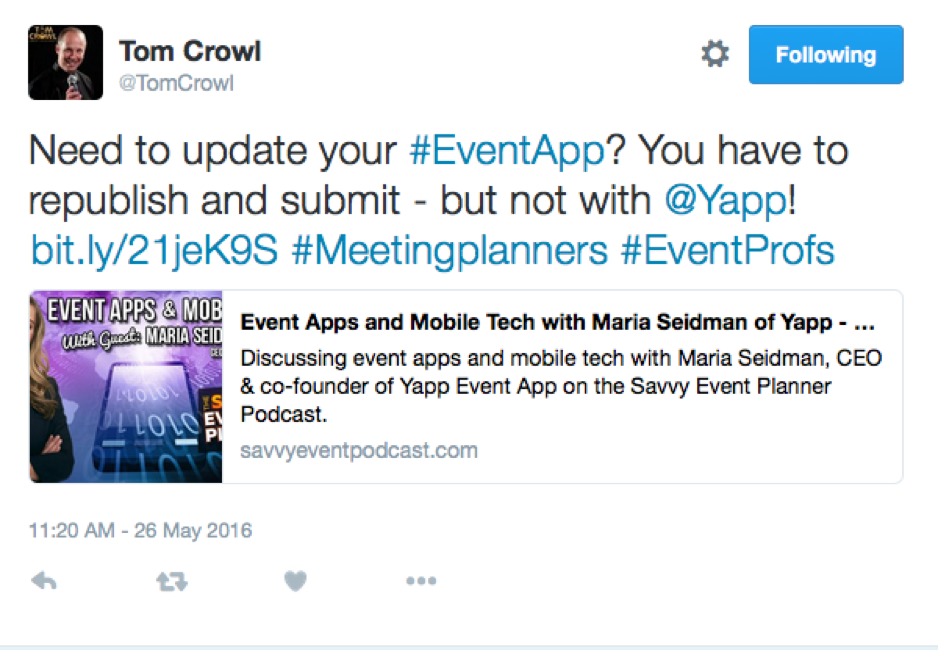
As Tom Crowl of The Savvy Event Planner points out, you won’t need to publish and submit your event app to the app stores again, if you go with a provider like Yapp.
Summary
Before you start looking at event app solutions, think about the goals of your event app and come up with a short list of which event app features or specifications will help you meet these goals. This will help you build an event app that is perfect for your event.
To avoid complicating event logistics: Choose an event app that is easy to download, doesn’t rely on Wi-Fi and has plenty of placement opportunities for sponsors.
To avoid replacing the event experience: Opt for an event app that is easy to use and has features that focus on the core event such as the content, networking and attendees engagement.
To avoid wasting time, money and resources: Go for event apps that have simple and short sales and production cycles including instant publish and be sure to consider container apps instead of standalone apps.
What are some other tips you have for how to make the most of an event app?