Tag Archives: conference apps

How Conference Apps Streamline Event Operations

  • Yapp shows how conference apps streamline event operations by centralizing communication and event details.
  • Mobile schedules, updates, documents, and engagement tools reduce manual work and help teams respond faster during live events.
  • Conference organizers who want smoother operations and fewer logistical headaches should use this approach.

The primary purpose of a conference app is to serve as a digital platform where attendees can view the event schedule, receive updates and announcements, interact with other attendees, and provide feedback. 

However, conference apps can do much more than that; they also help streamline the operations of events.

For event managers, running a successful event is not only about ensuring that the attendees have a good time, but also about making sure that the event runs smoothly from a business standpoint. This is where conference apps come in handy.

In this blog, we do a deep dive on how conference apps help streamline operations for in-person events.

How to Use Conference Apps

Conference apps are mobile event apps that help event managers with business operations in several ways.

Communicate with Attendees

Conference apps have several features that help event managers communicate with attendees. 

Announcement features allow event managers to send announcements and updates to all attendees.

These features can help managers keep event attendees informed about important updates and announcements and allow event planners to resolve issues and respond to questions in a timely manner.

Collect Feedback

Conference apps make it easy to collect feedback from attendees. Feedback features allow event managers to poll attendees and collect feedback about the attendee experience. This information is valuable because it helps event managers identify areas that need improvement.

Conference apps often include features allowing attendees to provide feedback in real-time. This information is valuable because it enables event managers to make changes on the fly and improve the event experience.

Benefits of Conference Apps 

Conference apps are incredibly helpful in streamlining business operations. Here are a few examples of the benefits of using conference apps.

Save Time and Money

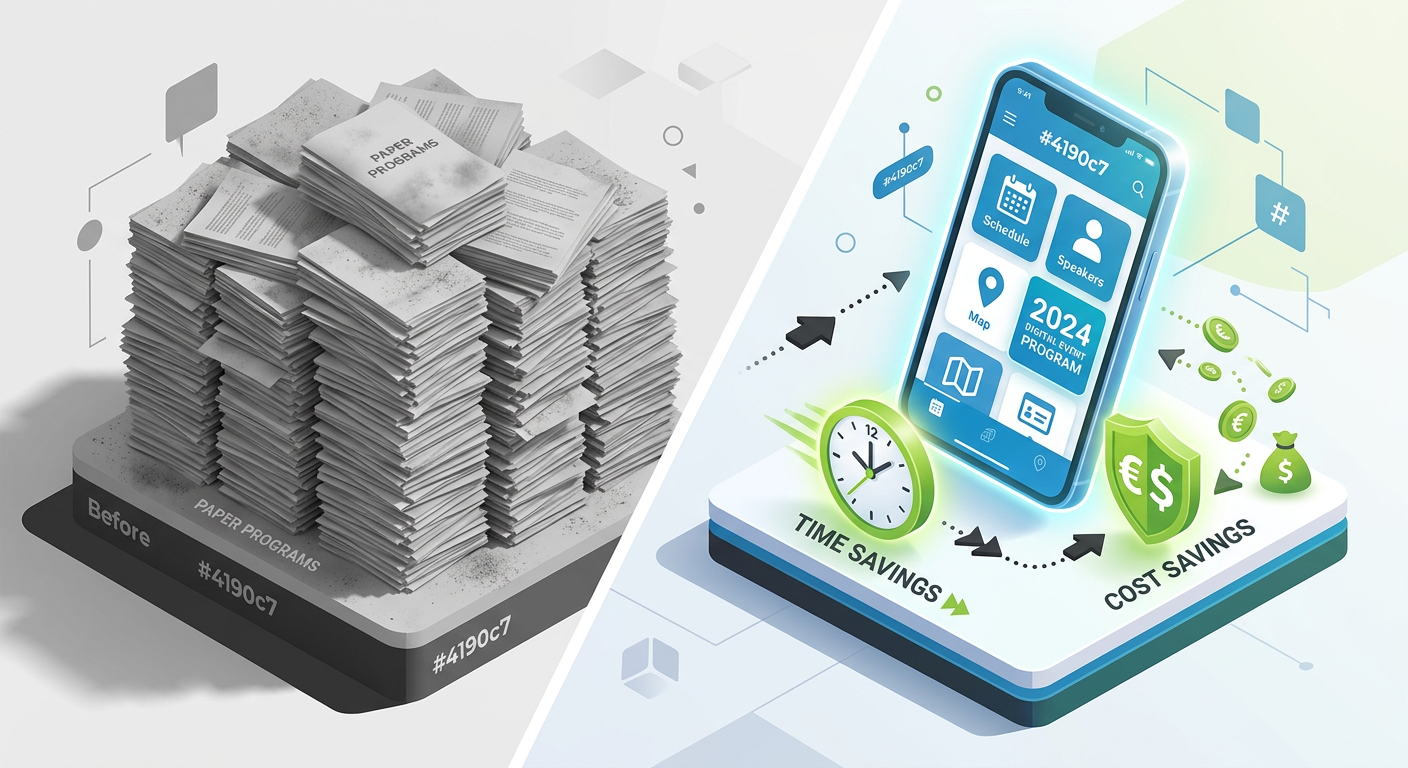
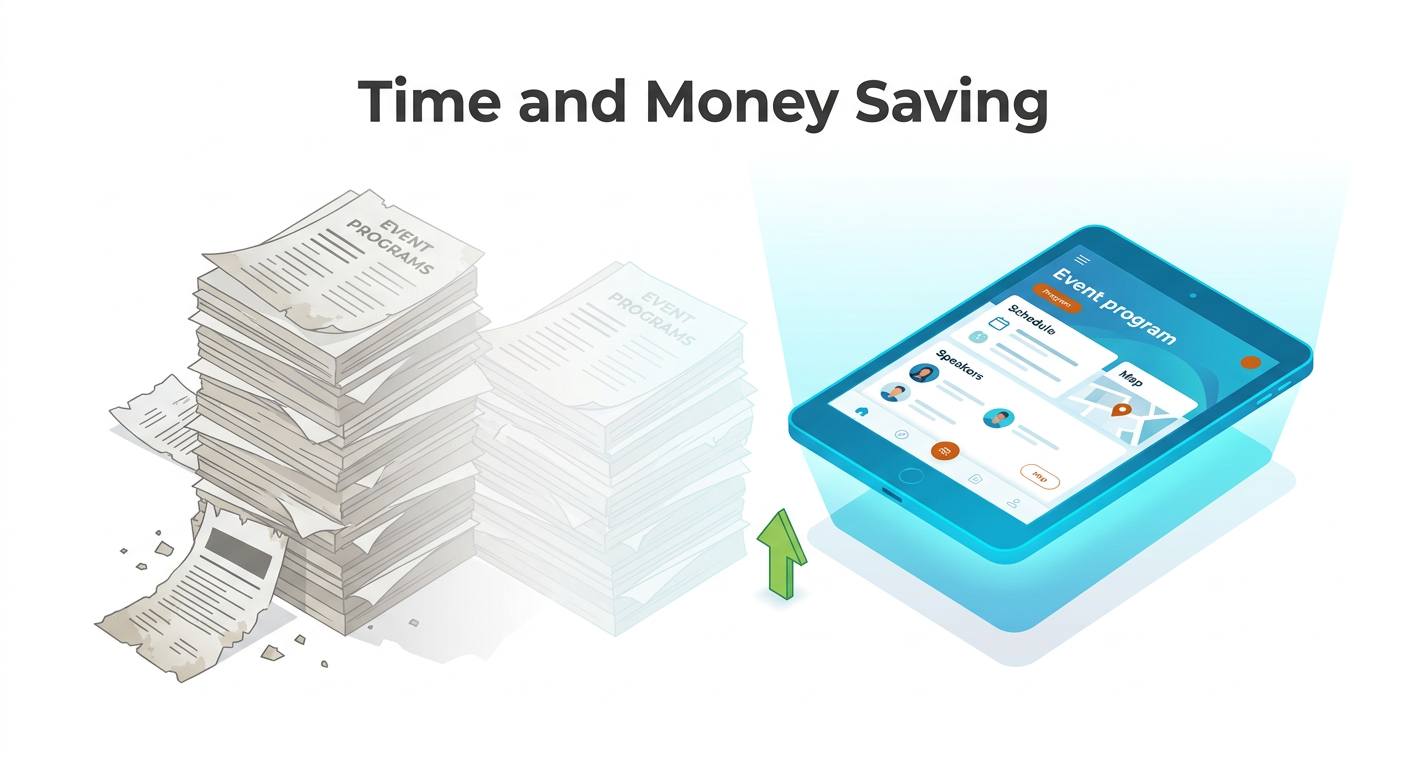
Conference apps can help event managers save time and money. For example, conference apps can create digital event programs that can be easily updated and distributed to attendees. This eliminates the need to print and ship physical event programs, which can save event managers a significant amount of time and money.

Improve Event Logistics

Conference apps can also help improve event logistics by making it easy to track attendees and communicate with them in real-time. For example, if part of the event is running late, conference app features can help event managers quickly communicate the new event agenda to all attendees.

Increase Attendee Engagement

Event management apps can increase attendee engagement by over 41% by enabling event planners to create custom agendas, send announcements and updates, collect feedback, and more.

Additionally, conference apps often include features that allow attendees to interact with each other, such as in-app messaging and networking features. 

How to Choose the Right Conference App for Your Needs

Now that you know the benefits of conference apps, how do you choose the right one for your needs? Here are some factors to consider:

The Size of Your Event

For large events, you will need a conference app that can accommodate many attendees. It should be able to handle a high volume of traffic and it should have features such as an in-app messaging system, live polls, and, for the truly enormous events, include a floor plan with beacons for attendees to find their way around.

Your Budget

Your budget will play a determining role in the app you choose. While setting a budget for the app, consider the overall value it will add to your operation. 91% of event planners report a positive event ROI (return on investment) from using event management software, according to the State of Mobile Event Technology Report).

User Interface of the App

The user interface (UI) of the app is important because it will determine how easy it is for attendees to use the app. If the app is difficult to use, attendees will be less likely to use it. This can be a deal breaker for some attendees.

When evaluating the UI of a conference app, consider:

  • How easy is it to navigate?
  • Is the design clean and modern?
  • Is the app responsive, i.e., is it fast and does it work well on all devices?

Best Practices for Using a Conference App 

Now that you know how to choose the right conference app for your needs, here are some best practices for using one to improve.

Test the App Before Your Event

Do not, and we repeat, do not wait until the day of your event to test the app. Test it out well in advance so that you can identify any glitches and correct them before the event. 

While testing, try to think of the worst-case scenarios and test those out as well, such as changes to event sponsors or event schedule. This will give you a good idea of whether you can rely on the app during your event.

Use the App to Its Full Potential

Don’t just use the app for the sake of using it. Use the features that will add value to your operation and make your event more efficient. For example, push notifications that allow you to send in-app messages to attendees during the event to ensure they are kept up to date about schedule changes.

Train Your Staff On How to Use the App

Your staff should be familiar with how to use the app before your event. They should know how to navigate the app and how to use its features. Consider creating a training manual or video tutorial for them to reference. You don’t want to run into technical difficulties during your event because your staff is not familiar with app features.

Promote the App to Your Attendees

Your attendees will only use the app if they know about it. Promote the app before your event and remind them to download it. You can promote the app through your event website, social media channels, and email list. 

For example, you can create a landing page on your website with all the information about the app and how to download it.

For attendees who have not installed the app prior to the event, make sure that you have signage at registration and interstitial slides that includes a QR code they can scan to install the app.

Collect Feedback from Your Attendees

After your event, collect feedback from your attendees about their experience with the app as part of your post-event survey. This will help you identify any areas for improvement. For instance, if many attendees complain about the app crashing, you know you need to find a more stable app for your next event.

Decide Your Goals Before Choosing the App

What do you want to achieve by using a conference app? This could be anything from reducing paper waste to making your event more interactive. By having defined goals, you can choose an app that will help you achieve them.

Consider the Entire Event Lifecycle

When choosing a conference app, it’s important to consider the entire event lifecycle. This means thinking about everything from pre-event marketing to post-event follow-up. For example, you may want an app that allows you to send push notifications to remind attendees about your event  and follow up with them afterwards.

Choose an App That Offers Support

No matter how well you plan, there is always a chance something might go wrong. That’s why it’s important to choose an app that offers support in case you run into any technical difficulties. A good conference app will have a dedicated customer support team to help you with any issues you may have. 

Plan Your Next Event With Yapp’s Custom Event App

Yapp’s custom mobile event app streamlines the event management process and helps you organize a memorable event. 

With Yapp, you can centralize all your information, reduce paper waste, and promote attendee engagement at your event. You can create your app in minutes with no coding skills required! If you do run into any issues, Yapp’s customer service team is ready to help.

Interested in learning how to improve the event experience for you and your attendees? Start your 14-day free trial today!

conference crowd

How to Leverage Your Event App for an Optimal Event Experience

conference crowd
  • Yapp shows how to get more value from your event app by using it intentionally before, during, and after the event.
  • Best practices around communication, content, and engagement help create a smoother and more useful attendee experience.
  • Event teams that already have an app and want stronger results should use these tactics.

Considering an event mobile app for your next event? You’ve come to the right place!

Event mobile apps are a must for any organization seeking to increase interaction and engagement for their events.

In this post, we’ll review your options for creating an event app and what features you can leverage to create the best experience for your next event.

How To Create an Event Mobile App

There are two options for creating an event app. If you’re looking for a fully customized, standalone event app, you will likely need to hire a developer to create one for you from scratch.

Option #1: Custom Standalone Event Apps

While this does allow for more control and custom features, this route can be expensive, time-consuming, and difficult to get right.

Still, for organizations with large event budgets, highly specific branding, or feature requirements (e.g. South By Southwest or the World Economic Forum), a standalone app can be the right choice.

Option #2: Container Apps for Events

Alternatively, most event managers opt to use event app solutions that utilize a container app to greatly reduce costs.

With a container app, event planners can utilize a purpose-built app creation platform to construct their event app, avoiding the design, development, and project management skills needed for creating a custom app from scratch.

Container apps like Yapp come with features typical of the most successful event mobile apps and take a couple of hours rather than weeks (or months) to set up.

Using a container app with strong editing tools is a great choice for event managers looking for a full-featured yet budget-friendly option for building an excellent event mobile app.

How to Increase Your Event Mobile App Engagement

Creating an event app does not have to be a big investment. And it can still deliver on attendee engagement, cost reduction, and help create a better event experience when done correctly.

engage attendees

Here are some tips on how to leverage your event app for an optimal experience.

Use push notifications wisely

Push notifications are a great way to keep attendees updated on important information, such as schedule changes or announcements.

However, overuse of push notifications can be annoying and may cause attendees to uninstall your app. So use them sparingly and only for the most important information.

Make sure the app is easy to use

Attendees should be able to easily find the information they’re looking for in your app. The navigation should be intuitive and the design should be clean and simple.

If your app is confusing to use, attendees will be less likely to use it. So try not to overload attendees’ attention with too many pages within your app. We recommend 4-6 max.

Include relevant content

Your app should focus on content that is relevant and helpful to attendees at your event. This often includes a schedule of events, speaker bios, session descriptions, maps, and more.

Again, including too much content will make your app seem cluttered and will make it more difficult for attendees to find the information they’re looking for. Keep it crisp and to the point!

Keep the app up-to-date

Attendees will expect your app to be up-to-date with the latest information about your event. Make sure to regularly update the app with any changes or new information.

update your app

For custom, standalone apps, this can be tricky because updating them sometimes means re-submitting them to the app store for both iOS and Android and awaiting a fresh approval.

The last thing event organizers want is to be waiting on an approval for a time-sensitive update while your event is going on.

With a container app, app store approvals are managed at the container level by the service provider, so that your event mobile app can be updated instantly.

Being able to publish event updates quickly and confidently can help event organizers focus their time on other aspects of event management.

Promote the app before and during the event

Make sure attendees know about your app before the event by promoting it in your marketing materials.

During the event, promote the app through signage, announcements, and interstitial slides. The more people who use your app, the more useful it will be at driving engagement with your audience.

Get feedback and make improvements

After your event, get feedback from attendees about their experience with the app. Use this feedback to make improvements for future events.

Event mobile apps like Yapp will even let you perform simple polls to get your users’ anonymous opinions about their experiences of your event. You can use similar features to collect feedback about each session your attendees participate in.

Now that we’ve discussed your options for creating an event mobile app and how to leverage it to get the most engagement from attendees, let’s wrap it up with 8 simple tips for a successful event overall.

8 Tips For a Successful Event

Embrace Modern Trends

By leveraging your digital event app, you can create a more modern and convenient event experience for attendees.

Paper event materials can be costly to print and ship. In addition, attendees often turn down single-page flyers from sponsors and certainly do not prefer to walk around with huge paper binders containing event information. Those days are behind us.

Event apps are becoming more popular and are a great way to enhance the attendee experience while lowering your own event costs.

Leverage Tech to Enhance Networking

One of the most important things attendees expect to do at your event is network. An event app can be a great tool for networking by enabling attendees to create digital profiles, share bios and contact information, and easily find each other online during and after the event.

Many conference attendees report that the most valuable takeaway is the relationships that they formed or strengthened during the event. A great event app can foster social engagement and help create space for these relationships to grow.

event networking

Appreciate Your Sponsors

Your sponsors are a big part of your event. They provide the financial support that allows you to put on a great event, so make sure you’re leveraging your event app to show appreciation for your sponsors.

Include their logos in the app and make sure attendees know who they are. You can also use the app to promote special deals or offers from your sponsors.

By showing your appreciation for your sponsors, you can build stronger relationships and ensure their continued support.

Additional Sponsor Tips

  • Utilize eye-catching banner advertisements near the bottom of the screen, where a user looks to navigate through the app.
  • A splash page that highlights sponsors for a few seconds is a great option to increase your top exhibitors’ reach.
  • Sponsored push notifications are also a fantastic way to increase a brand’s visibility. Use these sparingly though!

Keep App Updated After Event

After your event is over, attendees will still use your app. They may use it to look up contact information for someone they met or recall the name of a speaker or a particular slide from the schedule of events.

The post-event experience should carry forward the positive energy from the actual event.

Use your app to stay connected with attendees after the event is over and make sure they have a positive experience.

Capture Data and Measure Your ROI

Make sure you’re capturing data through your event app. This data can be used to measure the success of your event and make improvements for future events.

You can track things like how many people used the app, what features they used, and how long they used it.

This data will be invaluable in planning future events and making your next app even more useful to your audience.

Make Sure the Event App is Compatible With Different Devices

Make sure your event app is compatible with different devices such as iOS and Android devices, and that everything works properly on different screen sizes. This will make it easy for attendees to use the app and ensure that all of their data is in one place.

Don’t worry about outdated platforms like Blackberry and Windows Phone. Their market share has shrunk to the point of irrelevance.

By making your event app adaptable, you can make sure that everyone can take advantage of its features.

Include Customer Service Contact Information

Include customer service contact information in your event app. This will ensure that attendees can reach someone if they have any problems with the app.

By including customer service contact information, you can make sure that attendees have a positive experience.

Conclusion

To wrap up, it’s important to ensure your event app is kept up-to-date and is promoted before and during your event.

To continue improving your app and event experience, get feedback from attendees after the event.

Also, be sure to optimize the attendee experience with helpful communication and interactive features, appreciate your sponsors, and capture data to measure your ROI.

By following these tips, you can leverage your event app to create a more modern and convenient event experience for attendees.

If you’re in search of a mobile app to assist with your next event or conference, Yapp can help.

Our full-featured mobile event app can help you collect all the information about your event in one location, making it easier for attendees to have everything they need on their mobile device.

Try it today!

Attendees walking through a conference event floor

The Ultimate Guide to Mobile Apps for Events and Conferences

Attendees walking through a conference event floor
  • Yapp explains how mobile apps for events and conferences centralize information and improve attendee engagement.
  • Schedules, notifications, networking, sponsor promotion, privacy controls, and analytics help events become more efficient and interactive.
  • Organizers evaluating the value of an event app or planning a new rollout should start here.

What are Mobile Apps for Events and Conferences?

A mobile app for events and conferences is a software application designed to make your event or conference more organized, efficient, and engaging.

The app can be used to centralize all the information related to your event or conference in one place. This way, attendees can have everything they need at their fingertips, including the schedule, list of speakers, map of the venue, and more.

Mobile apps for events and conferences can also facilitate communication and networking among attendees. For instance, attendees can use the app to share photos and interact on social media or on an event-specific feed within the app itself. 

The Benefits of Mobile Apps for Events and Conferences

When it comes to events and conferences, there are a lot of moving parts. From planning to execution, keeping everything organized and on track can be difficult. That’s where mobile apps can help. A good mobile app for events and conferences can make life much easier for organizers and attendees. 

Here are some benefits of using a mobile app for your next event or conference.

Support Engagement on Mobile Devices

With more and more people using mobile devices, it’s never been a better time to create a mobile app that allows attendees to get information and engage with your event right from their phones.

Using a mobile app, you can ensure that all the information related to your event or conference is readily available on attendees’ mobile devices. This includes the schedule, list of speakers, map of the venue, and more. Additionally, a mobile app can facilitate communication between the organizer and attendees and networking among attendees.

Attendees can also use the app to communicate and provide feedback about their experiences through polling features. 

Set Up Your Event Easily

Creating an event with an event mobile app is easy! With just a few clicks, you can add all the essential details about your event, including the date, time, location, and more. You can also add photos to give your event page a personal touch. And once you’re finished, you can share it with your attendees and staff with just a few clicks. 

With all the information related to your event or conference centralized in one place, you can save a lot of time, money, and effort in terms of event planning and execution. For example, centralizing your event information allows you to drastically reduce or eliminate paper programs and printing costs and the logistics of shipping and distribution at the event.

Push Notifications for Sharing Event Information

One of the great benefits of using a mobile app for your event is the ability to send out push notifications. This way, you can remind attendees about essential aspects of the event, such as upcoming scheduled sessions, speaker keynotes, and more.


push notifications from event mobile app

Push notifications allow you to communicate with attendees about last-minute changes or updates. For example, you can notify people through a push notification if there’s a change in the schedule or if a speaker has to cancel. 

Push notifications are a quick and easy way to keep attendees updated and informed about all aspects of your event or conference.

Be Environmentally Friendly

Event mobile apps can help event managers reduce the event’s environmental footprint by using less paper. For example, an event mobile app can send electronic notifications instead of paper notifications. It can also be used to create a digital rather than a paper program.

Event mobile apps can also be used to collect data electronically instead of on paper forms. By using less paper, event mobile apps can help to reduce the impact on the environment.

Can Be More Cost-Effective with Container Apps

Event managers have two options when considering an event mobile app: a container app or a custom-built (or white-label) standalone app. A container app is a single app that can house many different event apps within it. In contrast, a custom-built event app is built by a developer specifically and solely for your event.

While creating a standalone app can provide more options for customization, they require far longer to develop and are often much more expensive than container apps. In addition, app store approvals typically take much longer for standalone apps and can lead to delays in getting the most up-to-date content out to your attendees.

Learn more about how Yapp’s container app delivers on features while saving your event budget!

Create Networking Opportunities

A mobile app can also be used to create networking opportunities among attendees. With a mobile app, attendees can easily connect by posting about the event on a social feed within the app. Additionally, they can use the app to network with exhibitors and sponsors by locating their profiles and any digital materials within the app. Ideally, attendees should be able to share their contact information, a photo, bio, and any social links within the event app to connect with others both online and offline.

By using a mobile app for your event or conference, your event can become more interactive and engaging for attendees. 

Gather Data

A mobile app can be a powerful tool for gathering data about your event or conference. With a mobile app, you can quickly get attendees’ engagement and activity details. For example, the best mobile event app providers enable event managers to see important metrics such as total app installs, device breakdown (iOS vs. Android), and total views of specific pages within the app. 

event mobile app analytics

Additionally, you can also use the app to collect feedback from attendees. By obtaining information on your event or conference, you can improve the entire experience for attendees. 

You may also use the data to inform future events and conferences. The ability to gather data through a mobile app provides event and conference organizers with a valuable tool for improving the overall experience for attendees.

Showcase Your Event Sponsors

A mobile app can also help you create more opportunities for sponsors and attendees to interact. By using a mobile app, you can provide sponsors with more exposure and visibility. You can also use the app to offer sponsors more value for their investment.

For instance, the app can promote sponsors’ products and services to attendees. You can also use the app to give sponsors an additional presence at your event or conference. Doing this can create more sponsor engagement opportunities and generate more revenue for your event or conference

How to Get The Most From a Mobile Event App

Now that you know all the benefits of using a mobile event app to support your next event let’s talk about some specific ways you can leverage your app to improve attendee engagement at your next event.

Build an Event Information Page

The first place to start with your event mobile app is to create an event page where you can share details about what users can find while using your app. You can also add images, videos, and call-to-action buttons to create a customized and professional-looking page that will help users understand what they can find in your app and encourage them to explore further. 

Create an In-App Social Feed

App users are increasingly expecting to have a social experience when using apps. By allowing users to post photos or videos and comments or engage with other users’ posts through liking or commenting, you can create a more engaging experience that keeps users coming back. 

As a bonus, by including a social feed in your mobile event app, you will be able to keep all interactions uniquely focused on your own event. Further, you will be able to easily analyze event engagement within your app rather than tracking external social media platforms. 

Moderate Your Social Feed

Another key benefit of having an in-app social feed is the ability to moderate the content that gets posted. Inappropriate content can damage your app’s reputation and cause users to lose trust in your community. As your app administrator, protecting your user community from inappropriate content is vital. So be sure to use moderator settings to review content before it’s published. 

Utilize Scheduling Features

Organizing your event schedule can be daunting, especially if you have a lot of different activities or multiple tracks to manage. Scheduling tools are an event mobile app feature designed to make things easy by organizing everything chronologically, by department, focus, day, or whatever you need. 

Simply add all your tracks, meetings, workshops, and activities into one place so you can focus on what’s essential and leave the details to the app.

Keep Your Staff Informed with Announcement-Only Feeds

Any business owner knows that keeping your employees in the loop is key to ensuring a well-oiled event machine. Whether you’re sharing a last-minute schedule change, our alerting the appropriate party of technical difficulty- and admin-only feed can help you get the word out quickly and efficiently. 

Protect Attendees And Their Privacy

It’s crucial to find an event mobile app solution that allows you to dictate who should have access to the app and who, if any, should be restricted.

Leading event app solutions allow organizers to create public apps that anyone can download and use as well as private apps limited just to a specific list of attendees. In addition, conference and event organizers should look for mobile app platforms that enable them to revoke access from specific individuals at public events.

Further, in an age of social media behemoths seemingly doing whatever they want with user data, attendees may appreciate the privacy that comes with using an in-app feed. The most reputable event mobile app solutions will not sell users’ data. When organizations treat their users’ data with respect, it fosters a safe environment in which people feel comfortable sharing their information and interacting with your app.

Clone Your App To Streamline Your Next Event

 Finally, use app cloning to quickly create a new app based on an existing app for similar or repeating events. This will allow you to create a new app with similar functionality to an existing app or create a new one based on an existing one but with different features. 

Cloning can save time and money by allowing you to to base your new app on an existing app rather than starting from scratch. It can also quickly create multiple versions of an app for testing or for different market segments.

Conclusion 

If you’re looking for a mobile app to help with your next event or conference, check out Yapp. With Yapp, you get all the above mentioned features, benefits, and more. Our full-featured mobile event app builder is affordable and easy to use, perfect for limited event budgets.

Yapp can help you centralize all the information related to your event in one place, making it easy for attendees to have everything they need at their fingertips. 

Give Yapp a try today.