Tag Archives: events and conferences

How Conference Apps Streamline Event Operations

  • Yapp shows how conference apps streamline event operations by centralizing communication and event details.
  • Mobile schedules, updates, documents, and engagement tools reduce manual work and help teams respond faster during live events.
  • Conference organizers who want smoother operations and fewer logistical headaches should use this approach.

The primary purpose of a conference app is to serve as a digital platform where attendees can view the event schedule, receive updates and announcements, interact with other attendees, and provide feedback. 

However, conference apps can do much more than that; they also help streamline the operations of events.

For event managers, running a successful event is not only about ensuring that the attendees have a good time, but also about making sure that the event runs smoothly from a business standpoint. This is where conference apps come in handy.

In this blog, we do a deep dive on how conference apps help streamline operations for in-person events.

How to Use Conference Apps

Conference apps are mobile event apps that help event managers with business operations in several ways.

Communicate with Attendees

Conference apps have several features that help event managers communicate with attendees. 

Announcement features allow event managers to send announcements and updates to all attendees.

These features can help managers keep event attendees informed about important updates and announcements and allow event planners to resolve issues and respond to questions in a timely manner.

Collect Feedback

Conference apps make it easy to collect feedback from attendees. Feedback features allow event managers to poll attendees and collect feedback about the attendee experience. This information is valuable because it helps event managers identify areas that need improvement.

Conference apps often include features allowing attendees to provide feedback in real-time. This information is valuable because it enables event managers to make changes on the fly and improve the event experience.

Benefits of Conference Apps 

Conference apps are incredibly helpful in streamlining business operations. Here are a few examples of the benefits of using conference apps.

Save Time and Money

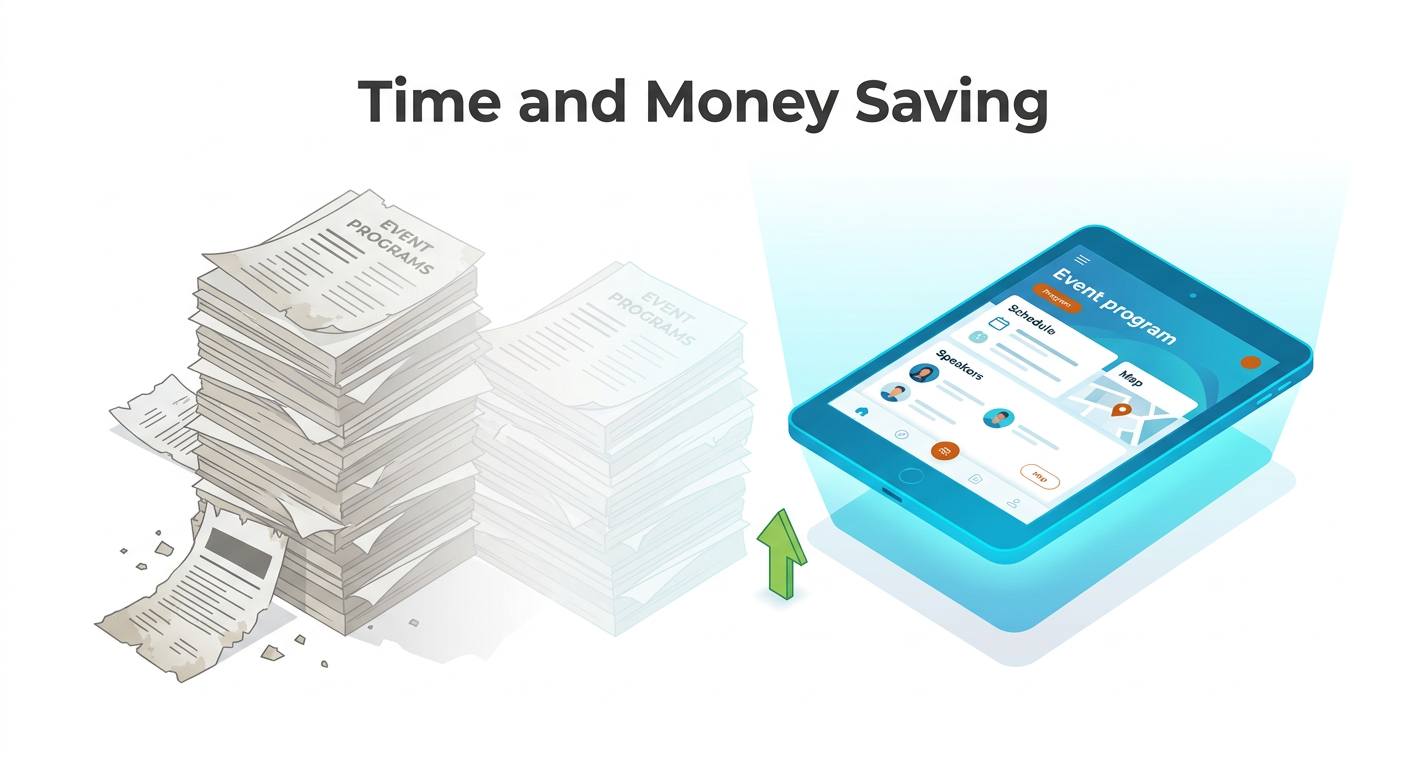
Conference apps can help event managers save time and money. For example, conference apps can create digital event programs that can be easily updated and distributed to attendees. This eliminates the need to print and ship physical event programs, which can save event managers a significant amount of time and money.

Improve Event Logistics

Conference apps can also help improve event logistics by making it easy to track attendees and communicate with them in real-time. For example, if part of the event is running late, conference app features can help event managers quickly communicate the new event agenda to all attendees.

Increase Attendee Engagement

Event management apps can increase attendee engagement by over 41% by enabling event planners to create custom agendas, send announcements and updates, collect feedback, and more.

Additionally, conference apps often include features that allow attendees to interact with each other, such as in-app messaging and networking features. 

How to Choose the Right Conference App for Your Needs

Now that you know the benefits of conference apps, how do you choose the right one for your needs? Here are some factors to consider:

The Size of Your Event

For large events, you will need a conference app that can accommodate many attendees. It should be able to handle a high volume of traffic and it should have features such as an in-app messaging system, live polls, and, for the truly enormous events, include a floor plan with beacons for attendees to find their way around.

Your Budget

Your budget will play a determining role in the app you choose. While setting a budget for the app, consider the overall value it will add to your operation. 91% of event planners report a positive event ROI (return on investment) from using event management software, according to the State of Mobile Event Technology Report).

User Interface of the App

The user interface (UI) of the app is important because it will determine how easy it is for attendees to use the app. If the app is difficult to use, attendees will be less likely to use it. This can be a deal breaker for some attendees.

When evaluating the UI of a conference app, consider:

  • How easy is it to navigate?
  • Is the design clean and modern?
  • Is the app responsive, i.e., is it fast and does it work well on all devices?

Best Practices for Using a Conference App 

Now that you know how to choose the right conference app for your needs, here are some best practices for using one to improve.

Test the App Before Your Event

Do not, and we repeat, do not wait until the day of your event to test the app. Test it out well in advance so that you can identify any glitches and correct them before the event. 

While testing, try to think of the worst-case scenarios and test those out as well, such as changes to event sponsors or event schedule. This will give you a good idea of whether you can rely on the app during your event.

Use the App to Its Full Potential

Don’t just use the app for the sake of using it. Use the features that will add value to your operation and make your event more efficient. For example, push notifications that allow you to send in-app messages to attendees during the event to ensure they are kept up to date about schedule changes.

Train Your Staff On How to Use the App

Your staff should be familiar with how to use the app before your event. They should know how to navigate the app and how to use its features. Consider creating a training manual or video tutorial for them to reference. You don’t want to run into technical difficulties during your event because your staff is not familiar with app features.

Promote the App to Your Attendees

Your attendees will only use the app if they know about it. Promote the app before your event and remind them to download it. You can promote the app through your event website, social media channels, and email list. 

For example, you can create a landing page on your website with all the information about the app and how to download it.

For attendees who have not installed the app prior to the event, make sure that you have signage at registration and interstitial slides that includes a QR code they can scan to install the app.

Collect Feedback from Your Attendees

After your event, collect feedback from your attendees about their experience with the app as part of your post-event survey. This will help you identify any areas for improvement. For instance, if many attendees complain about the app crashing, you know you need to find a more stable app for your next event.

Decide Your Goals Before Choosing the App

What do you want to achieve by using a conference app? This could be anything from reducing paper waste to making your event more interactive. By having defined goals, you can choose an app that will help you achieve them.

Consider the Entire Event Lifecycle

When choosing a conference app, it’s important to consider the entire event lifecycle. This means thinking about everything from pre-event marketing to post-event follow-up. For example, you may want an app that allows you to send push notifications to remind attendees about your event  and follow up with them afterwards.

Choose an App That Offers Support

No matter how well you plan, there is always a chance something might go wrong. That’s why it’s important to choose an app that offers support in case you run into any technical difficulties. A good conference app will have a dedicated customer support team to help you with any issues you may have. 

Plan Your Next Event With Yapp’s Custom Event App

Yapp’s custom mobile event app streamlines the event management process and helps you organize a memorable event. 

With Yapp, you can centralize all your information, reduce paper waste, and promote attendee engagement at your event. You can create your app in minutes with no coding skills required! If you do run into any issues, Yapp’s customer service team is ready to help.

Interested in learning how to improve the event experience for you and your attendees? Start your 14-day free trial today!

In-Person Events Are Going to Look Different: Your Guide to Going Back

  • Yapp explains why returning to in-person events requires updated planning and attendee communication strategies.
  • Flexible logistics, clearer information sharing, and better preparedness help events adapt to a changed live-event environment.
  • Organizers planning the transition back to in-person gatherings will benefit most from this guide.

The pandemic has introduced a whole variety of changes to our workplace.

From online-based work from home during the heights of the pandemic to virtual events and conferences, and even to online concerts, almost every aspect of our work and leisure has taken root in the online world.

As pandemic restrictions wind down, there’s a tangible yearning for in-person events to return. But with our growing reliance on digital solutions, how do we find our way back to creating engaging and exciting face-to-face events?

This article will look at how organizers can best prepare for the return of in-person events and put their best foot forward.

Tips to Prepare In Advance For Potential Issues

Before you can launch a good in-person event, you need to be prepared for any eventualities that may arise because of the differences in implementing online and in-person events.

Here are some solid tips that you can use to prepare for potential issues.

Observe New Rules

Although COVID-19 restrictions have loosened up, there are still a myriad of safety precautions that event planners have to follow, depending on their location.

You may have requirements that weren’t needed in the pre-pandemic era. These include event safety measures, such as proof of vaccination or a negative COVID test from event attendees and/or temperature checks.

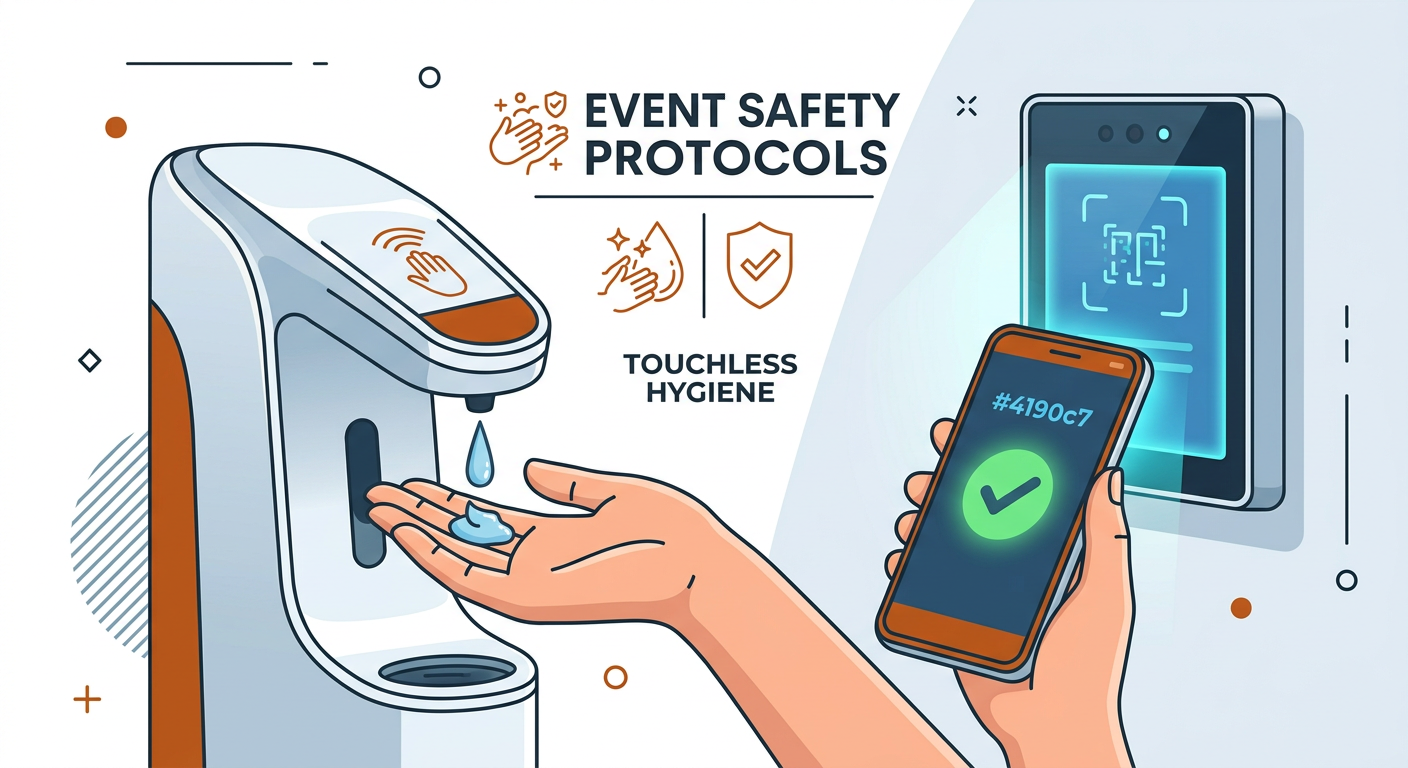
Some event organizers are implementing touchless sanitation areas onsite to increase attendee comfort levels and following social distancing guidelines and other safety protocols.

You also need to advertise your safety precautions so attendees don’t feel discouraged from registering for the event. Besides advertising your safety protocols, you can also require attendees to do a pre-event check-in and give QR codes to those who have met your event safety guidelines.


Since public health and hygiene have become the priority of many people, ensuring that new rules are followed can not only build trust among your attendees, but can also enhance the overall event experience.

Policies will vary depending on your state and the latest guidance from the CDC. You need to follow them to the letter or risk your event or conference being denied the permits. Make sure that you do your research and know which laws apply in your state and for your event.

Have Backups for Your Backups

You may have already forgotten about venue capacity, breakout rooms, contracts, and more, but with the return of in-person events, you’ll have to add these things back into consideration.

With the way the events industry is currently tasked to handle ever-changing regulations, you need to have several layers of contingencies to ensure that you don’t sacrifice attendee experience and event quality.

Plan for Low Turnout at the Beginning

You should expect your first few events to not get the turnout that you might have been used to pre-pandemic. Although people are eager for in-person gatherings, many are still understandably hesitant to commit to in-person plans.

More than that, it’s unavoidable that some of your key attendees have also grown to prefer the convenience of virtual settings.

As the pandemic continues to loosen up its hold on the world, you must continue to keep creating outstanding events, even if turnout is lower in the first few tries.

Keep Your Attendees Updated

Although our lives have become more predictable, there’s still no assurance that plans will go as expected. Things can still change in a flash, so you need to ensure that you can adjust to any eventualities.

One of the most important aspects of this is to keep your potential attendees updated in real-time.

Since everything is still in flux, you also need to ensure that your attendees are well-informed. This lets them adjust appropriately to any situations that might happen, as well as ‌supporting attendee engagement.

You can do this by using an event mobile app like Yapp. Yapp enables event organizers to send unlimited push notifications right from their phone, which you can use to promptly alert attendees when a significant development occurs.

6 Event Best Practices to Increase Event Attendance and Engagement

Now that we’ve done our best to prepare, we can focus on the actual steps that you can take to create an outstanding event.

1. Choose Your Venue Carefully

The venue is going to be one of the most important factors that you need to consider when preparing for your in-person event. Not only does it set the tone for your entire event, but it will also dictate several logistical issues that might severely affect your attendees’ engagement levels.

Thus, choose your venue carefully by keeping these things in mind.

  • Capacity. Make sure that your venue has the right capacity for your approximate number of attendees adjusted for the COVID policies in your area.
  • Parking space. Consider how many people are going to be bringing cars and where they can park them.
  • Ambiance. Make sure that your event has the atmosphere you’re going for in your event. Things to consider are lighting, sound dynamics, and decor.

2. Know Your Budget and Needs BEFORE Executing

This is one thing that many event managers struggle with: budgeting mistakes. Not knowing how your needs fit into your allocated budget can have serious consequences.

Never execute an event without a clear financial plan. Ideally, plot out every foreseeable expense and then allocate a certain percentage of your budget for contingencies.

Don’t forget to factor in the budgetary contributions of your sponsors. Getting event sponsorships can help offset the costs of your event. Sponsorships don’t always come through, so never rely on promised money until it is in your bank account.

3. Give Your Attendees What They Want

Learn who your key attendees are and then give them what they want.

This goes further than simply giving attendees what they’re expecting. If you truly want to make your event stand out, go above and beyond your attendees’ expectations.

You can do this by getting firsthand information from your target demographics. Create a profile of your ideal attendee by finding out the following:

  • Socioeconomic demographics. These metrics can be determined by things such as gender, age, and income level.
  • Interests. Find out what your attendees like to do in their free time, what drew them to your event, and how their interests relate to your event.
  • Behaviors. What does your audience like to do? How do they do it? Can you make their habits easier for them? Is there any way that you can do so while improving event engagement?

4. Plan Structured, Interactive Activities and Agendas

Whatever event you have in mind, plan it with structured and participatory mini-events. Choose activities that are appropriate for your event and center your event or conference around these interactive events.

For example, tech events can host coding showdowns and academic conferences might use breakouts with hands-on activities.

An event where the attendees do nothing but sit down all day is unlikely to garner engagement and can reduce your chances of improving attendance at future events.

5. Include Your Partners

Your partners and sponsors are critical to making your in-person event work. Be sure you show your appreciation publicly by featuring them at your event.

This could look like a banner, a sponsored event space or activity, a partner collaboration at the event, or a sponsorship banner via your event app.

6. Support Your In-Person Event Goals with the Right Tech

In-person events require the support of social media and event planning tools. Many aspects of running an event in person are now managed with digital devices. Things like ticketing, scheduling, and security are all necessary aspects of your event, and your event really won’t work without the right technology.

Thus, you need to do your best to find the best tech suitable for your situation, whether you’re buying new software or shifting to another one to improve how you use them.

One of the most important technologies you need to use is event mobile app like Yapp, that can help you create an optimal event experience.

Ensure Your Next Event Is a Success with Yapp

Event management is no simple task. Sometimes, it might feel as if there are far too many moving targets we have to hit. This is even more compounded by trying to master in-person events in a world where there is still a risk of pandemic surprises.

If you want to ensure the success of your next event, one of the best things you can do is use an event mobile app such as Yapp.

Yapp is a one-stop shop for everything you need in an event mobile app. From scheduling, to networking, to real-time communication, you have everything you need to hit it out of the park at your next in-person event.

Try Yapp Today

The Ultimate Guide for Hosting a Virtual Event or Conference

  • Yapp offers a practical guide to hosting a virtual event or conference successfully.
  • Strong planning, thoughtful content, reliable communication, and the right technology stack help virtual events feel more organized and engaging.
  • Teams running online conferences, webinars, or digital gatherings will benefit most from this framework.

The push for digitization has come more rapidly than expected.

Because of the pandemic, virtual events have become the new norm for whatever you are doing. Whether you’re working with your team, interviewing potential new hires, or even holding a big conference.

While this presented many downsides, especially during the rough adjustment period at the start of the pandemic, it’s now undeniable that virtual events or conferences have their merits.

But with COVID restrictions easing around the world, you now find yourself with more options than before.

During pre-pandemic times, conferences and events automatically happened face-to-face. At the start of the pandemic, nobody had any choice but to meet digitally. We are in a unique position where we can now choose between in-person, digital, or hybrid settings for our events.

How do you choose the method for your events? What factors should you consider? Is your event suitable for an online environment?

This article will help you decide on the best forum for your event and provide you with seven concrete steps to have a successful virtual event or conference. Let’s dive right in!

First: Should You Host A Virtual Event?

Before we get into the ones and zeros of virtual events, we first need to determine whether we should put our event in the virtual sphere.

We now have the technology and culture in place for a virtual setting, but many still yearn for traditional personal face-to-face meetings. More than that, each setting also has its advantages and disadvantages, which may or may not align with your company.

The first step is to determine if it makes sense for your business to host a virtual event, considering logistics and the expectations of your target audience.

Some events or conferences are all about the in-person experience, and recreating that on a virtual event platform can be challenging.

For instance, in-person conference attendees may purchase a ticket specifically because of the activities or perks they can expect at the venue. Prepared foods, open bars, happy hours, and live music are often part of a physical event experience that may not be possible to recreate online.

You can get creative and create an engaging virtual experience with live demos, cocktail recipes, and custom Spotify playlists.

At the same time, it might be easier to secure world-renowned keynote speakers and exceptional presentations for your online conference. After all, there’s no need to worry about travel, time zones, and physical constraints when creating a great virtual experience. All you need is the right platform, and you can have a successful virtual conference.

To determine if it makes sense to be hosting virtual events, start by creating a simple checklist of all the activities, people, and sessions you have planned. This checklist will help give you a good overview of what will be possible to recreate online.

Consider Your Logistics

After you have those basics defined, you can start getting into the thick of it by considering the logistics involved.

If you’re still undecided about how you should hold your event, you can likely finalize your decision when determining logistics. Ask yourself questions that determine your capabilities and resources, such as:

  • What’s the type of event you want?
  • Who’s your target audience?
  • What’s your time frame?
  • How much is your budget?
  • Who do you plan to invite as guests? Speakers?

Hashing out your logistics will help you iron out the details of your event. You can use this information to determine your final budget, tasks, people in charge, and more.

There are three categories of logistics that are directly tied to your event: venue, legal, and software.

Venue Logistics

Here are a few venue logistics you need to consider if you’ve booked a venue, specifically if you’re thinking about changing your event to go online.

  • Vendor commitments. Confirm whether you’re able to get out of vendor commitments. Some places may not allow you to cancel, or only reschedule your booking, so you’ll want to know this first.
  • Audience reach. Without a physical venue, you’re no longer limited to a certain number of attendees for activities or breakout sessions. By not being restricted to a place, you can expand your audience to other groups. On the other hand, satisfaction will probably be higher with in-person events.
  • Schedule re-creation. Without designated rooms for speakers and activities, you’ll need to consider how to recreate your schedule online using technology. For example, you can create a Yapp Multi-Track page with dedicated Zoom Breakout Rooms meeting links that allow you to host individual breakout sessions online at the same time.

Legal Logistics

Similarly, you need to consider the legal logistics involved with taking your event online, such as canceling vendor contracts or meeting compliance standards.

  • Venue contracts. Do you already have a contract for a venue drafted out? If not, going online will be very easy. If you do, you may want to involve your legal team. They’ll be your best resource for understanding the terms and what you can or can’t reasonably do when negotiating your cancellation.
  • Permits and licenses. What legalities and permits are required for an in-person event to function? Do you still need them if you go online? Can you recoup the costs of obtaining them if you already acquired them? Can they be extended for future on-site events?
  • Security and compliance. Taking your event online may involve security and compliance requirements that you’ll need to verify. For example, you may need to ensure that any new software used for hosting your online event meets standards such as HIPAA, ISO, or GDPR, depending on your event’s industry and regulatory requirements.

Software Logistics

Finally, while many companies are already using video conferencing software for meetings or remote work, that doesn’t mean that these tools make sense for your online event.

Event planners need to consider the type of virtual experience that they want to create, as well as their budget, preferred features, channel security, and more.

Are you considering buying a platform? Does it make sense for your business in the long term? You’re going to want to look at these factors when making your decision.

Therefore, here are a few software logistics you’ll want to consider.

  • Platform compatibility. Your virtual conference platform should be compatible with various operating systems and devices. Some event apps are built for iOS only or Android only or lack web viewing. Since many people consume media on various devices, ‌pick software that considers your audience’s media consumption and device needs.
  • Tech support. You need to be able to provide some sort of tech support for your virtual attendees, regardless if you’re doing webinars or live streaming. Although event technology has already come a long way, not everyone can troubleshoot glitches and other errors on their own.
  • Attendee engagement. The software you use should allow you to engage attendees while providing excellent user experiences. Is the interface minimalist? Is it easy to view content on the app even with spotty Wi-Fi? Can attendees easily chat and network with each other?
  • Security and restriction. If you need to restrict your event, app, or content to a particular audience, then look for software with privacy settings. For example, if it’s an internal company event, ‌restrict your app to a specific list of people, such as active employees only.

How Do You Take Your Event or Conference Online?

Once you’ve evaluated the pros and cons of taking your event online, you’ll want to make a plan for the shift. Having clear next steps will allow you to achieve your desired results smoothly.

To help you make the shift, here are seven steps for hosting an online event or conference.

1. Organize a checklist of everything and everyone involved

The key to hosting a successful event or meeting is organization. To ensure you don’t miss anyone or anything, we recommend building a checklist of all your event to-dos.

This foolproof event planning guide provides helpful tips for which tasks to accomplish the months, weeks, and days approaching your event. Tasks like searching for sponsors, finalizing your speakers’ list and presentation times, sending reminders, and promoting your function are just some examples of what you’ll want to complete in advance.

Whatever software you use, the key is making sure everyone is aware of what needs to be accomplished and organizing those tasks to tackle them together.

2. Figure Out Your Event Strategy as a Team

There are lots of different directions that you can take when building an event strategy.

Figuring out which channels to focus your energy on and what content to create are critical aspects of your event strategy that you’ll want to plan with your team.

Remember to focus your efforts and not stretch yourself too thin, especially if you’re on a tight deadline. To decide where to focus, ask yourself these questions when figuring out your digital events strategy are the following.

  • Which channels produce the most qualified leads and customers?
  • What email reminders do you plan to send before, during, and after the event?
  • How will you use social media to promote your event or create engagement?
  • What other assets do you need to create to support your event?
  • Where will you host your content, files, presentations, and images?

By asking yourself these questions, you’ll be ready to host an in-person or online event, such as sending event change updates and push notifications via your mobile app.

3. Reach out to your speakers and vendors

By far, one of the most critical aspects of event planning is making sure that your speakers, sponsors, and vendors are well-informed.

If you are still ‌selecting sponsors or speakers, consider sending them an outreach email that includes the details of your event. You can also link them directly to the event they’re speaking at right from in your event app. 

If you already have your speakers selected, ‌schedule a follow-up email to thank them for agreeing to present. If it’s a sponsor you’re conversing with, reach out to them about doing mobile banner ads within the event app.

4. Get Others Engaged with Reconfiguring Your Event

Even if you have a dedicated meeting planner organizing your event, you need to get others involved, especially when reconfiguring your event for a virtual setup.

Here are examples of specific points in your event that will need involvement from different resources to transition to online.

Website Access

You’ll need to set up a way for attendees to access the event online on the day of, as well as the ability to register if they haven’t already. Technical resources will be required to make sure everything operates smoothly.

Page Visibility

Setting up an online-only event page differs from an event page that has a location. The way the page displays in Eventbrite and search engine results will be different. If you search “events this weekend near me,” Google may show events from websites like Eventbrite that are at a venue near you based on your location.

5. Decide on the best software for hosting your event

Without the right software, hosting a high-quality virtual event will be difficult and likely result in a mediocre attendee experience. There are many good options for hosting virtual events such as Zoom, GoToWebinar, and Demio. 

But what if your event is hybrid or in-person?

In that case, rather than a tool that will help you broadcast the event, you need something that will help guests stay engaged and interactive during the event. This is where an event mobile app like Yapp can be a game changer!

With Yapp, you can keep your attendees and your event team informed in real-time about the schedule and any changes. Plus, you can provide a social feed for attendees to share photos and stories along with their event experience. 

6. Update your marketing and sales content

Shifting to an online event strategy also requires updating event marketing and sales content that you previously published or had planned. The most critical content to prepare and update includes:

  • Reminder emails and save-the-date
  • One-on-one sales and outreach emails
  • Customer success emails
  • Push notifications
  • Website landing page
  • Event registration page
  • Registration thank you page
  • Schedule and relevant dates
  • Event URL and anywhere locations appear
  • Banner ads, social ads, and paid ads
  • Social media profile and feed images

You can also consider setting up social stories for sharing video tutorials, interviews, product sneak-peaks, and more.

Transcripts of sessions, templates, checklists, cheat sheets, and guides are other great examples of resources that you can easily make a part of your online event and incorporate into your app.

7. Think Beyond Recreating a Traditional Offline Event

Virtual events don’t have to be limited to recreating the offline experience online.

Instead, think beyond redoing what you had planned and consider things you can do online, like activities and games that were previously impossible or limited.

Get creative with different ways of engaging your attendees. For instance, did you previously do live Q&As? Well, you can do a digital Q&A session! Or integrate a virtual competition equipped with points, badges, and rewards.

In summary, hosting a virtual event could be an excellent move for your business, especially if you employ the right tools to create an engaging digital event.

Considering a Mobile App for Your Event?

Whatever form your event may take, be it online or in-person, nobody likes a half-heartedly done event.

One of the best steps you can take to make your online event successful is to use a comprehensive events manager app such as Yapp.

Yapp is an event mobile app platform that helps you do everything. From scheduling to communicating with your team and other key stakeholders, Yapp has all you need to make a well-oiled and ready-to-go virtual event or conference. If you want to use an event app for your next event, you definitely won’t regret choosing Yapp.

Sounds like what you need? Try out Yapp now!

How to Promote Your Event on Google Quickly and Easily

  • Yapp explains how to use Google tools and search visibility to promote an event more effectively.
  • Search-friendly event pages, Google-friendly content, and smart promotion tactics help more people discover your event online.
  • Event marketers who want stronger online discoverability should use this guide.

Google is used for everything nowadays. From streaming movies, finding your next favorite restaurant, and even booking your next event.

Google has always been stingy about its search data. Still, estimates by third parties such as Internet Live Stats speculate that about 5.5 billion Google searches happen every day, at a rate of about 63,000 per second.

Due to this, it makes plenty of sense for event managers to leverage this wide audience to promote an event.

But how exactly can you promote your event on Google, and what are the best ways you can do so? Find out more in this in-depth article!

Why use Google to Promote Your Event

Google is the most-used search engine today. This makes it the #1 place that most people go to when they want to look up an upcoming event.

To capitalize on such strong demand, Google developed systems for allowing event planners to market their events on their platform. The most notable is called Event Markups.

By now, you’ve most likely unknowingly used this function in some way or another. When you search for “concerts near me” or “cooking classes near me,” Google displays a wealth of valuable event information that you can use to decide which event you will go to next.

As event organizers, you need to know how to put up their events on Google. More than that, you need to know how to make your event stand out from the rest!

But why use Google? There are a few other resources that you can use to list your event online, and some might even be easier. Nevertheless, here are some reasons why we argue that Google is the best place to promote your event online.

Wide Reach

As mentioned, Google is used for (or at the very least connected to) almost everything we do in our lives. It’s a common room for almost all event attendees, from teenagers to office employees to CEOs—every demographic imaginable visit Google at one time or another.

Being a good event planner means advertising where your potential attendees already hang out, and that’s Google’s search platform.

Not just that, but Google also provides a complete suite of information that can guide your potential customers from the discovery of your event to driving directions to the event location with Google Maps. It’s a complete ecosystem of solutions, all in one place and accessible with just one search.

Specificity and Control

Google gives you a good amount of control over how your events will be displayed. Search engine optimization and pay-per-click schemes can be fine-tuned down to the last letter, depending on market research results.

This level of control is important because individuals search for events with a variety of intentions that are more difficult to pick up on other channels such as apps or social media platforms.

Better Targeting

Tools such as event tags allow you to optimize your event according to exactly what your customers might be searching for, such as locality, mobile devices, social media, etc.

Google will use different metrics to classify your listing and filter it through to make sure that it only reaches interested searchers.

Ease of Use

Google’s event listing features are easy to use and comfortable to learn.

For those who are just learning, there is tons of information about it, such as this article. Even for those who know what they’re doing already, there are many tools and features to discover that can drastically improve how easy the features are to use.

There is even plenty of third-party software that can further optimize and automate a lot of things for you, which lessens the amount of time you spend navigating the learning curve.

Data Analytics

Depending on the scale of your operations, the degree to which you want to measure the impact of your marketing campaigns will vary. Nevertheless, it’s critical to have some form of data gathering and analytics for your campaigns.

This is so that you can have a reliable template for your event planning, a template with data-driven methodologies and measurable effects.

Google Analytics provides varying analytical capacity depending on your needs. If you want an overview of some key insights, the free version will suffice. If not, there are also premium services you can subscribe to, with a comprehensive view of all the relevant metrics that you can use to inform your digital marketing for your event.

How to Create an Event Listing on Google 

Now that you know the importance of listing an event on Google, how exactly do you do it? There are multiple ways to go about this task, which we’ll provide you with an overview of here.

With a Third Party Website

Third parties such as social media and ticketing websites will most likely have their event website listed on Google’s event search experience, so if you’re posting about your event there, you should already have your work cut out for you.

If you’re not sure, you can check simply by searching for an event listed on the platform and see whether it’s listed on Google.

If the event posted on your website shows up, you don’t have to do anything else, and you can simply continue posting as is. Your website will automatically list it on Google without you needing to do anything else.

Using a Content Management System

A content management system, or CMS, is a platform/service that you use to create and host your content marketing efforts. Examples of this are WordPress, SquareSpace, and Wix.

The best thing you can do is to check if there’s a plugin within your CMS platform that can automatically add the data for your events to appear on Google without you having to learn HTML. Plugins make it easier to modify critical things like this without needing to spend time learning about the technicalities.

Using a Data Highlighter

You can use a tool like Data Highlighter to connect to the Google platform by highlighting your events. This is best if you want to feature your listings without needing to modify your HTML. This is a good option if you already have an event website and want to maintain your existing website structure.

  1. Go to the Data Highlighter page.
  2. Select “Start highlighting”.
  3. Select “Events” as the type of data you’re highlighting.
  4. Enter the URL of the page that you want to highlight data on. This could be a single page, or a series of pages that share a common format. For example, if you’re highlighting event listings on a calendar, you would provide the URL of the calendar page itself, rather than each individual event listing.
  5. Select the tag elements that contain your event information. For example, on a calendar page, you might identify the tags.
  6. Data Highlighter will display a preview of the data it has found on the page. If the data looks incorrect, you can go back and adjust your selections.
  7. Once you’re happy with the preview, click “Publish”. This will create a new Google Calendar for your events, which you can then view and edit at any time.

With HTML

If you’re using a CMS to show your content to the internet, then you’re most likely taking care of the backend of your website as well.

This is important since you’re going to be doing a bit of tinkering with your website’s code with Google’s requirements if you’re not willing to do the previous two methods to add your events to Google.

By editing your event page’s HTML and using plugins, you can integrate with Google directly.

Tips for Making Your Event Listing Stand Out 

Knowing how to put your event on Google is only the beginning. Even if you have your events listed on Google, it won’t do any good if it’s not optimized to stand out from the rest.

This section will discuss how you can make a stand-out event listing that will capture your target audience’s interest.

Optimize Your Event Schema Markup

This is perhaps the most critical aspect of ensuring that your event listing is the best quality possible for your optimization goals.

The Google event markup schema is essentially metadata that informs the search engine that your page is about an event.

The schema tells the search engine important information such as what kind of event it is, where to find essential data about your event, what other resources are being used on the page, and more.

“Marking up” a schema simply means the important data that you place at the right spot with the right format for Google’s web crawlers to easily follow. The following are the most important event schema that you need to mark up:

  • Venue of your event
  • Address of the venue
  • Event name
  • Starting and ending dates
  • Description of your event
  • Images such as logos, teasers, etc.
  • Offer type, price, availability,
  • Performers, artists, and notable personalities were present.

Marking the following information up will ensure that Google’s web crawlers will have an easier time collecting that information so it will be found when a search for it is being conducted by your  audience.

This is important since the easier Google’s crawlers can index the information they need, the better the page’s rankings will tend to be.

But it’s not just the event primer itself that needs to have optimized SEO through event schema. To get the full benefit of organic Google search results, include the following pages.

  • Event carousel
  • Rich snippets
  • Knowledge panels and graphs

Pro tip: Include all of the relevant information in your rich snippets. That way, audiences can immediately see the details from the search results without having to click your link and look for the information.

Have a Balanced SEO Strategy

As you might have guessed from the previous item, search engine optimization is still key when it comes to ensuring that the right event pages can be found by your audience on Google.

The platform’s event experience has two main functions: transaction (buying tickets, booking seats, and more), and information (learning event dates, ticket prices, etc.)

The previous section focused on the technical SEO tasks, that is, making your pages easier to “see” for search engines. In this section, we will look at the importance of drafting great content on your landing page and building high-value linkages.

Don’t just count keywords; you also need to make your content exciting.

Have an Aggressive Marketing Strategy 

Your event is only as successful as your marketing strategy. Make sure you have a plan to get butts in seats and keep them there. Below are a few key components to include in your strategy.

  • Have a clear and concise message about what your event is and why people should attend.
  • Utilize all channels of marketing including social media, email, print, and word of mouth.
  • Get creative with your marketing materials- make them memorable so people will want to attend and talk about your event.
  • Make it easy for people to sign up or register for your event- the easier you make it, the more likely they are to actually do it.
  • Keep your target audience in mind at all times when crafting your marketing strategy.
  • Have a plan for follow up after the event- thank attendees and ask for feedback to improve future events.

The more exciting, valuable, and talked-about your content is, the more likely it is for you to spark engagement around your event .

Strategically Use Keywords In Event Names

This one might rely as much on intuition as it does on data, although there are tools you can use to search keywords that might accurately grasp the intention of your searchers and thus would be a great tool to add interest to your event name.

Using well-placed phrases in your content makes it more likely that people will take action. You should also know which keywords generate the most interest within your niche. 

Interest from people will go a long way towards making your Google listing stand out.

Examples of useful keywords that you can add to your event name can include:

  • Exact city or region of the event. Searchers are likely to include this in their query, especially if they’re looking for local events.
  • Type of event. Conference, webinar, workshops, online events, or other event types.
  • Activity/behavior. A Google search will also likely include action words about the event.

How to Track the Success of Your Event Promotion Campaign

Tracking relevant metrics is critical in refining your strategies to conduct a good event promotion campaign. As a good event planner, you need to know how to properly track the performance of your event marketing strategy. Here are some tips.

  1. Know your goals. First of all, you need to lay down exactly what it is you’re working towards. Know how you will measure your success (tickets sold? or campaign engagement?), and then know what corresponding metric you can reliably measure.
  2. Set your time frame. As an event planner, the time frame leading up to your event should already be well-defined. Set your marketing time frame based on the timing of your  event.
  3. Select your KPIs. Now that you know your goals and the time frame you’re supposed to achieve them, you can now think about how you can measure those goals. Decide on which event KPIs matter to your team, as well as how you can get those KPIs. For example, is increasing raw event attendance your top priority, or do you have more specific goals like average breakout session engagement or post-event attendee satisfaction?
  4. Go into detail. Flesh out your KPIs and goals by going into detail as much as possible. Ensure that these factors adhere to the SMART principle as much as possible.
  5. Consider making a measurement template. As an aspiring event marketer, you will need to ensure that your measurement methods improve over time. Create a reliable template for measuring your next events.

Promoting Your Event on Google This 2022

Good event management means good marketing. Promoting your event on Google is one of the most reliable ways that you can market your event online, with millions of people searching the web every minute of the day.

Thus, you need to know everything about making your event listing, Google listing, and event promotion. With this article,  hopefully you have everything you need to accomplish this.

As good event managers, one of the best things we can do to improve our event planning is to use Yapp as your event mobile app. 

Yapp allows you to:  

  • Create Your App in Minutes
  • Add Unlimited Pages & Content
  • Leverage Instant Publishing
  • Add Unlimited Updates & Changes

If you want your event  to be as painless as possible, try out Yapp’s free trial now!

event budget planning

Six Event Budgeting Mistakes to Avoid

event budget planning
  • Yapp highlights six common event budgeting mistakes that can undermine planning and ROI.
  • Better forecasting, tighter tracking, and more realistic assumptions help planners avoid waste and last-minute surprises.
  • Event organizers who want stronger budget control should use this checklist.

Everyone loves a good event. But not everyone knows how difficult — and costly — they can be to plan and execute. 

But you do.

You must consider everything from the venue and food to the entertainment and guest list. As event managers, you know that there are many factors to consider, and it can be easy to make mistakes that cost you more money in the long run. 

This guide will share six common budgeting mistakes to avoid to ensure your next event goes smoothly and seamlessly.

Mistake #1: Not Asking for Discounts

Discounts are a fundraiser’s best friend. But all too often, organizations overspend because they failed to ask for them when planning an event. 

For instance, many organizations don’t realize they can get a discount on the space rental fee for their venue if they host their event during the week instead of on a Saturday night.

Not asking for discounts is leaving money on the table that could be used to make your event even better, like investing in a mobile event app to keep attendees informed and engaged before, during, and after the event.

How to Avoid This Mistake

The best way to avoid this mistake is to ask for discounts whenever possible.

When you’re speaking with potential vendors, always inquire about any discounts that may be available. For instance, you might say, “Are there any discounts available if we book your services for a weekday instead of a weekend?”

Here are a few more things to keep in mind:

  • For the venue: Many venues offer discounts for events held during the week or certain hours. Some may also offer a discount if you’re a nonprofit organization.
  • For the food and drinks: Caterers and restaurants may be willing to give your organization a break on the cost of food and drinks if you order in bulk or if you host your event during a slow time for their business.
  • For any other services: When renting tables, chairs, or linens, setting up audio/visual equipment, or hiring security, always ask if the company offers discounts. The worst they can say is no!

Mistake #2: Not Checking the Fine Print

Often, organizations will find what appears to be a great deal on a vendor only to realize later that the deal isn’t so great. This is usually because they didn’t take the time to read the fine print.

For instance, you may find a great deal on renting audio/visual equipment for your event, but when you get the bill, you realize that the price doesn’t include setup or breakdown. Or, you may find a great deal on catering, but you later discover that the gratuity has not been included.

How to Avoid This Mistake

Ensure you understand the terms and conditions of any deals or discounts you’re considering. If you’re unsure about something, don’t hesitate to ask questions. It’s better to clarify things up front than to be unpleasantly surprised later.

It’s key to clarify the following:

  • Total cost: Ensure you understand what’s included in the price and what’s not. For instance, find out if taxes, setup and breakdown are included in the price of renting audio/visual equipment.
  • Delivery fee: If you’re ordering food or other supplies for your event, check their delivery fee and negotiate it upfront.
  • Cancellation policy: You should always plan for contingencies such as cancellations due to events out of your control. Before signing the agreement, clarify the cancellation policy, including any penalties you may incur.

Mistake #3: Not Shopping Around

Just because you’ve used a particular vendor in the past doesn’t mean they’re the best option for your current event. It’s vital to shop around and get quotes from multiple vendors before deciding to ensure that you’re getting the best possible deal.

Even if you are set on one vendor, getting a quote from another doesn’t hurt. This way, you may be able to use the quote from the other vendor as leverage to negotiate a better price with your preferred vendor.

How to Avoid This Mistake

Whenever possible, get quotes from three or four vendors before deciding. Make sure you compare apples to apples by getting quotes for the same services.

To get the most accurate picture, give each vendor the same budget and see what they can do within that budget, so you’re making a fair comparison.

Further, look at the quote holistically. In addition to price, also consider things like:

  • Reputation: Check out online reviews to understand the vendor’s reputation.
  • Quality of service: A vendor may be willing to lower their price, but if they’re not going to provide good quality service, it’s not worth it.
  • Flexibility: Some vendors may be inflexible regarding things like delivery times or cancellations, which can create a lot of headaches down the road. So, it’s best to avoid them if possible.

Mistake #4: Not Having a Contingency Fund

No matter how well you plan, there’s always the possibility that something will go wrong. That’s why the key part of budgeting is giving yourself some wiggle room by setting up an emergency fund. This will help ensure you have the finances to deal with unexpected issues.

For instance, if you need to make last-minute changes to your event or if a vendor cancels on you, having a contingency fund will help ensure that you’re still able to pull off a successful event. 

Additionally, some guests might RSVP at the last minute, so it’s essential to have some extra money set aside to cover their expenses.

How to Avoid This Mistake

When you are in the event planning stage, set aside some money in a contingency fund. This will help ensure you have the finances to deal with unexpected issues.

Deciding the amount of money to set aside in your contingency fund can be tricky. A good rule of thumb is to set aside 10-20% of your budget for unexpected expenses.

Here are some points to keep in mind while setting up a contingency fund:

  • Decide the amount: Make sure the amount you set aside is realistic. You don’t want to save too much money, which will cut your event budget. On the other hand, setting aside too little money could leave you in a difficult situation if something goes wrong.
  • Try to predict issues: Consider the worst-case scenario when setting aside money for contingencies. This will help ensure you have enough money to cover any unexpected expenses.

Mistake #5: Not Getting Everything in Writing

Getting everything in writing will help ensure that both parties are clear on the terms of the agreement. It also provides a written record in case there are any disputes down the road. 

You might have worked with a vendor in the past and had a verbal agreement, but things can always change. For instance, if you’re renting a space for your event, make sure to get the terms of the rental agreement in writing. 

This way, there’s no confusion about the length of the rental period, the price, or any damage deposits that may be required. The same goes for any other agreements you make with vendors, suppliers, or contractors.

How to Avoid This Mistake

Here are some tips to help you avoid this mistake:

  • Get everything in writing: Make sure you get all agreements in writing, no matter how big or small, to validate that all parties are about their rights and liabilities.
  • Review the agreement: Once you have the agreement, take some time to review it carefully. Make sure that everything is in order and that you understand the terms of the agreement.
  • Don’t be afraid to negotiate: If there’s something in the agreement that you’re not happy with, don’t hesitate to negotiate. It’s better to get the terms of the agreement sorted out before signing anything.

Mistake #6: Not Checking References

When working with a new vendor, it’s always a good idea to check their references. This will give you some insights into their work ethic and the quality of their work.

References will give you an objective view of the vendor. For instance, a client might tell you that the vendor was constantly late or that they did a poor job. You cannot get this information if you only talk to the vendor.

Asking for references is a simple process, but it can go a long way in helping you avoid problems down the road. When you check references, ask about the vendor’s punctuality, communication skills, and overall quality of their work.

How to Avoid This Mistake

We cannot emphasize this enough – always ask for references. Here are some points to keep in mind while checking references:

  • Ask for references! This will give you a better idea of how the vendor works with clients in your industry. For instance, if you want to host a virtual event for small business owners, look for references from clients with similar requirements.
  • Don’t just rely on references: Checking them is a good idea, but you should not rely solely on them. Make sure to do your due diligence as well. A trick is to go through the social media account of the planners and see their comments – this will often tell you more details than any marketing material.
  • Follow up: Once you have the references, follow up and talk to them to get a better idea of the vendor’s work ethic and quality.

Optimize Event Organization with Yapp

We understand that organizing an event is no easy task. There are a lot of moving parts, and it’s easy to make mistakes. This is why we created Yapp – to help you organize and manage your events more effectively through a mobile event app.

Whether you’re looking to streamline communication with attendees or enhance your event’s branding, Yapp has you covered. And because we know that no two events are alike, we offer various customization options to suit your unique needs. So if you’re ready to make your next event a success, sign up for Yapp today.

You can create a personalized event app in minutes without coding or design experience with Yapp’s award-winning editor. You can use your app  to keep your attendees updated on the latest event information, send push notifications, and track their engagement.

Start your free trial today and see how Yapp can help you make your next event a success.