Tag Archives: crowd pics

sunset banner

[Heads Up] We’re Sunsetting the Crowd Pics and News Feed Pages

sunset banner
  • Yapp announces the retirement of Crowd Pics and News Feed pages and explains the transition for users.
  • The post helps app creators understand product changes, feature direction, and what to do next inside their apps.
  • Yapp customers using those legacy page types will benefit most from this update.

We hear all the time how much people love sharing photos and interacting with each other with Yapp. We also hear how critical Yapp is for communicating important updates to attendees. We’ve been thinking a lot about these two aspects of our product and we have big plans! Before we can roll out these bigger changes, we feel it’s important to tidy up the product. To learn more about the changes that are coming, read on.

Consolidating our social pages

You may have wondered what the difference was between our News Feed, Crowd Pics and Social Feed pages are. Don’t worry, you’re not the only one! Those pages came about over the years to achieve different goals. Yet, as the product has evolved, these pages started to share a lot of the same functionality. That’s why we’re consolidating these pages into the new, super-powered Social Feed page. Here’s what’s in store:

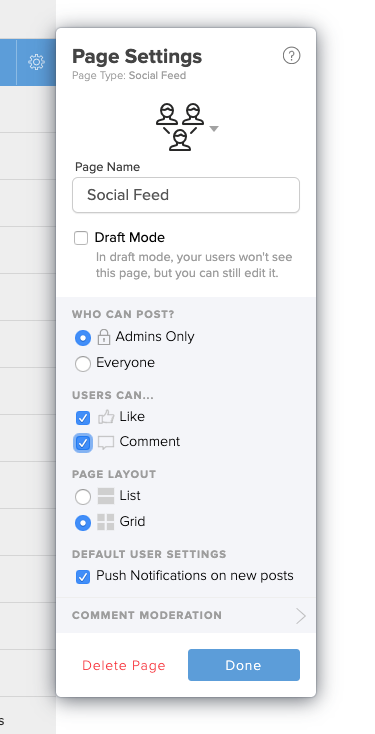
The new social feed page settings

Grid view

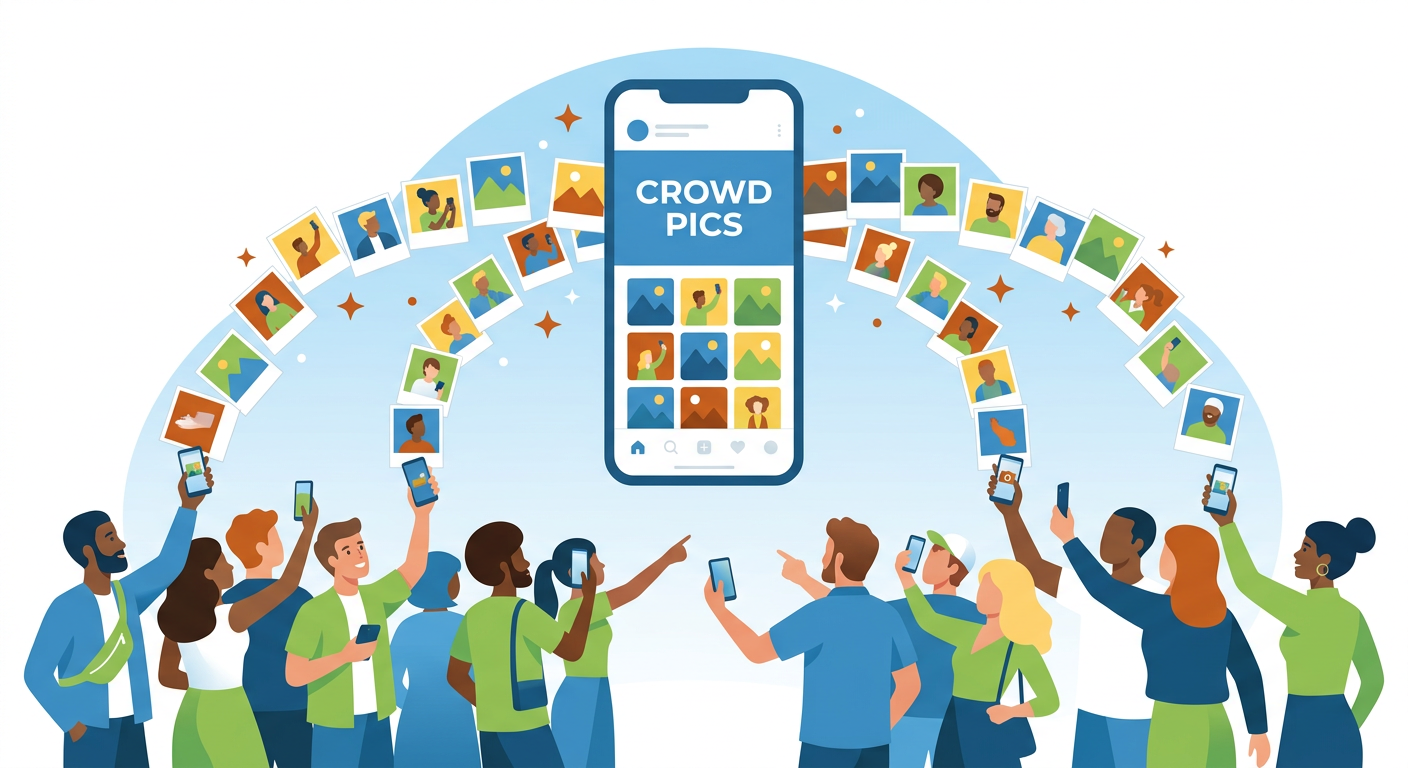
Our Crowd Pics page made it easy for users to upload photos and see them in a beautiful grid view. You can now do that with any Social Feed page! Open the page settings, change the layout to Grid, and hit publish. Now your users will see a photo-centric layout.

Admin-only posting

Many of our customers used the News Feed page to send important updates and alerts to attendees. You can now change the permissions on a Social Feed page that only allows App admins to post. This eliminates the need for a separate News Feed page.

Controlling user interaction

Ever wish you could disable comments on your Social Feed page and allow likes? What if you think “liking” is annoying, but you want to allow folks to respond with thoughtful comments? You can now turn off the ability to like or comment on any Social Feed page.

We have also made other improvements, including better push notification settings and design.

“Neat. The Social Feed page is receiving new features. What about my beloved Crowd Pics/News Feed page?”

In the coming weeks, we will be retiring our Crowd Pics and News Feed pages. This will involve migrating all existing users over to configured Social Feed pages. If you used a News Feed page for announcements, it will become a Social Feed page. The settings applied will be “admin-only” with disabled Likes and Comments.

If you used a Crowd Pics page, it will become a Social Feed page with Grid View enabled and disabled Likes & Comments. This should be a seamless and invisible transition for you. The only difference is that you will have access to all the features the Social Feed page has to offer. Want to enable Liking on what used to be your Crowd Pics page? Enable it and then click “publish”.

Despite the retirement of the old page types, when you go to add a new page to your app, you’ll see the same icons as before. The Crowd Pics icon will create a Social Feed page with the appropriate settings. We’ve renamed News Feed to Announcements, but the idea is the same as before.

Future plans for the Social Feed page

As we mentioned earlier, we have some big plans to improve the Social Feed page. Now that we have tidied up these page types, we can start to roll out some shiny, new features! Here are the next releases two on our roadmap:

  • Desktop Posting: We will be adding the ability to post to your Social Feed pages from the desktop. No need to go thumb-crazy on your phone screen if you have your laptop handy.
  • Scheduling Posts: We will be enabling the ability to add social posts in advance and send them out at a set time. This will only be accessible through our desktop editor.

We know many of you have been asking for these features. That’s why we’re doing our best to continue to support the feature folks have come to know and love. Further, this allows us to create new and interesting features that we hope you’ll find useful.

If you have any feedback for us, we’d love to hear it! What features are most important to you? Do you have reactions or ideas to all that we talked about above? Please share them here:

Take 1-min survey

Come Together with an app for the family this holiday season

Tips & Tricks: Keep Family Close for the Holidays

Come Together with an app for the family this holiday season
  • Yapp shows how an app can be used to organize and share family holiday plans more easily.
  • Centralized schedules, photos, and updates help reduce back-and-forth and keep everyone informed.
  • Families or informal groups planning shared events will benefit most from this creative use case.

Thanksgiving is on its way, kicking off a season of festivities, food and family.

Even if your family is far apart, you can share words of thanks (and pictures of turkeys) with an app.

Create a simple app — use News Feed and Crowd Pics, plus maybe an Information or Simple Text page to explain for those less tech-savvy. Fancy it up with a stellar cover page and a custom Yapp ID (use your surname, for instance).

Then, send an email to your fam (nuclear or extended, whatever feels right) with the app, explaining that you can all use it to share updates, post pictures, send messages, and generally keep in touch. Make sure to include your Yapp link in the body of the email so that they can easily access it should they have trouble downloading.

From there, it’s up to you! Instead of emailing or messaging photos, post them into the app. Send Thanksgiving hellos to mom and dad, compare dinner spreads, and foster childhood football rivalries all in your News Feed page.

And the best part is — the app doesn’t have to end with Thanksgiving. You can easily edit your theme and cover so that the family can use it to keep in touch year-round. It’ll make for a great tool in planning the annual get-together, rather than trading email after email.

Send us your family and holiday Yapps!

Product Update: Notifications, Polling and a New Name for YappBox

  • Yapp highlights a mobile app update that adds polling, notifications, and YappBox enhancements.
  • These improvements help users create more interactive and responsive app experiences.
  • Event organizers and app creators who want stronger engagement tools will benefit most from this update.

In our newest app store release, we are rolling out a bunch of exciting new updates. Check them out below and let us know what you think!

Richer notifications.

notification_trio


Now, any time a user posts into your Yapp’s News Feed or Crowd Pics page, you’ll get a notification to your phone’s home screen. You can adjust these notifications to show you all posts, only posts from the Yapp creator, or no posts. Here’s more on Notification Settings: http://bit.ly/1bsw0pH

Real-time polling.

poll_duo


We’ve added a simple Poll page to our collection of template pages! Add the page from the editor online, input a question and list of answer choices, then publish for all your users to respond to from their phones. Here’s more on Polls: http://bit.ly/1aZvcYH

YappBox is now Yapp.

It’s the same container app, filled with the same Yapps you love, now called simply Yapp. As always, we have a lot of big plans for Yapp, and are excited to have our app name now officially in line with our online editing experience. We hope this will relieve any confusion that users see when they first try to install a Yapp and are redirected to the app store.

Download on the App Store   Get it on Google Play

As always, we would love to hear your feedback on any of the new features we’ve added. Leave us a comment here or send us an email at support at yapp.us.

Product Update: Introducing Crowd Pics

  • Yapp introduces Crowd Pics as a feature for sharing event photos inside the app.
  • Photo sharing makes the experience more social and gives attendees another way to participate during events.
  • Event organizers who want more visual engagement will benefit most from this feature.

In our latest product update, we have introduced a great new page to add to your apps. Crowd Pics lets everyone upload pictures from the phone into the app live.

Add Crowd Pics to your page by clicking “Add Page” from the Pages panel:image

Decide who you want to upload from the phone — just you, or the entire crowd:

image

Share the app with your guests and see what shows up:

image

image


Let us know how you like the new page! Comment or email feedback@yapp.us.