Yapp shares three practical tips for creating your own app around a Super Bowl or sports-related event.
The post shows how a themed app can organize content and create a more engaging shared experience.
Sports groups and event planners looking for seasonal app inspiration will benefit most from these tips.
Hey, did you know there’s a football game on Sunday?
The XLVIII-th Super Bowl (that’s 48th in non-Roman terms) hits MetLife stadium this weekend and, if you’re not one of the lucky 80,000+ in attendance, chances are you’re having a much warmer viewing on your couch with friends and snacks. Some will be more into the snacks, others more into the game.
We’ve got a few tips and tricks to put together the perfect app for everyone at the party.
Yapp rounds up blogs worth following for readers interested in mobile apps and app-related trends.
The post helps readers discover useful sources for ideas, updates, and industry perspective.
App creators and mobile enthusiasts will benefit most from this reading list.
There are a ton of great blogs to follow for all things mobile. We spend a ton of time reading a ton of different blogs to keep up on the trends and movements in the mobile world. Some, you get tired of. This list is full of blogs we come back to and love to read every day, and are ranked in no particular order. Let us know in the comments if there’s one we’re missing!
Yapp explains jailbreaking in a straightforward way so general readers can understand the concept.
The post offers a simple take on a mobile topic that often sounds more technical than it is.
Readers interested in smartphone software and device customization will benefit most from this explainer.
How does your hacker friend get that cool custom look on his iPhone?
Jailbreaking;v, To access the root of the iOS operating system in order to make customizations to a device. (It sounds a lot scarier than it really is.) Remember when we told you about Android Launchers? Those apps help Android users easily give their phone it’s own custom look on top of the system the phone is running. But people running iOS don’t have these apps and options.
Because iOS is a universal Apple operating system that isn’t open to public contributions, launchers and customizations are much harder to make. This closed ecosystem is one reason many users compare it with broader mobile innovations like native apps and their best features.
That’s where jailbreaking comes in. When you access the iOS operating system acting as an administrator, you can download extensions, themes and other apps to add special features like shortcuts or design tweaks to your phone. Jailbroken phones can still use iTunes, the app store, and function generally the same. Aside from customizations, jailbreaking also allows access to apps that weren’t approved for the iTunes the app store.
Many of these are extensions like Android Launchers, allowing you to apply custom pieces on top of your existing OS. The Cydia app store hosts these apps and others that didn’t make it into the iTunes store, much like how discussions around top downloaded apps on iOS and Android highlight what users want from their mobile experience.
(P.S.; Jailbreaking is different from unlocking, which frees your phone to work on any carrier — like Verizon, AT&T, T-Mobile — rather than just the one it was purchased from and is illegal if it isn’t done by the carrier.)
Yapp explains Google Glass and why wearable computing captured so much attention.
The post gives readers a quick look at an ambitious product in approachable language.
Readers interested in wearable tech and digital innovation will benefit most from this article.
These wearable gadgets have been around for a while now, but the hype hasn’t died down. What are they all about?
Google Glass, n; A wearable computer system that adds a display to your daily vision. With it, you can view the time, date, weather, traffic information, all without using your hands. You can’t buy Glass quite yet — it’s only available for Glass Explorers and chosen developers — but it’s rumored to become available sometime this year.
Basically, it’s like your smartphone (but likely smarter) and it’s on your face. You can take pictures of the sunset to post to Facebook by winking. You can find the road less travelled with a map overlaid on the fork in front of you. It’s mainly controlled by voice and gesture commands, which means eventually, everyone could be talking to their headsets instead of staring down at their phones.
Glass’ basic premise builds on “augmented reality.” It adds a layer of context to the time of day, your location, or the connected gadgets nearby to keep a running feed of what’s important to you in your eyeline (literally). It runs on apps, just like your phones and tablets. Google Now — a cards-centric app that Google uses to remind you of appointments, tell you what’s happening nearby, and when you should leave to make your 2:00 meeting — will be less avoidable when it chirps in your face. Your favorite social networks will likely be available (if they aren’t already) on Glass by the time it’s ready for general purchase. There are also tons of other cool apps being developed specifically for Glass, like this one from a North Carolina firefighter that will help his firefighting colleagues stay safe or OpenGlass, which wants to help the blind and visually impaired.
Who knows how Google Glass will be received once the public gets its’ hands on it, and what other uses will emerge.
Yapp highlights native apps that show off some of the best features of modern smartphones.
The post connects everyday mobile tools with the hardware strengths that make them useful.
Readers looking for practical app inspiration and mobile feature examples will benefit most from this roundup.
Smartphones are powerful. As they grow smarter and smarter, the apps that are developed to fill them up do, too.
In fact, Flurry Analytics found that mobile app use has grown 115% in the past year. They define “app usage” as every time anyone opened an app, and tracked a record 4.7 Billion app sessions in a single day on December 31, 2013 (and 1.1 Trillion for all of 2013).
In short, apps are a becoming a bigger deal in every category. With apps built specifically for your phone’s operating system, you can go beyond web apps to take advantage of the exciting and powerful features on those phones. Native apps have access to all of the cool things built in, and add another level of connectivity and usefulness.
When your phones are built, they incorporate a lot of technologies no one ever really thinks twice about. Things like GPS, camera, and contacts, accelerometer, motion co-processors, and iBeacons (plus a million little things in between) are known as native features; they’re built into your phone at its birth and are available for developers to integrate into their own creations.
Take a look at some of our favorite uses of native features below.
Yapp explains OLED technology in a simple, readable format.
The post helps readers understand why display quality and screen innovation matter in consumer tech.
Readers interested in smartphone and display technology will benefit most from this explainer.
If you just figured out the difference between the curvy light bulbs and the old ones, let us introduce you to something completely new.
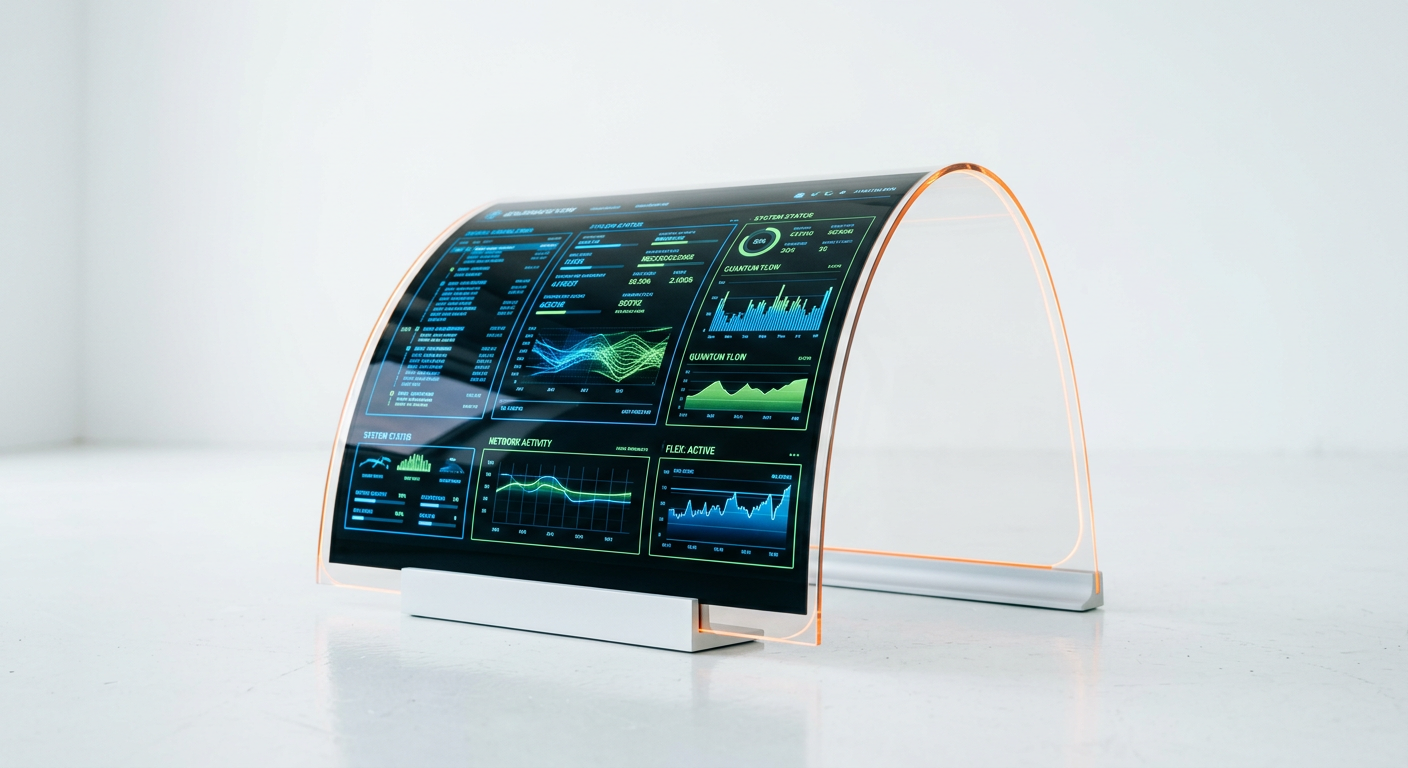
OLED, n; A reemerging style of lightweight light technology used to create digital displays. In long form, OLED is an “organic light-emitting diode,” and if you followed last week’s Consumer Electronics Show, you probably heard about it. OLED is the digital lighting style that has given way to bendable or curved screens. Remember Samsung’s Galaxy Round? (Probably not.) It was the first curved smartphone, created with an OLED display. LG followed with another curved phone, neither of which really took off. But at CES, LG announced a line of flexible televisions that curve theatrically with the touch of a button.
All of these gadgets are no doubt cool, but what’s the benefit of creating with OLED? It goes beyond literal flexibility; you can use OLED to create light-emitting clothing (like Philips did for the Black Eyed Peas) and transportable displays that EMTs, vets, and other on-site workers can use. OLED is so light that is can be incorporated into glass, which opens the door to a totally connected lifestyle, a la Minority Report. Corning, the glassware creator, created this video in 2011, showing a smart home in which everything is connected by technologies like OLED embedded in glass.
Though still in its infancy, OLED is already growing popular among hardware creators. Creators from Samsung to Philips to Corning believe that OLED’s flexibility will lead to more multifaceted and less breakable devices.
• Yapp explains the Internet of Things in plain language for readers who want a quick introduction. • The post shows how connected devices fit into a larger tech trend without overcomplicating it. • Readers curious about smart devices and connected technology will benefit most from this article.
It’s the hot topic at CES 2014. But what exactly is the “Internet of Things”?
Internet of Things,n; The basic interconnected-ness of objects through the wireless Internet. So, being able to control things (and things being able to control themselves) through the Internet and Internet-connected devices. The term was officially coined in 2009, and grew popular through the Auto-ID center (researching RFID technologies) at MIT.
As it’s still a new idea, there are a lot of ideas defining the Internet of Things. Companies like Nest are leading the pack. Their thermostat can be controlled remotely via smartphone app, and eventually learns settings and adjusts on its own accordingly. Many other gadgets growing out of the Internet of Things use personal data to keep you constantly connected to the web. Wearable fitness trackers, connected cars, smart appliances, and even Internet-controlled locks are in the ethos, and at the Consumer Electronics Show this year.
The bottom-line idea behind the Internet of Things is to connect all things to the Internet, and then to each other — probably through your smartphone. Already, you can use a wearable fitness device when you’re out for a jog, then see all your data in an app once you’re home. In the near future, it’s possible that your fridge will sense a change in weight on a certain shelf, then send a note to your phone reminding you to pick up milk.
Yapp explains Square Cash and why peer-to-peer payment tools were becoming more common.
The post gives readers a simple look at a fast-changing digital payments trend.
Readers interested in fintech and mobile payment tools will benefit most from this explainer.”
It’s New Year’s Eve, and parties abound. If you’re heading out with your best friend of yours who never carries cash (even when you remind them a million times about the door cover or cash-only bar), get acquainted with your new best friend, Square Cash.
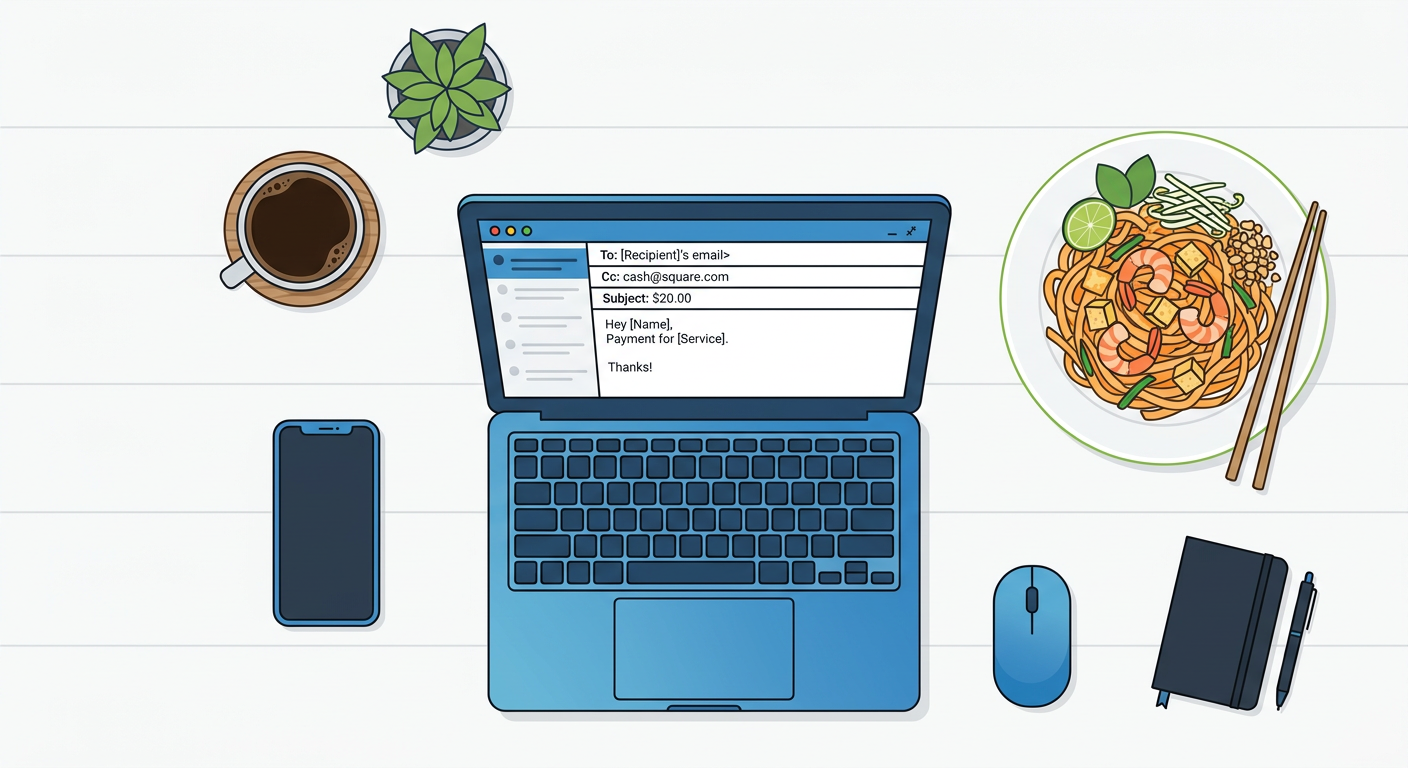
Square Cash, n; An email-based way to send cash in seconds. Square Cash, built by the guys who brought small businesses the ability to accept credit cards through phones and tablets, lets you transfer money painlessly with the basic communication of email. Compose an email to the friend you owe, copy Square, type the amount owed in the subject line, and even leave a thank you message if you please. When you send, you and the recipient both get an email and are taken to Square to enter your card information. Once both are accepted, the money moves magically, like that quarter your dad always carried and somehow found behind your ear.
Square Cash also has an app (a Yapp favorite that we’ve previously featured) that is the same level of simple. Open the app, type in the amount you’re sending, and they’ll generate an email in your client that’s set and ready to send to whomever. It’s comparable to Venmo — which lets you pay your contacts and Facebook friends within apps — and Google Wallet, which strikes more as a digital payment-to-store service.
Getting money deposited in your bank account always seems like magic, but it’s pretty simple with Square. There isn’t any new technology to understand, just email and, basically, a return credit from Square. You give your money to Square, and they credit it back to your friends who register their cards after your initial email. The uses go far beyond bars and clubs — send your debt payments to mom and dad (or your loans to son or daughter), pay your roommate for bills, pay your balance for the Thai delivery order.
What the Tech?! is a Yapp blog original series. If you’ve got tech terms, trends or gadgets that have you scratching your head, fill out our contact form or leave us a comment.
Yapp explains Android launchers and why they matter for phone customization and user experience.
The post turns a mobile software concept into a clear, beginner-friendly overview.
Android users curious about personalization and interface control will benefit most from this article.
Android Launcher,noun; Technically, it’s the homescreen of an Android phone. There are launchers built into an Android phone’s code (which is why each manufacturer can sell its own look), but there are also apps that let users customize the look of their phone on top of that built in design. This is probably what you’ve heard or read about, and faced with dreadful confusion.
Unlike iOS devices, Androids are highly customizable. There are a variety of launcher apps available in the Google Play store that either apply a specific look to your phone (like Launcher 7, which applies the look of a Windows phone) or provide you with a variety of customizable templates to find an aesthetic that’s pleasing to you (like Nova Launcher).
When you download and open a launcher, it takes over the user interface (i.e., the look and feel) of the phone. The functionality of all of your apps and widgets remains the same, simply with a more unique and unified design. Plus, you can customize gestures and animations to look like a real wizard to all of your friends.
What the Tech?! is a Yapp blog original series. If you’ve got tech terms, trends or gadgets that have you scratching your head, fill out our contact form or leave us a comment.